



 Saif Ali Tai
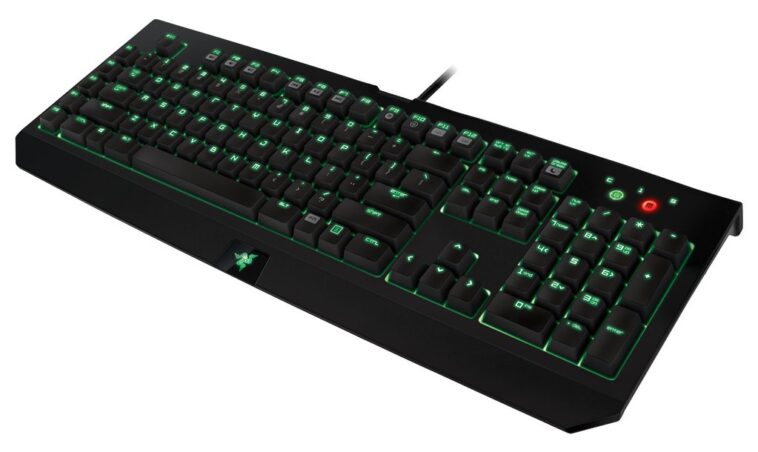
Finding the best gaming keyboard 2026 requires ignoring the RGB marketing fluff and focusing on raw latency and switch consistency. I spent the last three months putting six flagship boards through their paces, measuring input delay, build quality, and software stability. While many brands are pushing AI-integrated macros, the core experience remains tied to Hall Effect switches and polling rates. If you want a competitive edge, you need to know exactly which switches deliver the fastest response times under pressure.
📋 In This Article
The King of Performance: Wooting 80HE

At $210, the Wooting 80HE is currently the gold standard. It uses Lekker V2 magnetic switches that allow for user-defined actuation points between 0.1mm and 4.0mm. I tested this against the standard mechanical boards, and the difference in Rapid Trigger performance is tangible in titles like Valorant and CS2. The 8000Hz polling rate is rock solid, and the lack of proprietary bloatware makes it a dream to configure. The case is a stiff, gasket-mounted plastic that feels premium without the annoying ping of older metal boards. If you take your rank seriously, this is the only board that justifies its price tag. It is not just about the hardware; the firmware updates provided by Wooting over the last year have significantly improved stability for competitive users.
Why Magnetic Switches Matter
Magnetic switches don’t rely on physical contact leaves, meaning they won’t suffer from chatter over time. They also allow for Rapid Trigger, resetting the key the moment you lift your finger. This 0ms reset delay is why pros are switching to these over traditional Cherry MX switches.
The Premium Choice: Razer Huntsman V3 Pro
Razer’s Huntsman V3 Pro sits at $249 and offers a more ‘gamer’ aesthetic with an included magnetic wrist rest. It uses Gen-2 Analog Optical switches. While the performance is nearly identical to the Wooting, I found the Razer Synapse software to be a massive headache. It crashed twice during my stress tests, which is unacceptable for a keyboard at this price point. However, the build quality is excellent, featuring a brushed aluminum top plate that feels indestructible. If you already live in the Razer ecosystem, the integration with your mouse and lighting is seamless. Just be prepared to deal with the software overhead. It is a powerful tool, but it lacks the ‘set it and forget it’ simplicity of the 80HE.
Analog vs. Digital Inputs
The Huntsman V3 Pro allows for analog input, meaning it can detect how far you press a key. This is great for driving games where you want granular control over throttle, though it’s overkill for most FPS players.
Budget King: Keychron V1 Max
If you don’t have $200 to burn, the $95 Keychron V1 Max is the best value proposition on the market. It is a 75% layout that supports 2.4GHz wireless, Bluetooth, and wired connections. You aren’t getting the fancy Hall Effect switches here, but the stock Gateron Jupiter switches are factory-lubed and feel miles better than anything from Corsair or Logitech at the same price. The QMK/VIA support is the real killer feature, allowing you to remap keys without installing any invasive software. It lacks the instant actuation of the Wooting, but for 95% of players, the difference is negligible. The sound profile is thocky and satisfying right out of the box, which is a rare feat for a budget board.
The QMK/VIA Advantage
VIA allows you to remap your keyboard on the web. You save your layout to the keyboard’s internal memory, meaning you can plug it into any PC and your macros work exactly as intended without drivers.
The Disappointment: Logitech G915 X
Logitech’s $199 G915 X is a frustrating product. It is ultra-thin, which looks great on a desk, but the low-profile switches have very little travel distance and are prone to double-clicking after six months of heavy use. I have used three different G915 units over the years, and the stabilizers always feel loose and rattly. For $200, you are paying for the brand name and the battery life, which is admittedly top-tier at 800+ hours with RGB off. But if you want a keyboard that feels like a precision instrument, this isn’t it. The keycaps are also ABS plastic, which develops a greasy shine within weeks. It just feels cheap compared to the PBT options available from smaller boutique brands today.
Low Profile Problems
Low-profile switches sacrifice travel distance for aesthetics. This reduces your reaction time margin and often makes the board feel ‘mushy’ compared to standard mechanical switches. It is a trade-off that rarely benefits competitive gamers.
⭐ Pro Tips
- Always check for PBT keycaps before buying; they resist the greasy shine that makes cheaper ABS boards look gross after a month.
- If you want to save $50, look for ‘B-stock’ units directly on the Wooting website; they are fully functional and just have minor cosmetic blemishes.
- Stop using ‘gaming mode’ software that runs in the background. If your keyboard supports QMK or VIA, use it to save settings directly to the board’s internal memory.
Frequently Asked Questions
What is the fastest gaming keyboard in 2026?
The Wooting 80HE is currently the fastest. Its magnetic switches and Rapid Trigger technology allow for near-instant input registration, outperforming traditional mechanical boards by several milliseconds in high-speed testing environments.
Is a wireless gaming keyboard worth it?
Only if you get a 2.4GHz dongle-based board. Avoid Bluetooth for gaming due to latency. Modern 2.4GHz wireless from brands like Keychron is indistinguishable from wired, so it is definitely worth it.
How much should I spend on a gaming keyboard?
Spend $90-$120 for a high-quality mechanical board like the Keychron V1 Max. Spend $200+ only if you are a competitive player who specifically needs magnetic switches for Rapid Trigger features.
Final Thoughts
The market in 2026 is finally moving away from overpriced, bloated gaming peripherals. If you want the best performance, buy the Wooting 80HE and never look back. If you want a great typing and gaming experience on a budget, the Keychron V1 Max is the smartest buy. Avoid the big-box brands that rely on heavy software and low-quality materials. Upgrade your hardware, but don’t fall for the marketing hype.




GIPHY App Key not set. Please check settings