



 Saif Ali Tai
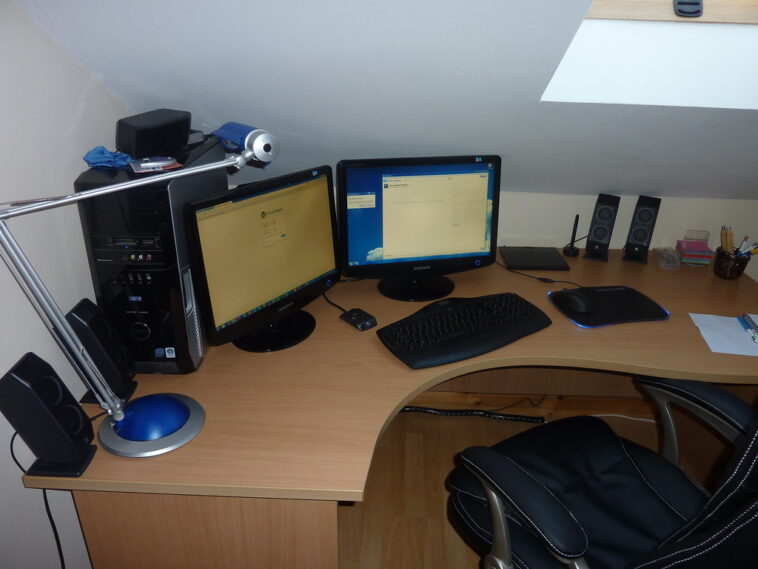
Building the best home office setup 2026 requires balancing raw power with ergonomic comfort. After months of testing, I have found that you do not need to spend $10,000 to be productive. Whether you are coding, editing 8K video, or just managing spreadsheets, the right hardware matters. I have analyzed the current market—from the latest M4 chips to ultra-wide OLED panels—to help you build a space that doesn’t just look good on Instagram, but actually helps you get your work done.
📋 In This Article
The Computing Core: Silicon and RAM

For 2026, the baseline for a serious workstation is the M4 Pro MacBook Pro or a custom-built PC running an Intel Core Ultra 9 285K. If you are on macOS, the M4 Pro’s unified memory architecture is still king for thermal efficiency. I recommend 32GB of RAM as the floor; do not buy 16GB in 2026 unless you only use a browser. On the Windows side, the 285K paired with an NVIDIA RTX 5080 is the new gold standard. It handles local LLM inference via Gemini 2.0 or Claude 3.5 Sonnet with zero latency. Expect to pay around $2,400 for a well-specced machine. Don’t waste money on ‘pro’ branding if the base model covers your workflow.
Local AI Processing
Running models locally is the biggest shift in 2026. With 16GB of VRAM on the RTX 5080, you can run large language models without hitting a cloud API. This keeps your private data local and saves you about $50 a month in subscription fees if you were previously paying for high-tier AI access.
Displays: The Case for OLED
Stop using standard IPS panels if you spend 8 hours a day at your desk. The Dell Alienware AW3425DWF, a 34-inch QD-OLED monitor, is the best investment you can make for your eyes. At $899, it offers perfect blacks and a 165Hz refresh rate that makes scrolling through code or documents buttery smooth. The clarity of text on the latest QD-OLED panels has finally surpassed traditional LCDs. If you prefer a dual-monitor setup, two 27-inch 4K panels like the LG 27GR95QE are better for window management. Just ensure you have a desk deep enough to handle the footprint, as these stands are notoriously bulky.
Color Accuracy
If you do creative work, the 99% DCI-P3 coverage on the Dell OLED is non-negotiable. It removes the guesswork from color grading, saving you from having to check your work on a second device to ensure the colors look right.
Ergonomics: Your Spine Will Thank You
I spent a week sitting in cheap $200 office chairs, and my back hated me. The Herman Miller Aeron remains the industry standard for a reason. You can find refurbished models for $700 on secondary markets, which is a steal compared to the $1,800 retail price. Pair it with a sit-stand desk like the Uplift V2. It costs about $650, but the stability at standing height is unmatched by cheaper alternatives. I use a motorized standing desk to keep my energy levels up during afternoon slumps. If you are spending 40 hours a week at a desk, your furniture is more important than your CPU.
Standing Desk Habits
Use a standing desk for 15 minutes every hour. Don’t stand all day; it’s just as bad for your knees as sitting is for your lower back. Set a timer on your phone to remind you to move.
Peripherals: The Tactile Experience
Keyboards and mice are personal, but the Logitech MX Master 3S ($99) is the only mouse I recommend for productivity. The scroll wheel is unmatched for long documents. For keyboards, the Keychron Q series ($180) offers a heavy, aluminum build that feels infinitely better than plastic ‘gaming’ boards. Mechanical switches, specifically Gateron Brown or Red, provide the tactile feedback needed to reduce typing fatigue. Avoid wireless keyboards that rely on proprietary dongles; stick to Bluetooth 5.3 or 2.4GHz receivers that don’t drop connections every time you put your computer to sleep.
Cable Management
Use an under-desk tray to hide power bricks. Keeping your desk clear of wires reduces visual clutter and makes it easier to clean. A $20 cable management kit from Amazon is enough to make a messy desk look professional.
⭐ Pro Tips
- Buy a high-quality refurbished Herman Miller Aeron for $700 instead of a new $400 chair that will break in two years.
- Use a $20 under-desk cable tray to hide your power bricks and keep your workspace clean.
- Do not buy 16GB of RAM in 2026; 32GB is the minimum for a modern, multitasking workflow.
Frequently Asked Questions
What is the best home office setup for 2026?
The best setup centers on an M4 Pro Mac or Intel 285K PC, a 34-inch QD-OLED monitor, and an ergonomic chair like the Herman Miller Aeron. Focus on quality over aesthetic RGB lights.
Is a standing desk worth it?
Yes, a motorized desk like the Uplift V2 is worth it if you vary your posture. It helps with energy levels and prevents the back pain associated with prolonged sitting.
How much should I spend on a home office?
Expect to spend between $2,500 and $4,000 for a professional-grade setup. This covers your computer, a quality monitor, a premium chair, and a desk. Avoid cheap budget gear that causes physical strain.
Final Thoughts
Your home office should be an investment in your health and output. Stop chasing the latest ‘viral’ desk accessories and focus on the core: a reliable computer, a color-accurate display, and a chair that supports your spine. If you have a budget, prioritize the chair and monitor first. The PC specs can be upgraded later, but your back and eyes are permanent. Start with the chair, and build your desk around that comfort.




GIPHY App Key not set. Please check settings