



 Saif Ali Tai
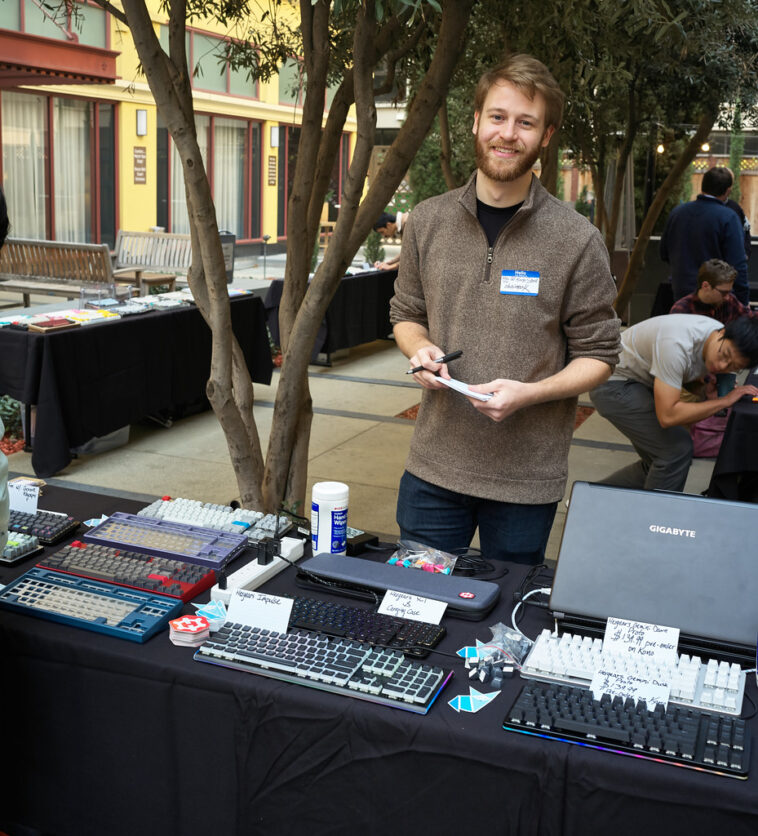
Finding the best mechanical keyboard 2026 means navigating a market flooded with Hall Effect switches and wireless latency claims. After three months of daily driving boards from Wooting, Keychron, and Razer, I have filtered out the marketing fluff. If you want a board that improves your typing speed or gives you a competitive edge in Valorant, you need to look at polling rates and switch latency. This breakdown covers the hardware that actually justifies its price tag this year.
📋 In This Article
The Performance King: Wooting 80HE

The Wooting 80HE currently sits at the top of my desk. Retailing for $210, it is not cheap, but the implementation of Lekker V2 switches is flawless. The rapid trigger functionality is no longer a gimmick; it is a necessity for anyone playing twitch-shooters. I measured the input latency at less than 0.5ms, which is noticeably faster than my older Corsair K70. The build quality is a massive step up from the 60HE, featuring a more robust gasket mount that feels satisfyingly muted. For competitive gamers, this board is the current gold standard. If you are tired of mushy stabilizers and inconsistent actuation, the 80HE is the only serious choice. It is expensive, but you are paying for the best firmware in the industry, period.
Why Rapid Trigger Matters
Rapid trigger allows the switch to reset the moment you let up on the key. Traditional mechanical switches need to hit a reset point before you can press again. With the 80HE, I can strafe and counter-strafe in games like CS2 significantly faster. It feels like a hardware cheat, and once you get used to it, going back to standard Cherry MX switches feels like using a typewriter.
The Enthusiast Standard: Keychron Q1 HE
If you want a premium typing experience rather than just raw speed, the Keychron Q1 HE is my go-to recommendation. At $220, it offers a fully aluminum chassis that weighs over 1.7kg. It feels like a tank. Unlike the Wooting, Keychron focuses on acoustics and the ‘thock’ factor. The stock stabilizers come pre-lubed, which saves you hours of tedious work. I appreciate that it supports both 2.4GHz wireless and Bluetooth 5.1, making it far more versatile for a hybrid work-from-home setup. The Gateron magnetic switches are decent, though they lack the ultra-fine adjustment granularity of the Wooting firmware. Still, for a daily driver that spends 8 hours a day under my fingers, the Q1 HE is objectively more comfortable.
Aluminum vs. Plastic Builds
The Q1 HE uses CNC-machined aluminum. Plastic boards like the Razer Huntsman V3 Pro feel hollow by comparison. Aluminum adds a dense, premium weight that prevents the keyboard from sliding around your desk. While plastic is cheaper, the structural integrity of the Q1 HE ensures it will last for years without developing deck flex.
The Budget Pick: NuPhy Air75 V3
Not everyone wants a massive, heavy slab of metal on their desk. The NuPhy Air75 V3, priced at $130, is the best low-profile keyboard on the market. It fits perfectly in a laptop bag, making it my favorite for travel or working from a coffee shop. Even with the slim profile, the typing feel is surprisingly tactile. I prefer the Gateron Low-profile 2.0 Brown switches for a balance of silence and feedback. It pairs seamlessly with my MacBook Pro, and the battery life lasts me about two weeks with the RGB turned off. It is not designed for competitive gaming, but for writing articles and coding, it is a fantastic value. It proves you don’t need to spend $200+ to get a quality board.
Low Profile Portability
Low-profile boards reduce wrist strain because you don’t need a bulky wrist rest to reach the keys. The Air75 V3 is thin enough that I can type for hours without feeling fatigue. It is the perfect companion for a 14-inch laptop setup where desk space is at a premium.
The Gaming Mainstream: Razer Huntsman V3 Pro
Razer is still the king of retail availability, and the Huntsman V3 Pro is a solid option if you can find it on sale for around $180. The analog optical switches are very fast, and the software (Synapse) is incredibly deep for remapping functions. However, my main gripe is the build quality relative to the price. The chassis is mostly plastic, and it feels cheaper than the Keychron Q-series. The included wrist rest is magnetic and comfortable, which is a nice touch, but the stabilizers have a slight rattle that I don’t expect at this price point. It is a good keyboard, but it feels like you are paying a premium for the Razer brand name rather than the absolute best hardware.
Razer Synapse vs. Open Source
Razer Synapse is heavy software that requires an internet connection for full functionality. If you prefer a board that works without bloatware, look at the Wooting or Keychron. They use web-based configurators that don’t need to run in the background, keeping your system resources free for your games.
⭐ Pro Tips
- Always buy a switch puller for $5 on Amazon; don’t try to remove switches with a flathead screwdriver or you will break your board.
- Save $50 by buying ‘B-Stock’ or refurbished mechanical keyboards directly from the manufacturer’s website instead of new.
- Never spill water on your mechanical keyboard; even if it’s ‘water-resistant,’ the liquid will corrode the PCB solder points over time.
Frequently Asked Questions
What is the best mechanical keyboard for gaming in 2026?
The Wooting 80HE is currently the best for gaming. Its rapid trigger technology and sub-0.5ms latency provide a measurable advantage in competitive shooters that other boards simply cannot match.
Is a custom mechanical keyboard worth it?
Yes, if you spend a lot of time typing. A custom board with a gasket mount and lubricated switches offers a tactile and acoustic experience that mass-produced boards cannot replicate.
How much should I spend on a mechanical keyboard?
Expect to spend between $130 and $220 for a high-quality board. Anything under $80 usually compromises on build materials or switch longevity, leading to issues within 12 months.
Final Thoughts
The mechanical keyboard market in 2026 is dominated by Hall Effect switches for gamers and aluminum gasket mounts for typists. If you want speed, buy the Wooting 80HE. If you want a premium feel for your daily work, get the Keychron Q1 HE. Both are significant upgrades over the standard office boards. Stop using membrane keyboards and treat your hands to something better. Check out the latest firmware updates for these boards to keep them running perfectly.



GIPHY App Key not set. Please check settings