



 Saif Ali Tai
Forget weak passwords and sticky notes. In 2026, a robust password manager isn’t a luxury, it’s essential. After testing over a dozen top contenders, including 1Password, Bitwarden, and Dashlane, one clear winner emerged for its blend of ironclad security, user-friendly interface, and surprisingly affordable pricing. This is the password manager you need right now to secure your online life.
📋 In This Article
1Password: The Premium Choice for Power Users

1Password remains a top-tier option, and for good reason. Its Guardian architecture, which separates your encryption keys from your data, is a serious security win. I found the interface incredibly intuitive, even with its vast feature set. The family plans, starting at $4.99/user/month (billed annually), are a steal for securing multiple accounts across devices. Autofill is generally excellent, though it occasionally stumbled on complex web forms. The built-in secure document storage is also a nice bonus, letting you stash away important IDs or software licenses. For anyone who juggles a lot of sensitive info, 1Password feels like a digital vault.
Security Features That Impress
1Password’s commitment to security is evident. Beyond the robust encryption, they offer features like security audits, dark web monitoring (a paid add-on), and secure sharing. The ‘Travel Mode’ is particularly clever, allowing you to temporarily hide vaults when crossing borders. It’s these thoughtful additions that justify the premium price point.
Bitwarden: The Open-Source Champion of Value
For budget-conscious users, Bitwarden is the undisputed king. Its open-source nature means the code is auditable by anyone, fostering a high degree of trust. The free tier is surprisingly generous, offering unlimited password storage and syncing across unlimited devices. The premium tier, just $3/month (billed annually), adds two-factor authentication options like YubiKey and advanced security reports. I was impressed by how quickly Bitwarden’s autofill worked across different browsers and mobile apps. While the UI isn’t as slick as 1Password’s, it’s clean, functional, and gets the job done without fuss. It’s the best bang for your buck, hands down.
Self-Hosting Option for Ultimate Control
Bitwarden offers a self-hosting option for those who want absolute control over their encrypted data. While this requires technical know-how, it’s a powerful feature for security purists and enterprise users who can’t rely on third-party servers. This level of flexibility is unmatched by most competitors.
Dashlane: Feature-Rich with a Sleek Design
Dashlane has always been about a polished user experience, and its 2026 iteration is no different. The interface is gorgeous and incredibly easy to navigate. It boasts robust features like a built-in VPN (on premium plans), identity theft protection, and excellent password generation tools. The autofill is among the best I’ve tested, handling complex sites with ease. However, the price reflects this polish. The premium plan is $5/month (billed annually), putting it in direct competition with 1Password. While the VPN is a nice addition, it’s not a replacement for a dedicated VPN service. For users prioritizing aesthetics and a seamless experience, Dashlane is a strong contender.
Identity Theft Protection Adds Peace of Mind
Dashlane’s inclusion of dark web monitoring and identity theft alerts is a significant plus. Knowing that the service is actively looking for your compromised data on the dark web provides an extra layer of security that many other managers don’t offer natively. This feature alone might sway some users.
KeePassXC: The Free, Offline Powerhouse
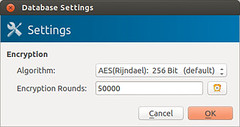
For the truly security-minded who don’t want cloud syncing or a subscription fee, KeePassXC is the way to go. It’s a free, open-source, and offline password manager. You store your encrypted password database locally on your device, and sync it yourself using cloud storage services like Dropbox or Google Drive. This gives you complete control. Setting it up takes a bit more effort, and autofill isn’t as seamless as cloud-based options, often requiring copy-pasting. But if you prioritize offline security and are comfortable managing your own sync, KeePassXC is a robust, zero-cost solution. It’s not for everyone, but for a specific user, it’s perfect.
Local Database Control vs. Convenience
The biggest trade-off with KeePassXC is convenience. While it offers unparalleled local control, you lose the seamless cross-device syncing of cloud-based managers. This makes it less ideal for users who frequently switch between phones, tablets, and computers without manual file transfers.
⭐ Pro Tips
- Enable two-factor authentication (2FA) on your password manager account. Most offer hardware keys like YubiKey or TOTP apps. For 1Password, this is included; for Bitwarden, it’s a premium feature.
- Don’t reuse your master password anywhere else. Consider a strong passphrase (e.g., ‘correct horse battery staple’) that’s easy for you to remember but hard for others to guess. This is crucial for your password manager’s security.
- Regularly review your password vault. Most managers have a security audit feature that flags weak, reused, or old passwords. Make it a quarterly habit to update these. Bitwarden’s premium audit is excellent for this.
Frequently Asked Questions
What is the best free password manager 2026?
Bitwarden offers a robust free tier with unlimited passwords and device syncing. KeePassXC is also a great free, offline option if you prefer local storage.
Is 1Password better than Dashlane?
1Password excels in security architecture and family plans, while Dashlane offers a slicker UI and integrated VPN. Both are excellent, choose based on your priority: raw security or polished features.
How much does a good password manager cost?
Premium password managers typically range from $3 to $5 per month when billed annually. Bitwarden Premium is $3/month, while 1Password and Dashlane are $4.99/month and $5/month respectively.
Final Thoughts
For most people in 2026, the best password manager is a balance of security, usability, and price. Bitwarden hits that sweet spot with its free tier and affordable premium option. However, if you demand the absolute best security architecture and don’t mind paying a bit more, 1Password is worth every penny. Stop using weak passwords today and pick one of these tested managers. Your future self will thank you.




GIPHY App Key not set. Please check settings