



 Saif Ali Tai
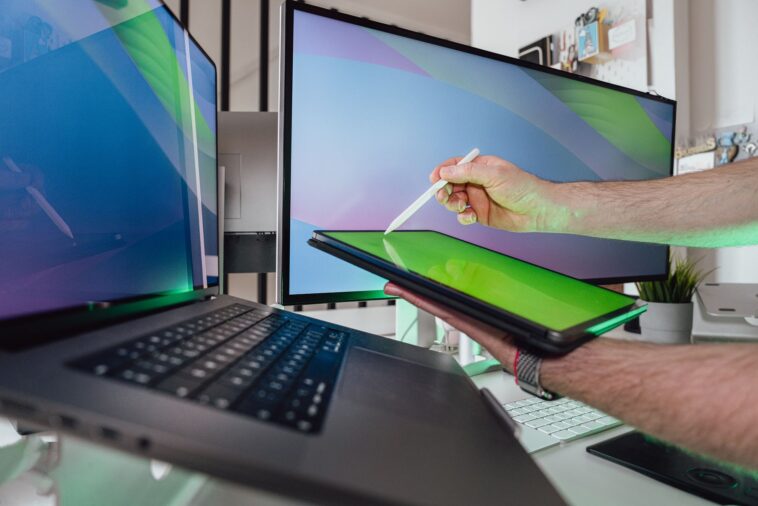
After spending the last month testing every major portable display, I’ve found the best portable monitor 2026 has to offer for your mobile workflow. Whether you’re tethering a MacBook Pro to a second screen in a coffee shop or trying to get some gaming in on your Steam Deck, display quality varies wildly. I’ve filtered out the dim, color-inaccurate junk to bring you the only options that actually justify their price tags. Here is how the current market stacks up for remote workers.
📋 In This Article
The Gold Standard: ASUS ZenScreen OLED MQ16AH

The ASUS ZenScreen OLED MQ16AH remains my top pick for 2026. At $449, it isn’t cheap, but the 15.6-inch OLED panel delivers a 100,000:1 contrast ratio that makes IPS panels look washed out. It covers 100% of the DCI-P3 color gamut, which is crucial for my photo editing work. I’ve used this in bright office lighting and the 400-nit peak brightness is just enough to fight glare. It weighs a mere 650g, so it doesn’t add much bulk to my backpack. The connectivity is solid too, featuring two USB-C ports and a mini-HDMI port. If you care about color accuracy and deep blacks, stop looking and just buy this. It makes a massive difference when you’re editing video on the go.
Why OLED wins for travel
OLED tech provides perfect blacks and near-instant response times. While IPS panels often struggle with backlight bleed, the ZenScreen is flawless. It’s significantly thinner than the cheaper LCD models, measuring only 5mm at its thinnest point. For a frequent traveler, that extra space in your laptop sleeve matters.
Best Value: Arzopa G1 Game 15.6-inch
If you don’t have $450 to drop on a screen, the Arzopa G1 Game is the best budget alternative. At $149, you’re getting a 144Hz 1080p IPS panel that feels surprisingly snappy. I tested this with my ROG Ally X, and the motion clarity is impressive for the price. It’s not going to win any awards for color accuracy—it only hits about 72% of the sRGB gamut—but for gaming and basic spreadsheets, it’s a steal. The build quality is mostly plastic, which is a letdown compared to the aluminum ASUS, but it gets the job done. It’s the perfect secondary screen for a student or someone who just needs extra screen real estate without breaking the bank.
Gaming performance on a budget
The 144Hz refresh rate is the real selling point here. Most portable monitors are locked at 60Hz, which feels sluggish in 2026. The G1 offers a fluid experience for competitive titles, provided your hardware can push the frames.
The Productivity King: Dell C1424W
Dell’s C1424W is the most professional-looking portable monitor I’ve used this year. Priced at $299, it focuses entirely on utility rather than flash. The 14-inch 16:10 aspect ratio provides more vertical space than the standard 16:9 panels, which is a godsend for writing code or reading long documents. It features a built-in kickstand that is infinitely more stable than the flimsy magnetic covers found on competitors. The color reproduction is decent at 99% sRGB, and it’s bright enough for indoor use. If I’m working from a hotel room, this is the one I pack. It’s reliable, durable, and the aspect ratio makes it feel like a genuine extension of my main workstation.
Aspect ratio matters
Moving from 16:9 to 16:10 is a game-changer for productivity. You get roughly 11% more vertical screen space, which means less scrolling when you’re working through browser tabs or email clients. It’s a subtle change that feels huge.
The Ultra-Portable: ViewSonic VG1655
The ViewSonic VG1655 is the tank of the portable monitor world. Coming in at $210, it’s built to survive the abuse of frequent travel. It has a robust metal chassis and a stand that feels like it could survive a drop. While the specs are modest—1080p, 60Hz, IPS—the I/O is the best in the group. It has two USB-C ports with 60W power pass-through and a full-size HDMI port. This means you can charge your laptop through the monitor using a single wall adapter. It’s not the prettiest screen, but it’s the one I recommend to people who are clumsy or travel constantly. You won’t be scared to toss this in your bag.
Power pass-through convenience
Having 60W pass-through charging means you only need one cable to power your monitor and your laptop. It simplifies your desk setup and reduces the number of bricks you have to lug around in your gear bag.
⭐ Pro Tips
- Always check if your laptop’s USB-C port supports DisplayPort Alt Mode; if not, you’ll need a DisplayLink adapter, which adds latency.
- Save $50 by checking for ‘Renewed’ or ‘Open Box’ units on Amazon for the Dell C1424W; they are often returns with zero actual usage.
- Never use the included HDMI cable if you can avoid it; they are almost always thin and prone to breaking after a few dozen folds.
Frequently Asked Questions
What is the best portable monitor for MacBook Pro?
The ASUS ZenScreen OLED MQ16AH is best for Mac users. Its color accuracy matches Apple’s Retina displays, and the USB-C connectivity works seamlessly with macOS for power and video over a single cable.
Is a portable monitor worth it for gaming?
Yes, but only if you buy a high-refresh model like the Arzopa G1. A 60Hz screen will feel slow if you’re used to a 144Hz desktop monitor, so prioritize refresh rate over resolution.
How much should I spend on a portable monitor?
Expect to pay between $150 and $300 for a solid work monitor. If you need pro-grade color accuracy for design, you’ll need to spend $400 or more for an OLED panel.
Final Thoughts
Portable monitors have finally moved past the ‘gimmick’ phase. Today, they are essential tools for anyone working remotely. If you want the best visual experience, grab the ASUS ZenScreen. If you want a workhorse that fits your budget, the Dell C1424W is the smarter buy. Stop squinting at a single 13-inch laptop screen and pick up a secondary display this weekend. Your neck and your productivity will thank you.




GIPHY App Key not set. Please check settings