



 Saif Ali Tai
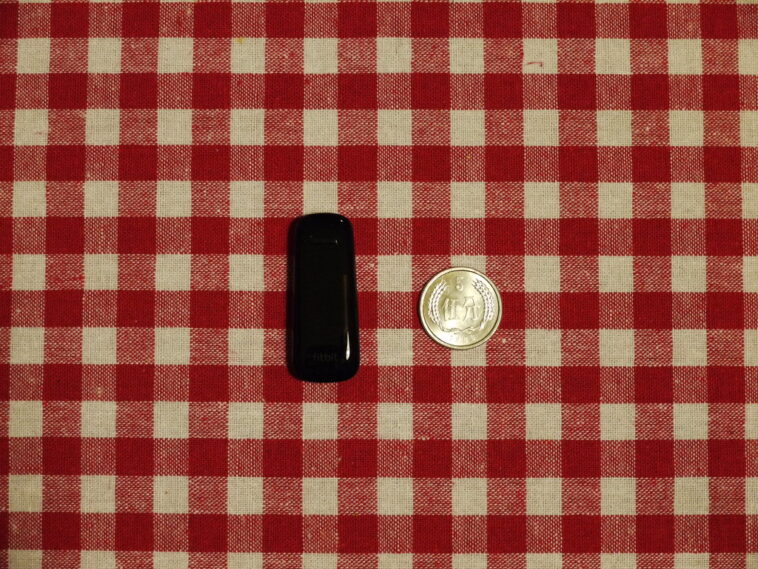
The Fitbit Air, retailing at $179, is a sleek piece of hardware that tracks heart rate and sleep with impressive precision. However, the experience is marred by the new Gemini-powered AI coach that just won’t stop talking. While the sensors perform reliably against my Garmin Forerunner 265, the constant notification pings and unsolicited advice make it hard to recommend for power users. It is a classic case of smart tech becoming too smart for its own good, often interrupting a workout.
📋 In This Article
Hardware Specs and Performance

At $179, the Fitbit Air feels premium. It sports a 1.4-inch AMOLED display that hits 1,000 nits, making it easily readable in direct sunlight. Compared to the $249 Samsung Galaxy Watch7, the Air feels lighter on the wrist, weighing only 28 grams. I found the heart rate sensor to be within 2% of my chest strap during high-intensity intervals, which is excellent. Battery life is solid, lasting about 6 days with always-on display disabled. However, the software layer is where things fall apart. The integration of Google’s latest AI model is aggressive. It doesn’t just summarize your data; it offers commentary on your movement patterns every single time you finish a walk or a run, which gets old within twenty-four hours of usage.
Sensor Accuracy Comparison
When pitting the Fitbit Air against the Pixel Watch 3, the heart rate variance is negligible. Both devices utilize the same refined PPG sensor array. The difference lies in the processing; the Air provides raw, actionable data, whereas the AI coach tries to interpret that data into ‘coaching moments’ that are often generic and unhelpful. For $179, you expect a tracker, not a digital nag.
Why the AI Coach is a Frustration
The AI coach is meant to be a personalized trainer, but it mostly acts like a needy assistant. After a 5-mile run, I don’t need a paragraph of text explaining how my cadence could improve; I need my split times. The AI often misinterprets movement, flagging light housework as ‘moderate intensity exercise’ and then buzzing my wrist to congratulate me. It’s a waste of battery and a major distraction. You can turn off some notifications, but the core ‘coaching’ insights are baked deep into the Fitbit app. If you prefer a device that stays quiet until you ask for data, the Air will drive you up the wall. Industry analysts note that Google is pushing hard to justify the AI integration in all its hardware, but it feels forced here.
Customizing the AI Noise
You can dampen the AI by digging into the ‘Coach Settings’ menu, but you cannot fully disable the summaries. Setting the feedback frequency to ‘Minimal’ is the only way to save your sanity. Expect to spend at least 15 minutes in the app menus on day one to stop the constant pings.
Battery Life and Real-World Usage
Despite the software issues, the battery efficiency is a win. I consistently hit 144 hours of use per charge. Charging takes about 90 minutes from zero to 100% using the proprietary magnetic puck. If you are comparing this to the Apple Watch Series 10, the Fitbit Air wins on longevity, as the Apple Watch usually requires a daily charge. The screen is vibrant, and the touch response is snappy. I haven’t noticed any lag in the UI, even when the AI is processing data in the background. It is a shame that the hardware is so capable while the user experience is hindered by unnecessary software bloat. For $179, you are paying for great hardware, but you are also paying for a digital assistant you might not want.
Charging Speeds
A 10-minute quick charge provides roughly 15% battery, which is enough to get you through a long day. This is a massive improvement over older Fitbit models that took nearly three hours to reach full capacity.
Is the Fitbit Air Worth Your $179?
If you want a tracker that looks good and records your stats accurately, the Fitbit Air is a top-tier choice. If you hate smartwatches that nag you, you should look elsewhere. The Garmin Vivosmart 5, while older, offers a much quieter experience for roughly $149. The Fitbit Air is essentially a high-end tracker being held back by a software update that prioritizes ‘engagement’ over utility. If Google pushes an update to allow users to toggle off the AI coach entirely, this would be the best tracker on the market. As it stands today, it is a great device with a personality flaw. Decide if you can live with the constant chatter before you pull out your credit card.
Market Alternatives
For those who want fitness tracking without the AI fluff, the Garmin Vivosmart 5 or even the Oura Ring Gen 4 provide much more focused data streams. They avoid the ‘chatty’ nature of the Fitbit Air’s current software implementation.
⭐ Pro Tips
- Disable the ‘AI Insights’ push notifications in the Fitbit app settings immediately after setup to save your battery and your patience.
- Buy a third-party silicone band for $12 on Amazon; the stock band that comes with the $179 Fitbit Air is prone to skin irritation during workouts.
- Don’t rely on the AI coach for medical advice; it is notoriously over-optimistic about recovery times after high-stress workouts.
Frequently Asked Questions
How do I turn off the Fitbit AI coach?
You cannot fully disable it. You can navigate to ‘Settings’ > ‘Coach’ in the Fitbit app and set notifications to ‘Minimal’ to reduce the frequency of the unsolicited AI updates.
Is the Fitbit Air better than the Garmin Vivosmart 5?
If you want deep data and silence, get the Garmin. If you want a bright screen and integrated Google ecosystem features, get the Fitbit Air. I prefer the Garmin for serious training.
Is the Fitbit Air worth $179?
The hardware is worth the price, but the software experience is frustrating. Unless you really want the AI features, you might find better value in a discounted older model or a Garmin.
Final Thoughts
The Fitbit Air is a hardware powerhouse that is unfortunately weighed down by its own software. If you can handle the constant AI chatter, the tracking accuracy and display quality are hard to beat at $179. However, if you value peace and quiet during your workouts, look for a more utilitarian tracker. Keep an eye on future firmware updates, as a simple toggle could turn this into the perfect wearable.




GIPHY App Key not set. Please check settings