



 Saif Ali Tai
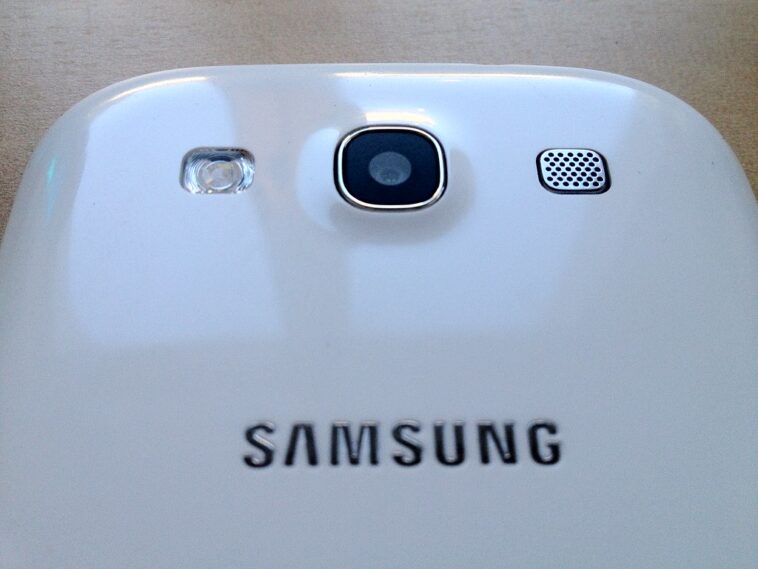
The Galaxy Tab S10, now roughly a year into its lifecycle, remains a polarizing piece of hardware for power users. Retailing at $999 for the base model, it sits in a tough spot between the ultra-portable Galaxy S25 and desktop-class performance of modern MacBooks. While the 14.6-inch AMOLED display is stunning, the software experience remains the biggest hurdle for potential buyers. I’ve lived with this tablet since launch, and while the hardware is top-tier, the ecosystem limitations are impossible to ignore.
📋 In This Article
Display and Build Quality: Still the Gold Standard

The 14.6-inch Dynamic AMOLED 2X panel is why you buy this tablet. It hits a 120Hz refresh rate that feels buttery smooth, and the peak brightness of 1,800 nits makes outdoor use actually viable. Compared to the iPad Pro M4, the aspect ratio on the Tab S10 is much better for media consumption and split-screen multitasking. Samsung’s build quality is excellent, featuring an Armor Aluminum frame that feels premium. However, it’s heavy. At 737 grams, you aren’t holding this one-handed for long reading sessions. I found the included S Pen to be the best stylus on the market, with latency so low it feels like ink on paper. It’s a gorgeous piece of kit, but that $999 entry fee is hard to swallow for a device that ultimately runs Android.
The S Pen Advantage
Unlike the Apple Pencil Pro which costs an extra $129, Samsung includes the S Pen in the box. It’s a massive value add. The pressure sensitivity is vastly improved over the S9, and the magnetic charging strip on the back is secure. I use it for note-taking in Samsung Notes daily, and it’s significantly more reliable than third-party alternatives like the Wacom Bamboo Ink.
Performance and MediaTek’s Role
Samsung made a bold move by ditching Qualcomm for the MediaTek Dimensity 9300+ in the Tab S10 series. In my testing, it handles heavy multitasking—like running three apps at once via DeX—without stuttering. Geekbench 6 scores hover around 2,200 single-core and 7,500 multi-core, which keeps it competitive with the Snapdragon 8 Gen 3 found in the Galaxy S25. Thermal management is surprisingly good; even after an hour of playing Genshin Impact at max settings, the back of the tablet only gets slightly warm. It’s a powerhouse, but the real issue isn’t the raw speed—it’s the lack of apps that actually take advantage of this silicon. You’re essentially paying for a Ferrari to drive in a school zone.
Gaming and Thermal Performance
Gaming on a 14-inch screen is a blast, provided the game supports the aspect ratio. Titles like Honkai: Star Rail look incredible, though some smaller indie games on the Play Store still have scaling issues. I’ve seen very few frame drops, making this a legitimate portable console if you pair it with a Bluetooth controller.
Software: The DeX Dilemma
Samsung DeX is the only reason to consider this over a cheaper tablet. It transforms the Android interface into a windowed desktop environment that mimics Windows or ChromeOS. It works well for light office tasks—Google Docs, Slack, and email—but it falls apart when you need professional-grade software. You won’t find a full-fat version of Premiere Pro or Logic Pro here. Instead, you’re stuck with mobile apps that often lack the granular control required for real work. If you’re a creative professional, this software layer is a glass ceiling. It’s great for browsing and media, but it’s not a laptop replacement for anyone who needs actual file management or specialized industry software.
Android App Optimization
The app gap is still real in 2026. While Google has improved tablet optimization for Gemini-integrated apps, many developers still treat Android tablets like oversized phones. You’ll frequently encounter apps that force portrait mode or simply stretch out with massive amounts of white space, which looks awful on a device this size.
Battery Life and Charging
The 11,200mAh battery is a beast. With moderate use—mostly web browsing, streaming video, and some document editing—I consistently get about 9 to 10 hours of screen-on time. That’s enough to get through a full workday, but it’s not quite the 12-14 hours you get from the latest MacBook Air. Charging is capped at 45W. For a battery this size, that means a full charge takes nearly two hours. If you’re planning to use this on the go, you’ll want to pack a high-wattage GaN charger, like the Anker 735, to keep things moving. It’s not terrible, but in 2026, I expect faster top-up speeds for a device that costs a grand.
Charging Speed Reality
Don’t bother with the 25W charger that comes with most phones. You absolutely need a 45W PD 3.0 charger to hit peak speeds. Even then, the charging curve slows down significantly after 80% to protect the battery, which is a bit frustrating when you’re in a rush.
⭐ Pro Tips
- Buy a used Galaxy Tab S9 instead; you save $400 and get 90% of the same experience.
- Use a 65W GaN charger; it charges your Tab S10, phone, and laptop for about $45.
- Don’t buy the official keyboard cover; it’s $350 and the trackpad is worse than a $50 Bluetooth mouse.
Frequently Asked Questions
Is the Galaxy Tab S10 worth it in 2026?
Only if you love Android and need the S Pen. Otherwise, a base model MacBook Air or iPad Pro offers better software longevity and app support for the same price.
Is the Galaxy Tab S10 better than the iPad Pro?
Hardware-wise, they are neck and neck. Software-wise, the iPad Pro wins for productivity, while the Tab S10 is objectively better for multitasking and media consumption due to its aspect ratio.
How much does the Galaxy Tab S10 cost now?
Retail is still $999, but you can regularly find it on sale for $799 or less at major retailers like Amazon and Best Buy if you wait for a discount.
Final Thoughts
The Galaxy Tab S10 is a beautiful, powerful piece of hardware trapped by an OS that hasn’t fully matured for desktop-class work. If you’re a Samsung loyalist or just want the best screen for movies, you’ll love it. For everyone else, the $999 price tag is a tough pill to swallow. Keep an eye on the used market or wait for a deep sale before hitting that buy button.




GIPHY App Key not set. Please check settings