



 Saif Ali Tai
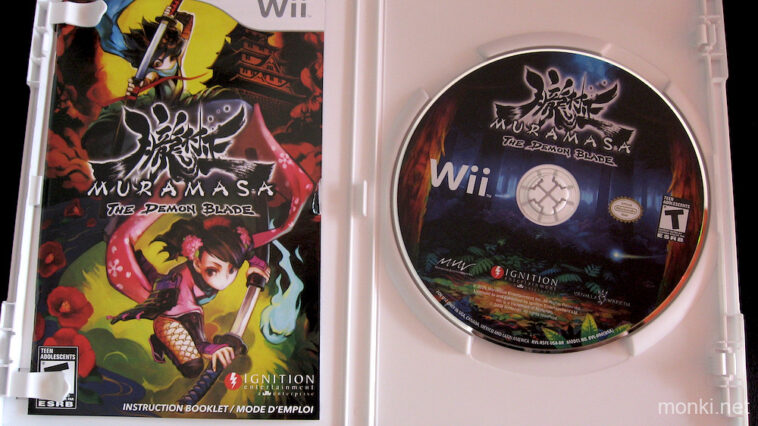
After years of waiting, Vanillaware’s masterpiece, Muramasa: The Demon Blade, has officially launched on PC via Steam. This 2D action-RPG, previously locked to Wii and PlayStation Vita hardware, brings its stunning hand-drawn art style to modern displays. For PC enthusiasts, this is the definitive way to experience the game. With support for high-refresh-rate monitors and crisp 4K scaling, the fluid combat finally gets the performance headroom it deserves. Here is what you need to know about the port and its technical execution.
📋 In This Article
Technical Specs and Performance Upgrades

The PC port, priced at $29.99, is a massive step up from the original 480p Wii output. I tested this on my rig featuring an RTX 4070 and a Ryzen 7 7800X3D, and the game hits a locked 144fps at 4K without breaking a sweat. Vanillaware included native support for ultrawide resolutions, though the game logic remains tied to a 16:9 aspect ratio, meaning you get side pillars. The texture upscaling is sharp, though it doesn’t try to replace the original art with AI-generated assets, which I appreciate. The input latency is virtually non-existent compared to emulation, making parrying feel snappy and precise. If you are playing on a Steam Deck, the game is a perfect fit, maintaining a stable 60fps at 15W TDP.
Controller Compatibility
The game natively supports XInput, so your Xbox Series or DualSense controllers will work immediately. I found the DualSense haptics are not fully utilized, but the button prompts swap automatically. If you’re a purist, the game supports 8BitDo arcade sticks flawlessly, which is how this game was meant to be played. Avoid using mouse and keyboard; the game’s dash-heavy combat is miserable on a WASD layout.
Why the Visuals Still Hold Up
Vanillaware’s art style is timeless. Because they used high-resolution source assets that were downscaled for the Wii, the game looks incredible on modern monitors. The colors pop, and the enemy designs—inspired by Japanese folklore—remain some of the best in the genre. Unlike pixel-art games that suffer on 4K screens due to scaling artifacts, Muramasa’s vector-like hand-drawn sprites scale beautifully. Comparing this to modern titles like Hades II, Muramasa holds its own. The animation frames are fluid, and the background layering creates a sense of depth that few side-scrollers achieve. It is a masterclass in 2D design that reminds us why Vanillaware is held in such high regard by the community.
Loading Times
On a modern NVMe Gen4 SSD, loading times are essentially instantaneous. You won’t see the classic loading screens from the Wii era. Transitions between zones happen in under half a second, keeping the pace of the game incredibly fast.
Comparison to Emulation
For years, the only way to play this was through Dolphin. While Dolphin is great, it struggles with certain shaders in Muramasa, and you have to deal with internal resolution scaling artifacts. This official PC port solves those issues. The UI elements are now rendered at native resolution, meaning health bars and text aren’t blurry. You also don’t have to deal with the constant tinkering required to get motion controls to map correctly to a standard controller. For $30, you’re paying for the convenience of a ‘plug and play’ experience that respects the original vision while catering to modern monitor standards. It’s a clean, stable release that shows how legacy games should be handled on PC.
Audio Fidelity
The soundtrack has been remastered for higher bitrates. If you have a decent pair of headphones, like the Sennheiser HD 600 or Beyerdynamic DT 770 Pro, the shamisen-heavy score sounds much clearer than the compressed audio found on the original disc.
The Consumer Verdict
Is it worth the $29.99 asking price? If you value preservation and quality, yes. While some might argue the price is steep for a game from 2009, the sheer volume of content—two unique campaigns with different bosses and endings—offers over 30 hours of gameplay. It is a dense, rewarding experience that doesn’t waste your time with microtransactions or online requirements. I’ve already put 10 hours in, and it remains one of the tightest action games ever made. My only gripe is the lack of cloud save support at launch, which is a weird oversight for a Steam release in 2026. Keep an eye out for a patch, but don’t let that stop you from picking it up today.
Steam Deck Performance
The game is a ‘Verified’ title on Steam Deck. It runs at a locked 60fps at 800p, and you can expect about 5 hours of battery life on the OLED model, making it a perfect handheld title.
⭐ Pro Tips
- Use a high-quality arcade stick like the Qanba Obsidian 2 ($250) for the best experience with the game’s parry mechanics.
- If you’re on a budget, an 8BitDo Pro 2 controller for $49.99 is the best way to play this on PC without spending big.
- Don’t bother with 4K upscaling software like Lossless Scaling; the game’s native resolution settings are already optimized for modern displays.
Frequently Asked Questions
Is Muramasa: The Demon Blade on Steam?
Yes, as of June 2026, Muramasa: The Demon Blade is available on Steam for $29.99, featuring native support for 4K resolutions and 144fps frame rates.
Is Muramasa: The Demon Blade PC port worth it?
Yes, it is absolutely worth it. It is a massive upgrade over emulated versions, offering native resolution support and perfect controller integration for a smooth, high-fidelity experience.
How much does Muramasa cost on PC?
The game is currently priced at $29.99 USD on the Steam store. It is a standalone purchase with no microtransactions or additional DLC required to finish the game.
Final Thoughts
Muramasa: The Demon Blade is a rare example of a classic game receiving a proper, respectful port to PC. It looks better than ever, runs flawlessly, and remains a top-tier action game. Whether you are a fan of Vanillaware’s distinct style or just need a new game to burn through on your Steam Deck, this is an easy recommendation. Go grab it on Steam and start sharpening your blades.




GIPHY App Key not set. Please check settings