
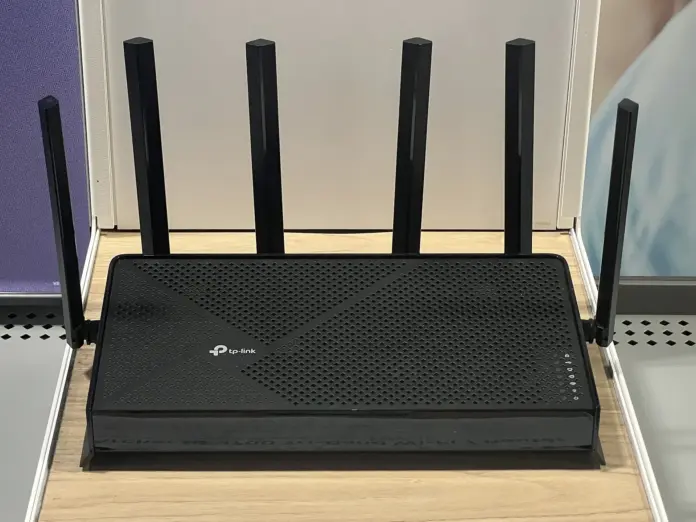
Wi-Fi 7 is the name for the Wi-Fi generation built on the IEEE 802.11be standard. Its headline changes are wider 320 MHz channels, a feature called Multi-Link Operation that uses several connections at once, and a denser signalling method called 4K QAM. The Wi-Fi Alliance began certifying Wi-Fi 7 devices on January 8, 2024. Here is what each change does, what you need to benefit, and where the claims stop.
What is new in Wi-Fi 7
- 320 MHz channels: double the widest channel size of the previous generation, which the Wi-Fi Alliance says supports multigigabit speeds. They are available only in countries that open the 6 GHz band to Wi-Fi.
- Multi-Link Operation (MLO): lets a device send and receive data over multiple links at the same time, which the Alliance says improves throughput, latency and reliability. Its chief executive Kevin Robinson called it the “marquee feature” of Wi-Fi 7, per IEEE Spectrum.
- 4K QAM: about 20% higher transmission rates than the 1024 QAM used before, according to the Alliance.
- 512 compressed block-ack and multiple resource units per device: efficiency features that cut overhead and give the router more flexibility in how it schedules spectrum.
- Triggered uplink access: builds on Wi-Fi 6 to support latency-sensitive traffic.
Why reliability is the real story
IEEE Spectrum describes Wi-Fi 7 as a shift in priorities. Earlier generations chased throughput; this one puts reliability and lower latency alongside higher data rates, with target uses such as factory robotics, AR and VR, and gaming. Carlos Cordeiro of Intel said what Wi-Fi “really needed to do” was become more reliable.
MLO is how it does that. IEEE Spectrum describes a simpler version that spreads data across several channels within one band, and a more distinctive version that spreads it across multiple bands. Data can be split across channels to shorten transmission time or duplicated across channels in case one is impaired by interference.
Wi-Fi 7 can also exclude interfering slices from within a wide channel, which IEEE Spectrum calls puncturing. Qualcomm’s Andy Davidson gave the example of a usable 300 MHz channel, compared with about 160 MHz before.
What you need to use it
- A Wi-Fi 7 router or access point and a Wi-Fi 7 client such as a recent phone or laptop. Both ends must support it.
- The 6 GHz band must be open for Wi-Fi in your country. Without it, 320 MHz channels are not available. IEEE Spectrum notes that contiguous 320 MHz of unlicensed spectrum does not exist in some regions.
- Look for the Wi-Fi CERTIFIED 7 seal, which the Alliance says indicates proven interoperability, backward compatibility and security protections. Devices without a seal may still work, since products often go on sale before certification, but the seal is the proof of interoperability.
Older devices still work
The certification covers backward compatibility, so phones and laptops that use Wi-Fi 5 or Wi-Fi 6 can connect to a Wi-Fi 7 router; they simply do not get the new features. If most of your devices are older, a Wi-Fi 7 router will change little for them.
What the sources do not say
Neither the Wi-Fi Alliance announcement nor the IEEE Spectrum article gives real-world speed or latency numbers, apart from the 20% gain from 4K QAM. Headline “up to” speeds on router boxes are theoretical maxima, and your result depends on your channel width, your distance from the router, interference and your internet plan. Wi-Fi does not make a slow broadband connection faster.
Is it worth upgrading?
For most homes the first step is a secure, well-placed router. Our guide on securing your home Wi-Fi network covers the settings from the FTC and CISA that matter whichever generation you own. Wi-Fi 7 makes the most sense if you already have several Wi-Fi 7 devices, live where 6 GHz is open, and care about latency for gaming, video calls or VR. Otherwise, a good Wi-Fi 6 setup is still a reasonable choice.
Sources
- Wi-Fi Alliance: introduces Wi-Fi CERTIFIED 7 (January 8, 2024)
- IEEE Spectrum: Wi-Fi 7 signals the industry’s new priority, stability (December 29, 2023)
Image: “TP-Link Archer BE9700 Tri-band Wi-Fi 7 Router” by TaurusEmerald, CC BY-SA 4.0, via Wikimedia Commons.
Like our coverage? Add stepphase.com as a preferred source on Google to see more of our stories in Top Stories.

