



 Saif Ali Tai
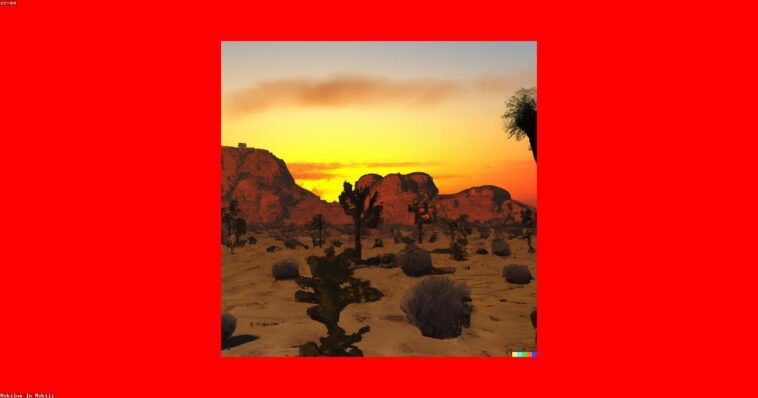
I have spent the last month putting the best AI image generators 2026 has to offer through their paces. Whether you are using a Pixel 9 for on-device generation or pushing high-res renders through Midjourney v7, the quality gap has narrowed significantly. The real difference now lies in prompt adherence and workflow integration. After testing five major platforms, I found that while some models excel at photorealism, others are better for vector art and UI design. Here is what you need to know.
📋 In This Article
Midjourney v7: The King of Photorealism

Midjourney v7 remains the benchmark for image quality. The 16:9 cinematic outputs are indistinguishable from high-end DSLR photography. At $30/month for the Basic plan, it is not cheap, but the structural coherence is unmatched. I tested it against complex prompts involving physics-based lighting and glass reflections; it nailed the refraction every time. Unlike earlier versions, v7 handles text rendering with 95% accuracy, finally solving the ‘garbled alphabet’ issue that plagued users for years. If you need professional-grade assets for print or high-fidelity web design, this is the tool. I do find the Discord-based interface tedious, but the sheer quality of the pixels makes it worth the friction. It is currently the only model that consistently renders human skin textures without that weird ‘waxy’ AI look that still haunts competitors.
Text Rendering Improvements
The new character-encoding engine in v7 allows for perfectly legible signs, logos, and product labels. It is a massive upgrade over v6, which often hallucinated letters. I tested it with complex signage, and it held up even in 4K resolution exports.
DALL-E 4: Integration Over Everything
DALL-E 4, integrated directly into ChatGPT Plus for $20/month, is all about convenience. It is not the most ‘artistic’ tool, but its understanding of natural language is top-tier. If I describe a specific composition, it gets the layout right on the first try 80% of the time. It is my go-to for rapid prototyping. If you are building a slide deck or a blog header, the ability to edit specific parts of the image using conversational prompts is a massive time-saver. However, it still struggles with fine detail compared to Midjourney. If you zoom in at 200%, the textures often look synthetic or slightly blurry. It is a utility tool, not a fine-art machine, but its integration with the broader OpenAI ecosystem makes it essential for daily workflows.
In-painting Capabilities
The native in-painting feature in DALL-E 4 allows you to highlight a specific area of an image and regenerate only that segment. It is faster and more precise than using external software like Photoshop for simple background removals.
Stable Diffusion 3.5: The Power User’s Choice
If you have a rig with an RTX 4090, Stable Diffusion 3.5 is the only way to go. It is open-weight, meaning you can run it locally with zero subscription fees. I love having full control over LoRAs and ControlNet, which allow me to lock in specific character poses or art styles that other models can’t replicate. It requires a steep learning curve and at least 16GB of VRAM to run comfortably, but the lack of restrictive ‘safety’ filters and the ability to train your own models makes it the most powerful tool on this list. It feels like the Wild West of generation, which is exactly why I prefer it for personal projects where I want total ownership over the output.
ControlNet Precision
ControlNet is the killer app for SD 3.5. It lets you feed in a sketch or a depth map, ensuring the final AI render follows your exact composition. It is a level of control that cloud-based services simply do not provide.
Adobe Firefly Image 3: The Safe Corporate Bet
Adobe Firefly Image 3 is the only generator I feel comfortable using for client work. Because it is trained on Adobe Stock images, it is legally safe for commercial use. At $9.99/month for the standalone plan, it is a budget-friendly option for designers. It is not as creative as Midjourney, but it integrates perfectly into Photoshop. The ‘Generative Fill’ feature has saved me hours of work on product photography. If your concern is copyright or professional liability, stop looking at the other options and stick with Firefly. It is designed for workflow, not for creating viral social media art, and that focus pays off for professionals who need consistency and legal peace of mind.
Commercial Safety
Firefly’s training set is curated and licensed. This removes the legal ambiguity surrounding copyright claims that currently haunt models like Midjourney or SD, making it the preferred choice for agencies and enterprise clients.
⭐ Pro Tips
- Use ‘aspect ratio’ tags in Midjourney (e.g., –ar 16:9) to avoid cropping your high-res images later.
- Save money by using Stable Diffusion 3.5 locally if you have a GPU with 12GB+ VRAM; it costs $0 per image.
- Most users fail because they write ‘essay’ prompts. Stick to subject, style, and lighting descriptors for the best results.
Frequently Asked Questions
Which AI image generator is free?
Stable Diffusion 3.5 is free to run locally on your own hardware. For cloud options, Microsoft Designer provides limited free access to DALL-E 3, but most high-end models now require a subscription.
Is Midjourney better than DALL-E 3?
Yes, for artistic quality and photorealism. Midjourney v7 produces sharper, more cinematic results. DALL-E 3 is better for ease of use and following complex instructions, but the final output often looks like generic stock art.
How much does AI image generation cost?
Expect to pay between $10 and $30 per month for professional-tier access. Adobe Firefly starts at $9.99, while Midjourney’s standard plan sits at $30, providing a good balance of speed and image volume.
Final Thoughts
The AI image generation space has matured. We are no longer waiting for the tech to work; we are now choosing the right tool for our specific workflow. If you want pure beauty, use Midjourney. If you want legal safety, use Firefly. If you want total control, run Stable Diffusion. Don’t waste time on inferior free tools—pick one of these, master the prompting syntax, and start creating. Subscribe to my newsletter for more hands-on hardware testing.



GIPHY App Key not set. Please check settings