



 Saif Ali Tai
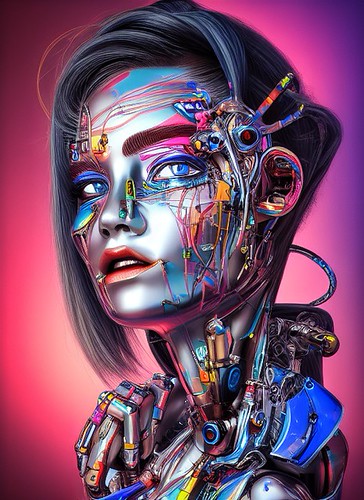
Running Stable Diffusion locally remains the gold standard for AI image generation in 2026. While services like Midjourney charge $30 a month, local generation on your own RTX 5090 or even a well-configured RTX 4070 is essentially free after the hardware investment. This Stable Diffusion tutorial walks you through setting up the latest SDXL and Flux-based models. If you want full control over your models, uncensored outputs, and zero per-image costs, this is the only way to work.
📋 In This Article
Hardware Requirements and Expectations

Don’t bother trying this on a weak machine. To get generation speeds under 5 seconds, you need an NVIDIA GPU with at least 12GB of VRAM. The RTX 4070 Ti Super is the current sweet spot at $799, though the RTX 5090 is obviously the king if you have $2,000 to burn. AMD cards work via ROCm, but it is a massive headache compared to CUDA. I personally use an RTX 4080 because the 16GB of VRAM allows me to train LoRAs without crashing every five minutes. If you are stuck on a Mac, only M3 or M4 Max chips with 64GB of unified memory will give you performance that isn’t painful. Anything less than 8GB of VRAM will make you want to throw your PC out the window.
VRAM is King
VRAM determines your resolution and speed. 12GB is the floor for 2026. If you want to generate 4K upscale images without waiting ten minutes, you need 16GB or higher. Do not waste your time with 8GB cards; the constant swapping will kill your SSD and your patience.
Setting Up Stable Diffusion WebUI
Forget the complex command-line installers of 2023. Today, we use Forge or ComfyUI. I recommend ComfyUI for the node-based workflow because it is significantly more efficient with memory. Download the portable version from GitHub, unzip it, and run the .bat file. It will pull the necessary Python dependencies automatically. If you’re a beginner, the Forge interface is a more familiar ‘stable-diffusion-webui’ clone that handles memory optimization better than the original A1111 build. It is remarkably stable. I haven’t had a crash in three weeks of daily use, even while running heavy ControlNet passes. Just ensure your drivers are updated to the latest NVIDIA Game Ready version.
Why ComfyUI Wins
ComfyUI lets you see exactly how the image is built. You can bypass unnecessary layers to save 30% of your generation time. It feels technical, but it provides the best results for complex prompts.
Choosing Models: SDXL vs. Flux
The model landscape has shifted. SDXL is still great for speed, but Flux.1 is the new king of prompt adherence. You need to download these from Civitai or Hugging Face. A single Flux ‘Dev’ model file is roughly 17GB. Ensure you have at least 100GB of free space on your NVMe drive before you start downloading models. Using a cheap HDD will make model loading take forever. I keep my primary models on a Samsung 990 Pro. If you want photorealism, look for ‘realism’ LoRAs on Civitai. They cost nothing and turn a mediocre base model into a professional-grade photography tool.
Managing Your Storage
Models are huge. Use a dedicated folder for your checkpoints and keep them on an SSD. Loading a 17GB model from a mechanical drive takes nearly a minute, whereas an NVMe drive does it in seconds.
Optimizing for Speed and Quality
To get the best images, use the DPM++ 2M Karras sampler with 25-30 steps. Going higher than 40 steps is usually a waste of electricity. For upscaling, use the Ultimate SD Upscale extension. It allows you to generate images at 1024×1024 and then double them to 2048×2048 without losing detail. I see people wasting time on 100 steps; stop it. It doesn’t improve the image quality after the 30-step mark. Focus on your prompt engineering instead. Use negative embeddings like ‘EasyNegative’ to clean up bad hands and weird anatomy. It’s a simple drag-and-drop file that saves you dozens of re-rolls.
The 30-Step Rule
Stop cranking your steps to 100. It adds zero value. 30 steps is the sweet spot for 95% of modern models. Save your GPU cycles and your time.
⭐ Pro Tips
- Buy a used RTX 3090 for $600 if you need 24GB of VRAM on a budget; it beats most modern cards for AI work.
- Use Civitai’s ‘Generation’ tab to test models for free before committing to a 10GB+ download.
- Never use the default ‘Euler’ sampler for high-detail portraits; switch to DPM++ 2M Karras for better textures.
Frequently Asked Questions
How much RAM do I need for Stable Diffusion?
You need at least 16GB of system RAM, but 32GB is recommended to avoid bottlenecking when loading large 17GB Flux models alongside browser tabs and other apps.
Is Stable Diffusion better than Midjourney?
Stable Diffusion is better if you need total control, local privacy, and zero monthly costs. Midjourney is better if you want ‘it just works’ results with zero technical setup.
How much does it cost to run Stable Diffusion?
The software is free. The only cost is your electricity bill and the hardware investment. A high-end PC setup costs between $1,500 and $2,500 depending on the GPU.
Final Thoughts
Stable Diffusion in 2026 is powerful, fast, and completely free if you own the right hardware. Stop paying for monthly AI subscriptions that lock you into someone else’s terms of service. Download ComfyUI, grab a solid Flux model from Hugging Face, and start generating your own assets. It takes an afternoon to master, but the freedom is worth every minute. Bookmark this page and check back for my upcoming guide on training your own LoRAs.




GIPHY App Key not set. Please check settings