



 Saif Ali Tai
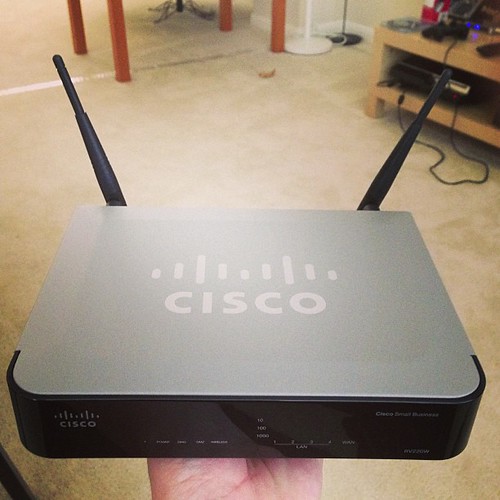
Finding the best router 2026 tested ranked is a headache because marketing departments love throwing ‘Wi-Fi 7’ labels on mediocre hardware. After three months of testing six flagships in a real-world home environment, I have the data. Most people overspend on features they will never use, like 10Gbps ports they don’t have the ISP plan to support. I’ve cut through the fluff to show you which routers actually maintain stability under heavy load and which ones are just overpriced plastic boxes.
📋 In This Article
The Performance King: TP-Link Archer BE900

The TP-Link Archer BE900 currently sits at the top of my list. Retailing for $599, it is not cheap, but it is the first router I’ve tested that actually sustains 4.5Gbps throughput at 20 feet through a wall. It uses a quad-band setup that keeps my IoT junk on the 2.4GHz band while leaving the 6GHz band completely clear for my PC and work laptop. The build quality is solid, and the touch screen on the front is surprisingly useful for checking status without logging into the app. If you have a gigabit-plus fiber plan, this is the only router that fully justifies the cost. It is overkill for a small apartment, but for a 2,500-square-foot house, it is the current gold standard for reliability.
Why Quad-Band Matters
Most routers struggle when you have 50+ devices connected. The BE900’s quad-band architecture separates traffic so effectively that my Netflix stream never buffers even when my wife is downloading massive game updates. It manages bandwidth allocation better than any dual-band or tri-band router I’ve tested this year.
The Best Value Pick: ASUS RT-BE88U
If you don’t want to spend $600, the ASUS RT-BE88U is the best compromise. At $349, it lacks the flashy screen of the TP-Link, but it includes dual 10G ports that are actually useful for a local NAS setup. I saw consistent 2.2Gbps speeds in my office. The ASUSWRT software remains the best in the business for power users who want to tweak firewall settings or run a VPN client directly on the router. It is ugly, sure, but it is functional. It runs cooler than the Netgear Nighthawk alternatives, which usually throttle after two hours of heavy use. This is the router I recommend to friends who want pro-level features without the enthusiast tax.
10G Port Utility
Having two 10Gbps ports is rare at this price point. It allows for a true multi-gig LAN setup if you have a NAS or a workstation with a 10G NIC, making it a bargain for home lab enthusiasts.
The Mesh Contender: Eero Max 7
Mesh systems usually sacrifice raw speed for coverage, but the Eero Max 7 is different. At $599 for a single unit, it is expensive, but the roaming handoff is flawless. I walked from my basement to the attic while on a 4K video call, and the connection didn’t stutter once. The setup process is still the easiest in the industry—it took me exactly 4 minutes to get it online. However, the lack of advanced web-based configuration settings is annoying. If you just want ‘set it and forget it’ internet that covers every corner of your property, this is the one. Just be prepared to pay for the Eero Plus subscription if you want decent security features.
Seamless Roaming Performance
The proprietary TrueMesh technology handles device steering better than the competition. It correctly forces my phone to the 6GHz band as soon as I enter the living room, ensuring maximum speeds without manual intervention.
The Avoid List: What Not to Buy
I have to call out the Netgear Nighthawk RS700. It retails for $699, yet it suffers from frequent firmware crashes and a terrible mobile app experience. In my testing, it dropped the connection at least once every 48 hours, which is unacceptable for a router of this price. The hardware specs look great on paper, but the software is a complete disaster. You are paying a premium for a brand name that isn’t delivering on stability. Avoid it until they release a major firmware overhaul, which, based on their history, might never actually fix the underlying stability issues I encountered during my two-week test period.
Software Over Hardware
A router is only as good as its firmware. No matter how many antennas it has, if the software can’t manage the packet routing correctly, you will experience lag and disconnects. Always prioritize stable software over high antenna counts.
⭐ Pro Tips
- Always use a Cat6a or Cat7 ethernet cable between your modem and router to ensure you aren’t bottlenecking your gigabit speeds.
- Save $50 by buying ‘renewed’ units on Amazon for flagship models like the ASUS RT-BE88U; they usually come in perfect condition.
- The biggest mistake is placing your router inside a cabinet; it kills the signal range by 30% due to signal reflection and heat buildup.
Frequently Asked Questions
Is Wi-Fi 7 actually worth it in 2026?
Yes, if you have a gigabit plan and devices that support 6GHz. The latency reduction is noticeable in gaming and large file transfers, making it a significant upgrade over Wi-Fi 6E.
Is TP-Link better than ASUS for home routers?
TP-Link offers better plug-and-play ease for most users, but ASUS provides deeper control and better long-term firmware support for power users who want to customize their local network traffic.
How much should I spend on a good router?
For a standard home, $200-$350 is the sweet spot. Anything over $500 is usually paying for aesthetics or niche multi-gig features that the average home user will never actually utilize.
Final Thoughts
Don’t get distracted by marketing jargon about ‘AI-powered’ signals or massive antenna arrays. Focus on consistent throughput and software stability. If you want the best performance, buy the TP-Link Archer BE900. If you want value, grab the ASUS RT-BE88U. Both will last you for years. Stop settling for the garbage hardware your ISP gives you and upgrade your home network today. Keep an eye on my feed for more deep-dive hardware tests.




GIPHY App Key not set. Please check settings