



 Saif Ali Tai
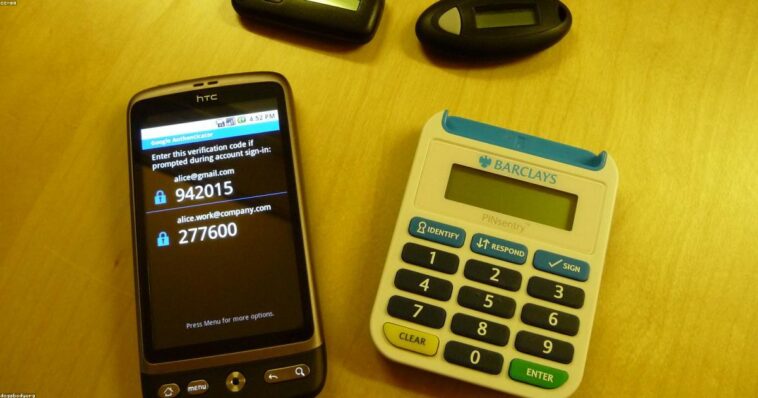
If you are still using SMS for two factor authentication apps, you are essentially leaving your front door unlocked. In 2026, the threat of SIM-swapping is higher than ever, and attackers are exploiting weak mobile carrier security daily. I have spent the last month testing the top TOTP (Time-based One-Time Password) apps across my iPhone 16 Pro and Pixel 9. These tools are the single most effective way to secure your digital footprint without paying a monthly subscription fee.
📋 In This Article
Bitwarden: The Gold Standard for Most Users

Bitwarden is my top pick for 2026 because it combines a robust password manager with a built-in 2FA generator. While the standalone app is free, the $10 per year Premium plan unlocks the integrated authenticator, which syncs across all your devices via end-to-end encrypted cloud storage. Most competitors force you to manually export keys if you switch phones, but Bitwarden handles the backup automatically. It supports hardware security keys like YubiKey 5C NFC, which retail for about $55, adding a layer of physical security that software-only apps cannot match. The interface is clean, open-source, and audited by third-party security firms, meaning you are not just taking the company’s word for it. If you want a ‘set it and forget it’ experience, this is the one to beat.
Why Cloud Sync Matters
If your phone gets stolen or drops into a lake, an app tied to a single local device is a nightmare. Bitwarden’s encrypted cloud sync ensures your 2FA tokens are waiting for you on your desktop or tablet. It saves you from the tedious process of resetting 2FA on every single account, which can take hours of recovery codes and support tickets.
2FAS: The Best Free, Privacy-Focused Choice
If you don’t want to pay for a password manager, 2FAS is the best free alternative. It is completely open-source and respects your privacy by not tracking your data. Unlike Authy, which has faced criticism for its aggressive data collection policies and desktop app retirement, 2FAS keeps everything local unless you opt into a browser extension. It has a beautiful, intuitive UI that makes managing 50+ tokens painless. The setup process is lightning-fast, and it supports dark mode, which is a massive plus for those of us working late. It lacks the integrated password management features of Bitwarden, but for a pure 2FA app, it is hard to find a better experience in 2026.
Browser Integration
2FAS offers a browser extension that communicates with your phone via a secure bridge. This allows you to auto-fill codes on your laptop without touching your phone. It is a seamless workflow that feels modern and secure, minimizing the friction that usually stops people from using 2FA in the first place.
Ente Auth: The New Privacy Powerhouse
Ente Auth is the newcomer that has everyone on Reddit talking. It is fully open-source and features end-to-end encrypted backups that you control. While many apps store your keys on their servers, Ente allows you to host your own backup or use their encrypted cloud. It is incredibly lightweight and fast. I found the migration process from other apps to be the easiest I have ever used. If you are a privacy nut who hates the idea of a company having any visibility into your token list, Ente is your best bet. It is currently free, though I expect them to introduce a sustainable model soon given the high quality of the codebase.
Self-Hosting Potential
For the tech-savvy crowd, Ente provides the ability to self-host your backup server. This means your 2FA data never leaves your infrastructure, providing a level of sovereignty that even paid enterprise tools often fail to offer. It is a fantastic option for those running a homelab.
The Reality of Hardware Security Keys
If you are truly paranoid—and you should be—software 2FA is not the end of the road. Hardware keys like the YubiKey 5 Series or the Google Titan key are virtually unphishable. They use FIDO2/WebAuthn protocols to ensure that even if you accidentally type your code into a fake site, the hardware key will refuse to authenticate. These keys cost between $30 and $60, which is a small price to pay for securing your primary email and banking accounts. I keep a YubiKey on my keychain at all times. It is the only way to be 100% sure that your credentials cannot be intercepted by a man-in-the-middle attack in 2026.
Why You Need a Backup
Hardware keys are great, but they can be lost. Always register at least two keys—one for your keychain and one for your fireproof safe at home. If you only have one and you lose it, you are locked out of your life until you go through a painful account recovery process.
⭐ Pro Tips
- Always export your 2FA seeds to an encrypted offline storage drive as a disaster recovery measure.
- If you have a YubiKey 5C NFC ($55), use it for your primary Google and Microsoft accounts to avoid SMS interception entirely.
- Don’t use the ‘Authy’ desktop app; it was officially discontinued in 2024 and is a major security risk for anyone still running it.
Frequently Asked Questions
What is the best free two factor authentication app?
2FAS is the best free option in 2026. It is open-source, user-friendly, and offers secure encrypted backups without requiring a paid subscription or harvesting your personal data for profit.
Is Bitwarden better than Google Authenticator?
Yes, Bitwarden is significantly better. Google Authenticator lacks proper cloud sync, makes migration difficult, and offers no password management. Bitwarden provides a safer, more integrated, and easier-to-manage 2FA experience.
How much does a secure 2FA setup cost?
You can get a professional-grade setup for free using 2FAS. If you want hardware security, a YubiKey 5C NFC costs about $55, which is a one-time investment for your digital safety.
Final Thoughts
Stop relying on SMS codes today. The switch to a dedicated app like Bitwarden or 2FAS takes less than ten minutes and provides a massive boost to your account security. Pick one, set up your backup codes immediately, and delete your SMS-based 2FA. Your future self will thank you when the next major data breach hits. Stay updated on security trends by bookmarking this site.



GIPHY App Key not set. Please check settings