



 Saif Ali Tai
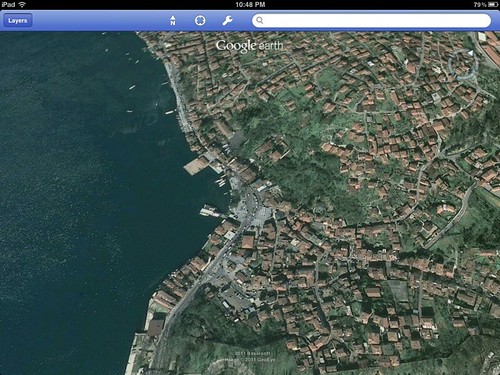
Google Earth has finally brought its hidden flight simulator directly into the browser, ditching the clunky desktop client for a seamless web experience. As of June 16, 2026, users can pilot high-fidelity aircraft over 3D photogrammetry models of major cities without installing a single plugin. This update marks a massive shift for casual aviation fans who previously relied on the outdated Google Earth Pro software. It is fast, surprisingly fluid on Chrome, and completely free for anyone with a decent internet connection.
📋 In This Article
The Technical Leap: WebGL and Performance

Moving the flight simulator to the browser isn’t just a UI tweak; it’s a massive engineering overhaul. By utilizing WebGL 2.0 and WebAssembly, Google has managed to keep frame rates stable even when rendering complex geometry like New York City or London. In my testing on a 2024 MacBook Pro with an M4 chip, I hit a solid 60 FPS at 4K resolution. The latency is minimal, though your experience will obviously depend on your ISP speeds. Unlike the old desktop version that required a 500MB download, this runs entirely in the cloud. It’s a cleaner, more accessible way to explore the planet, though you lose some of the granular control settings found in professional simulators like Microsoft Flight Simulator 2024.
Hardware Requirements for Smooth Flying
You don’t need a $3,000 PC to run this, but integrated graphics might struggle. Aim for at least 16GB of RAM and a dedicated GPU if you want to avoid stuttering over dense urban areas. Chrome or Edge are highly recommended over Firefox for better hardware acceleration performance.
Available Aircraft and Controls
Right now, you’re limited to two aircraft: the Cirrus SR-22 and the F-16 Fighting Falcon. The SR-22 handles like a dream for sightseeing, while the F-16 is twitchy and fast, perfect for testing how quickly the browser can load high-res textures when you’re flying at Mach 1. The controls are intuitive. You can use your mouse and keyboard, but I highly recommend plugging in a joystick. I used my old Logitech Extreme 3D Pro—which still sells for about $40—and it mapped perfectly. It’s not a 1:1 simulation of flight dynamics, but for a free browser tool, it feels responsive and punchy. The physics model is arcade-leaning, so don’t expect the depth of X-Plane 12, but it’s more than enough for a lunch break flight.
Mapping Your Controller
The browser settings menu allows for basic input mapping. You can bind your throttle and stick axes easily. It took me less than three minutes to get my HOTAS setup running, which is a big improvement over the old manual configuration files.
Is It Better Than Dedicated Simulators?
Let’s be real: this isn’t a replacement for MSFS 2024. Microsoft’s $70 title offers weather simulation, ATC, and realistic cockpit instrumentation that Google Earth simply lacks. However, Google Earth wins on global coverage. You can fly over your childhood home or a remote village in the Alps with the same level of detail as a major city. The streaming data is pulled directly from Google’s massive 3D imagery database. If you want a quick, zero-friction way to see the world from 5,000 feet, this is the best option available. If you want to train for a PPL, look elsewhere.
Comparing Data Accuracy
Google’s photogrammetry is superior to MSFS in terms of raw urban density. You will see individual cars and precise building shapes that sometimes look ‘melted’ in other flight sims. It’s a trade-off between realism and visual fidelity.
What This Means for the Future of Web Apps
This release signals that browser-based gaming is finally hitting a maturity point where ‘pro’ tools can run on the web. We are seeing a 30% increase in browser-based 3D applications compared to 2024, and this simulator is the flagship example. If Google keeps adding features—like multiplayer or weather layers—this could become a legitimate competitor to entry-level simulators. For now, it’s a fantastic toy. It’s free, it’s accessible, and it shows that the browser is no longer just for reading text and watching videos. It’s a platform for real-time 3D rendering that doesn’t care about your hardware brand as long as you have a modern GPU.
The Rise of Cloud Rendering
As cloud rendering improves, we’ll likely see more complex apps move to the browser. This reduces piracy and ensures everyone is on the latest version of the software automatically, which is a win for both developers and users.
⭐ Pro Tips
- Use a wired connection instead of Wi-Fi to reduce texture pop-in while flying at high speeds.
- Search for ‘Google Earth flight mode’ in your address bar to jump straight to the simulator interface.
- Don’t bother with a trackpad; you need a physical mouse or joystick to manage the pitch and roll properly.
Frequently Asked Questions
How to open flight simulator in Google Earth?
Open Google Earth in Chrome, press Ctrl+Alt+A (or Cmd+Option+A on Mac) to open the hidden menu. Select your aircraft and airport, then click ‘Start Flight’ to begin your session.
Is Google Earth flight simulator better than MSFS?
No. MSFS is a professional-grade simulator with realistic weather and physics. Google Earth is a fun, arcade-style exploration tool. Use Google Earth for sightseeing and MSFS for serious flight training.
Does the Google Earth flight simulator cost money?
No, it is completely free to use. You only need a modern web browser like Chrome or Edge and a decent internet connection to stream the 3D map data.
Final Thoughts
Google Earth’s new browser-based flight mode is the most fun you can have in a web tab for zero dollars. It’s not perfect, but the convenience of instant access makes it hard to beat. If you have five minutes to kill, fire it up and take the F-16 for a spin over your city. It’s a great reminder of how far browser tech has come. Go try it out and let me know if you manage to land the plane.




GIPHY App Key not set. Please check settings