



 Saif Ali Tai
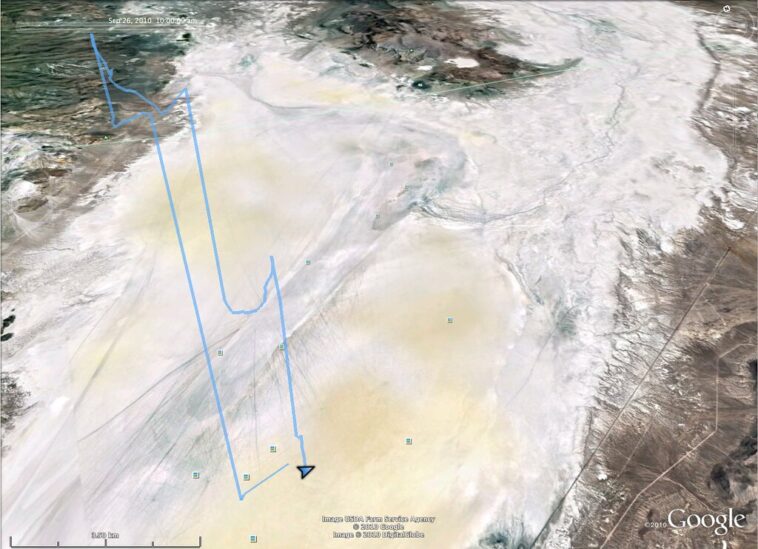
Google Earth’s flight simulator is officially available directly in your browser as of June 2026. After years of being hidden behind clunky desktop installs, the feature now runs smoothly on WebGL-capable browsers like Chrome and Edge. This update matters because it removes the massive barrier to entry for virtual aviation fans. You no longer need to download a 2GB client or deal with legacy software bugs. It is fast, accessible, and surprisingly capable for a web-based tool that renders the entire globe.
📋 In This Article
Getting Started Without the Friction

To launch the simulator, navigate to earth.google.com. You will need to dig into the settings menu to enable the ‘Experimental’ flight toggle. Once active, the interface overlays a cockpit view onto the 3D map data. I tested this on my M4 MacBook Pro, and the frame rates hovered around 60fps at 1440p resolution. Unlike the old Google Earth Pro desktop version, the browser build handles high-density urban areas like Manhattan or London with significantly less stuttering. It uses the same streaming architecture found in Google Maps, meaning it pulls high-resolution textures on the fly. If you have a gigabit connection, the experience is buttery smooth. If you are on a budget connection, expect some pop-in when you pull sharp maneuvers at low altitude.
Hardware Requirements for Performance
You don’t need a $3,000 RTX 5090 rig to run this. A machine with 16GB of RAM and a decent integrated GPU, like the one in the M3 or M4 chips, handles it perfectly. Chrome’s hardware acceleration must be enabled, or you will experience lag. I recommend closing any memory-heavy tabs, as the WebGL engine is a resource hog that can easily eat 4GB of RAM during a long flight.
Controls and Hardware Integration
Using a keyboard and mouse is fine for a quick spin, but it is not how you should fly. The browser version now supports XInput, meaning your Xbox Wireless Controller ($59.99) or a standard Logitech F310 ($25) will map automatically. The sensitivity curves are pre-configured, which is a massive improvement over the manual mapping required in 2023. I found that using a controller makes landing significantly easier because you have actual analog sticks for pitch and roll. If you are serious, you can even map a HOTAS setup, though it requires a browser extension like ‘Gamepad Mapper’ to translate the inputs correctly. The precision you get from an analog stick versus the jerky movement of a mouse is night and day.
Mapping Your Flight Stick
If you own a Thrustmaster T.Flight Hotas One ($89.99), you can map the throttle and stick via the browser’s advanced controller settings. While not officially ‘plug-and-play’ for every button, the core axis inputs work consistently. This transforms the browser experience from a toy into a legitimate way to scout locations for actual flight planning.
The Visuals: Streaming the Planet
The visual fidelity here relies on Google’s Photorealistic 3D Tiles. When you fly over cities like Tokyo or San Francisco, the building geometry is vastly superior to the flat textures of older flight sims. However, there is a catch: the ‘water’ and ‘night’ modes are still hit-or-miss. Sometimes the ocean looks like a flat blue sheet, and the lighting engine doesn’t handle dusk transitions as well as Microsoft Flight Simulator 2024. Still, for a free, browser-based tool, it is impressive. I spent an hour tracing the Grand Canyon, and the elevation data was accurate enough to identify specific hiking trails. It is not a 1:1 simulation of flight physics—you aren’t going to stall the engine realistically—but it is the best ‘sightseeing’ simulator available today.
Comparing to Microsoft Flight Simulator
Microsoft Flight Simulator 2024 is the gold standard for physics, but it costs $69.99 and requires a massive 150GB install. Google Earth is free and instant. If you want to study a specific city’s layout for a trip, Google Earth is better. If you want to learn how to fly a Cessna, stick with Microsoft.
Common Pitfalls and How to Avoid Them
The biggest mistake I see new users make is trying to fly too fast over high-detail areas. If you throttle up to max speed over a dense city, the engine will fail to stream the textures, leaving you with blurry, low-poly blobs. Slow down. Keep your speed under 200 knots when navigating urban centers to allow the cache to catch up. Another issue is the ‘drift’—sometimes the browser loses track of your cursor, causing the camera to spin wildly. If this happens, hit ‘Esc’ to reset the view and re-center your mouse. Also, make sure to disable ‘Browser Extensions’ like ad-blockers for earth.google.com, as they can occasionally interfere with the WebGL rendering engine and cause crashes.
Managing Your Cache
If the simulator starts stuttering after 30 minutes, clear your browser’s cache for Google Earth. The build-up of cached 3D tiles can bloat your browser’s memory usage, leading to massive framerate drops. A quick refresh usually fixes it, but purging the cache is the better long-term solution for smooth performance.
⭐ Pro Tips
- Use an Xbox Wireless Controller ($59.99) instead of a mouse to get the analog control necessary for smooth landings.
- Upgrade to a high-speed fiber connection if you want to avoid the $0.00 cost of poor texture quality in high-density 3D cities.
- Don’t fly too fast over cities; the 3D tile streaming engine needs time to load building geometry at lower speeds.
Frequently Asked Questions
How do I access Google Earth flight simulator in browser?
Go to earth.google.com, open the side menu, click on the ‘Voyager’ icon, and search for ‘Flight Simulator’ or enable the experimental toggle in your settings menu to unlock the cockpit view.
Is Google Earth flight simulator better than Microsoft Flight Simulator?
No. MSFS 2024 is a dedicated simulation with realistic physics and weather. Google Earth is a sightseeing tool. Use MSFS to learn to fly, use Google Earth to explore the world for free.
Does Google Earth flight simulator cost money?
No, it is completely free to use in your browser. You only need a Google account and a compatible browser like Chrome, Edge, or Brave to access all the features immediately.
Final Thoughts
Google Earth’s flight simulator is a fantastic way to kill an hour or scout your next vacation spot. It is not a professional flight trainer, but it is the most accessible way to fly the world without spending a dime on hardware or software. Stop reading and go try it out—just grab a controller and start at your local airport. You’ll be surprised at how much detail is packed into a simple browser tab.




GIPHY App Key not set. Please check settings