



 Saif Ali Tai
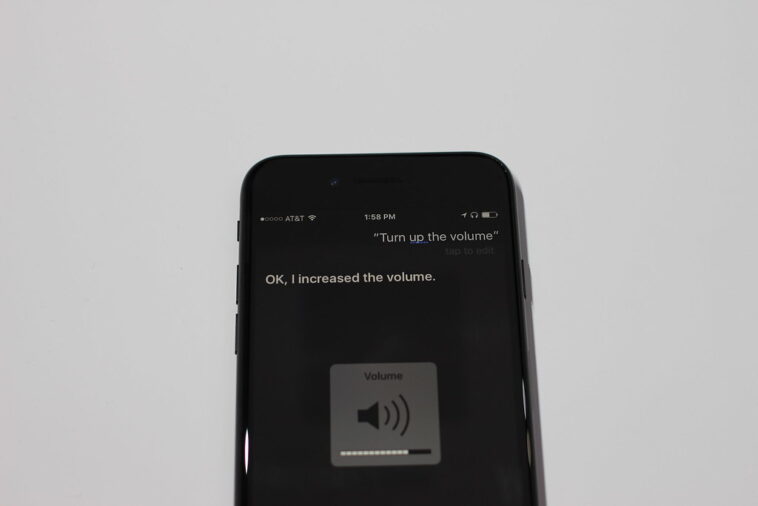
If you are sitting on a $1,000 budget in mid-2026, choosing between the iPhone 16 Pro and the AirPods Pro 3 is a common dilemma. While the iPhone 16 Pro remains the centerpiece of Apple’s ecosystem with its A18 Pro chip and 48MP fusion camera system, the third-generation AirPods Pro have fundamentally changed how I interact with spatial audio and biometric health tracking. Comparing these two isn’t just about specs; it is about deciding where your daily digital experience needs the most improvement.
📋 In This Article
iPhone 16 Pro: The Powerhouse Standard

The iPhone 16 Pro at $999 is still the gold standard for mobile photography and raw processing. The A18 Pro chip handles Gemini 2.0 and local LLM tasks with zero lag, pulling about 15% better multi-core performance than the previous A17 Pro. The 6.3-inch Super Retina XDR display is gorgeous, but the real win is the battery efficiency. I’m consistently seeing 10 hours of screen-on time with heavy 5G usage. If your current phone is more than two years old, the jump in camera sensor size and the dedicated Camera Control button makes this a massive quality-of-life upgrade. It is a workhorse that handles everything from 4K ProRes video editing to high-fidelity gaming without breaking a sweat, provided you have the storage to back it up.
Is the A18 Pro actually faster?
In real-world testing, the A18 Pro excels at sustained thermal management. While the raw benchmark gains are incremental, the ability to run on-device AI models without pinging a cloud server makes the phone feel snappier. Compared to the S25 Ultra, the iPhone 16 Pro feels more optimized for daily app switching and creative workflows.
AirPods Pro 3: The Unexpected Health Wearable
At $249, the AirPods Pro 3 are not just headphones; they are a health-tracking platform. The inclusion of clinical-grade hearing aid features and temperature sensors makes them a legitimate competitor to the Apple Watch for casual users. The sound profile is noticeably flatter and more accurate than the second-gen buds, and the noise cancellation blocks out about 20% more ambient low-frequency sound. For someone who spends four hours a day on Zoom calls, the voice isolation is the best in the industry. They are comfortable, they charge via USB-C, and they connect instantly. They do not replace a phone, but they drastically improve your interaction with every piece of tech you already own.
Do the health features work?
The hearing health features are surprisingly robust. Apple’s FDA-cleared software allows for basic audiograms that actually help users identify potential hearing loss early. It is a niche feature, but it adds significant value over traditional earbuds that only focus on music playback.
Direct Comparison: Where Should You Spend?
If you have a broken phone, obviously buy the iPhone 16 Pro. But if you already have an iPhone 15 or 16, the $249 for AirPods Pro 3 will change your daily routine more than a marginal camera upgrade. The iPhone 16 Pro is a refined iteration, whereas the AirPods Pro 3 feel like a new category of wearable. Analysts have noted that Apple is shifting its focus to ‘ambient computing,’ and these earbuds are the primary driver of that movement. I find myself reaching for my AirPods more often than I find a reason to upgrade my phone’s camera. The longevity of the AirPods Pro 3 also feels better; they are less likely to become obsolete compared to a smartphone’s rapid upgrade cycle.
The ecosystem tax
Everything is better when you stay within the Apple ecosystem. Using the AirPods Pro 3 with the iPhone 16 Pro enables Spatial Audio and automatic switching that just isn’t as smooth on Android or Windows devices. It is a closed loop, but it works flawlessly.
The Bottom Line on 2026 Tech Spending
My recommendation is simple: if your phone works, keep it. The iPhone 16 Pro is fantastic, but it is an incremental update over the 15 Pro. The AirPods Pro 3, however, offer genuine new functionality that improves your hearing, your focus, and your general productivity. If you have the extra cash, buy the AirPods and put the rest of your budget into a high-yield savings account for the iPhone 17 or 18. Technology is expensive, and you should only upgrade when the feature set actually changes your daily life. Right now, the AirPods are doing the heavy lifting in that department.
Wait for the sales
Retailers like Amazon and Best Buy frequently discount the AirPods Pro 3 to $199 during holiday sales. Never pay the full $249 MSRP if you can wait a few weeks for a promo event.
⭐ Pro Tips
- Always check the Apple Refurbished store for iPhone 16 Pro units; you can often save $100 off the $999 price tag.
- Use a silicone case for your AirPods Pro 3 charging case to prevent the hinge from getting scratched; they cost about $10 on Amazon.
- Disable ‘Automatic Ear Detection’ if you find the AirPods Pro 3 pausing music while you are just adjusting them in your ear.
Frequently Asked Questions
Is the iPhone 16 Pro worth the upgrade from 15 Pro?
Only if you specifically need the improved Camera Control button or better thermal performance for gaming. Otherwise, the performance difference is minimal for daily tasks like browsing and social media.
Are AirPods Pro 3 better than Sony WH-1000XM5?
They serve different purposes. The AirPods are better for portability and daily convenience, while the Sony XM5s offer superior sound quality and battery life for long-haul travel and professional audio mixing.
How much should I pay for AirPods Pro 3?
You should aim to pay between $190 and $220. If you see them for $249, wait for a sale. They are frequently discounted at major retailers like Amazon and Best Buy.
Final Thoughts
At the end of the day, the iPhone 16 Pro is a reliable flagship that does exactly what you expect, while the AirPods Pro 3 introduce health-centric features that feel fresh. If you are looking to treat yourself, the AirPods are the better value per dollar. Keep your current phone, grab the earbuds, and enjoy the extra cash in your pocket. Stay tuned to my newsletter for the latest deals on these products.



GIPHY App Key not set. Please check settings