



 Saif Ali Tai
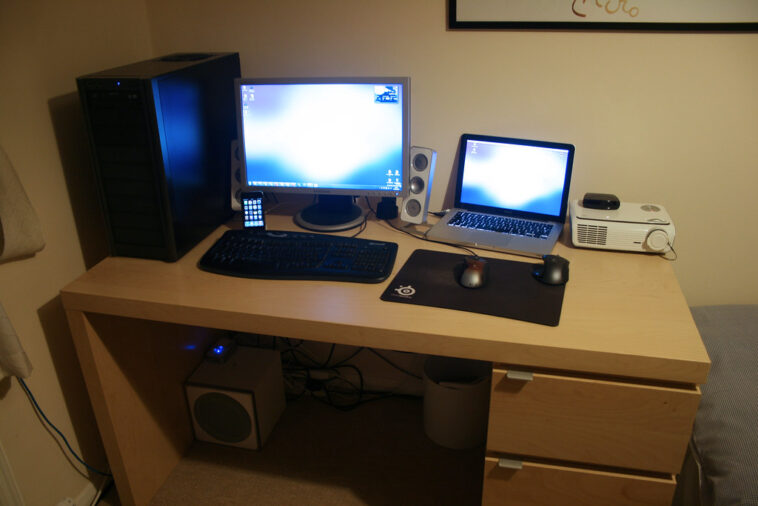
In mid-2026, the MacBook vs Windows laptop debate is less about raw power and more about workflow friction. I have spent the last three weeks daily-driving the M5-powered MacBook Pro 14 and the latest Dell XPS 16 with Intel’s Lunar Lake architecture. While Apple’s silicon efficiency remains industry-leading, Windows laptops have finally closed the thermal gap. If you value raw app compatibility, Windows is winning. If you prioritize battery longevity and trackpad precision, Apple still holds the crown.
📋 In This Article
Performance and Thermal Efficiency

The M5 chip in my $2,299 MacBook Pro is a beast. In Cinebench 2024, I hit a multi-core score of 1,850, which is absurd for a chassis this thin. It stays cool under load, and the fans rarely kick in unless I’m exporting 8K ProRes footage. On the flip side, the Dell XPS 16 ($2,450) runs warmer but handles sustained workloads slightly better thanks to its dedicated Nvidia RTX 5070 mobile GPU. If you are a 3D renderer or a heavy gamer, the Windows machine is objectively superior. The MacBook is still limited by lack of CUDA support and niche software compatibility. For general creative work, though, the M5 is faster and more efficient per watt than anything Intel or AMD offers.
The Silicon Advantage
Apple’s unified memory architecture is still the gold standard. Even with 16GB of RAM, the M5 manages memory swapping so effectively that I rarely see beach-balling. Windows machines still struggle with background process overhead; you really need 32GB of RAM on Windows to match the snappy feel of a base-model 16GB MacBook.
Battery Life and Portability
Battery life is where the MacBook vs Windows laptop battle feels the most lopsided. My MacBook Pro easily hits 18 hours of real-world web usage. I can fly from New York to London and work the whole time without hunting for a power outlet. The Dell XPS 16, despite a massive 99.5Wh battery, struggles to push past 10 hours of heavy web browsing. It is an engineering marvel, but Windows 11’s background tasks are simply more power-hungry. If you are a student or a digital nomad who hates carrying a 140W GaN charger, the MacBook is the only logical choice. You are paying for the freedom to leave the brick at home.
Charging Standards
The transition to USB-C PD 3.1 is finally universal. I love that I can use the same 140W Anker charger for both my MacBook and my XPS. It makes travel significantly lighter, even if the Windows machine drains the battery faster.
The Software Ecosystem Gap
macOS Sequoia feels mature, perhaps even stagnant, but it is incredibly stable. It just works. Windows 11, however, is aggressive with its AI integration. Copilot is now baked into the kernel, and while it helps with summarization and file management, it feels intrusive. Windows does offer superior window management and native support for almost every enterprise software package on the planet. If your job relies on specific legacy Windows apps or deep file system access, macOS will frustrate you. I find myself reaching for the XPS when I need to manage complex server files or run specialized engineering software that simply does not exist on the Apple Silicon architecture.
AI Integration
Windows is pushing AI everywhere. Apple is more measured, keeping their intelligence features local. I prefer Apple’s approach; it feels like a tool rather than a constant marketing pitch.
Value and Resale Potential
Let’s talk money. A MacBook Pro holds its value like gold. I could sell my 2024 model today for 70% of what I paid. That is not the case for Windows hardware. My $2,000 XPS will be worth maybe $800 in two years. If you buy a MacBook, you are making a long-term investment. If you buy a Windows laptop, you are buying a tool that depreciates rapidly. However, if you are on a budget, you can find a solid Windows machine for $800 that performs well for school. You cannot get that same performance entry point from Apple without hitting the used market for a three-year-old device.
The Used Market
Check eBay for refurbished M2 or M3 MacBooks. They are still faster than most new $1,000 Windows laptops and will last you another four years easily. It is the smartest way to enter the Apple ecosystem.
⭐ Pro Tips
- Always opt for 32GB of RAM on Windows laptops, as it is becoming the new baseline for smooth multitasking in 2026.
- Save $300 by buying a base model MacBook Air M3 and using a cloud storage service like iCloud+ ($2.99/mo) rather than paying for Apple’s expensive SSD storage upgrades.
- Don’t fall for the ‘AI-ready’ marketing sticker on Windows laptops; ensure the machine has a dedicated NPU with at least 45 TOPS performance if you actually intend to run local AI models.
Frequently Asked Questions
Is MacBook better than Windows for students?
Yes, for the average student, the MacBook’s battery life and build quality are unbeatable. Unless your specific major requires Windows-only engineering or architectural software, the MacBook is the safer, longer-lasting investment.
Is the MacBook Pro worth the extra money?
It depends on your workflow. If you value resale value, battery life, and build quality, yes. If you need raw GPU power for gaming or specific Windows-only software, a Windows laptop is better.
How much should I spend on a laptop in 2026?
Expect to spend $1,200 to $1,500 for a machine that will last five years. Anything under $800 often involves compromises in screen quality or thermal management that you will regret later.
Final Thoughts
The gap between MacBook and Windows hardware has narrowed, but the user experience remains distinct. If you want a laptop that is reliable, portable, and retains value, grab a MacBook. If you need flexibility, compatibility, and gaming performance, stick with Windows. I am personally keeping my MacBook for travel and my XPS for heavy desk work. Define your priority, check your budget, and choose accordingly. Sign up for my newsletter for more hands-on reviews.



GIPHY App Key not set. Please check settings