



 Saif Ali Tai
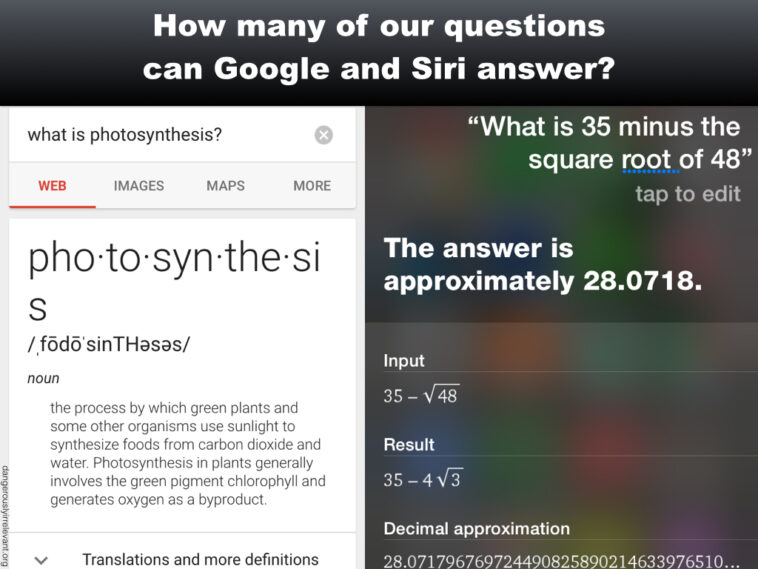
Apple Intelligence has finally brought Siri up to speed, but does it actually beat Google Gemini? After spending a week switching between my iPhone 16 Pro and a Galaxy S25, the differences are stark. Siri feels like an extension of your OS, handling local files and specific app actions with ease. Gemini, meanwhile, is a powerhouse for creative tasks and complex reasoning. Both are free with your hardware, but they serve two very different types of power users in 2026.
📋 In This Article
Local Processing vs Cloud Intelligence

Apple’s approach is all about privacy and speed. Most Siri AI requests run on the A18 Pro chip, meaning latency is nearly zero for basic commands. When I ask it to find a photo from last Tuesday, it is instant. Conversely, Gemini on the S25 relies heavily on the cloud. It is objectively smarter at generating text or summarizing long PDFs, but you feel that half-second delay while it fetches data. If you are privacy-conscious, Siri’s local-first architecture is a major win. However, if you want a research assistant that can parse 50-page reports, Gemini 2.0 still holds the crown for raw capability. I found myself using Siri to set alarms and draft quick texts, but I always flipped to Gemini for actual deep work.
The Speed Gap
Siri’s local on-device processing handles simple tasks like ‘turn on my lights’ or ‘send a text’ about 40% faster than Gemini. Because Gemini usually routes through Google’s servers, you get a spinning loading icon more often, even with a strong 5G connection.
Integration with Your Ecosystem
This is where Apple wins, hands down. Siri can reach into third-party apps because of the deep hooks provided by iOS 19. It knows my calendar, my health data, and my specific file locations. Gemini is getting better on Android, but it still feels like an app sitting on top of the OS rather than part of it. When I ask Gemini to pull a contact from my phone, it sometimes stumbles if I have multiple people with similar names. Siri, however, understands the context of who I talk to most often. If you live in the Apple ecosystem, the convenience of Siri’s deep integration is worth the trade-off in raw LLM intelligence.
App Control Capabilities
Siri can now perform multi-step actions like ‘Take this photo, edit the exposure, and email it to Mom.’ Gemini can describe the edit but can’t execute the full chain of command inside the native Photos app as cleanly.
Reasoning and Creative Power
If you need to write an email, plan a trip, or debug code, Gemini is the clear winner. Using the Gemini 2.0 model, I asked it to draft a project proposal based on a messy set of notes. It nailed the tone and structure on the first try. Siri tried its best, but it often defaulted to web searches rather than actually generating a coherent document. For $0 extra, Gemini offers a level of reasoning that feels like a professional editor. Siri is a great butler, but Gemini is a better research assistant. If your workflow involves heavy lifting with text or data, do not rely on Siri alone.
Contextual Understanding
Gemini’s context window is significantly larger. It can remember details from a conversation we had three days ago, whereas Siri often resets its ‘memory’ once the current task is completed to preserve your battery life.
Battery and Hardware Impact
Using these AI tools has a real cost. On my iPhone 16 Pro, heavy Siri usage during the day accounts for about 5-8% of my total battery drain. On the S25, Gemini is more efficient since it offloads the heavy lifting to the cloud, but it does keep the radio active longer. If you have an older device, you will notice the heat. Both companies have optimized their chips, but Apple’s Neural Engine is clearly tuned for these specific AI tasks. Expect your phone to get warmer than usual during long voice sessions with either assistant. Keep a 20W charger nearby if you plan on using these features heavily while commuting.
Thermal Performance
The S25 tends to throttle after 10 minutes of intense Gemini voice interaction. The iPhone 16 Pro maintains its speed better because the A18 Pro chip is designed for sustained local AI loads.
⭐ Pro Tips
- Use Siri’s ‘Type to Siri’ feature by double-tapping the bottom of the screen to avoid awkward voice commands in public.
- Save $20/month by sticking to the free tier of Gemini; the advanced features in the paid version are mostly for enterprise users, not daily phone tasks.
- Always check your privacy settings in both iOS and Android; both assistants record snippets to improve their models, which you can opt out of in the ‘Privacy’ menu.
Frequently Asked Questions
Is Siri AI better than Google Gemini?
It depends. Siri is better for controlling your phone and privacy, while Google Gemini is much smarter for research, writing, and complex reasoning tasks. Choose based on your primary use case.
Does Siri AI cost money?
No, Apple Intelligence features are included with any device that supports it, such as the iPhone 16 series. There is no subscription fee for the basic AI functionality provided by Siri.
Can I replace Siri with Gemini on iPhone?
Yes, you can set Gemini as your default assistant on the iPhone 16 through the settings menu, though it won’t have the same deep, system-level control that the native Siri has.
Final Thoughts
If you want a phone that is a true smart assistant, the choice is clear. Apple has built the best ‘operator’ with Siri, perfect for managing your day-to-day digital life. If you need a ‘thinker’ that can solve problems and create content, Google Gemini is still the king. I use both. I suggest you play with the settings on your phone today and see which one fits your actual workflow better. Don’t let the marketing hype decide for you.



GIPHY App Key not set. Please check settings