



 Saif Ali Tai
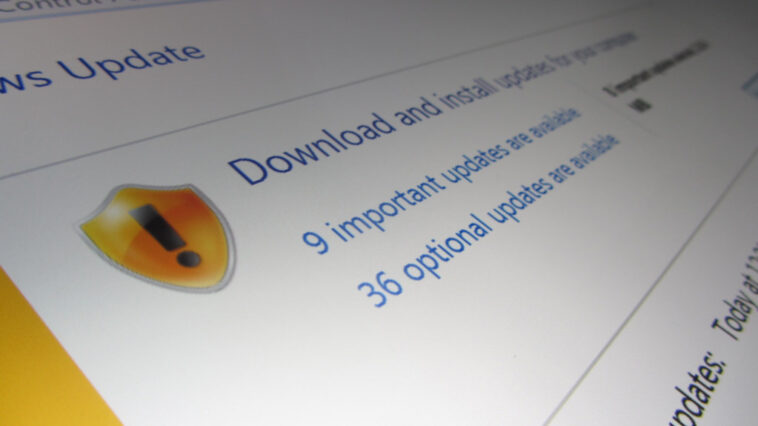
Microsoft is rolling out a significant quality-of-life improvement to Windows 11, aiming to automatically detect and revert drivers that cause system instability. This new feature, first spotted in recent Windows Insider builds and expected to hit general availability by Q3 2026, means your PC should be less prone to crashes and blue screens caused by faulty driver updates. It’s a much-needed fix that acknowledges how driver issues have plagued Windows users for years.
📋 In This Article
The Problem: Drivers Gone Wild

For decades, a bad driver update has been the bane of PC users. You install a seemingly innocuous update for your graphics card, network adapter, or even a USB device, only to find your system suddenly unstable. Blue screens of death (BSODs), random reboots, or devices not working at all have been common fallout. While Windows Update has had rollback capabilities, it often required manual intervention, which many users aren’t comfortable with or don’t know how to do. This new automatic rollback aims to fix that, making Windows 11 more resilient out-of-the-box. I’ve personally spent way too many hours troubleshooting driver conflicts after an update, so this is a welcome change.
Manual Rollback Hassles
Before this change, if a driver update broke your system, you’d typically have to boot into Safe Mode, open Device Manager, find the offending device, right-click, go to Properties, select the Driver tab, and then click ‘Roll Back Driver’. If that option was greyed out or didn’t work, you’d be looking at uninstalling the driver and blocking future updates – a complex process for the average user. This new automated system promises to bypass that entire ordeal.
How the Automatic Rollback Works
Microsoft’s approach involves monitoring system telemetry and error reporting. When a driver update is installed and subsequently leads to critical system errors (like those triggering bug checks or specific stop codes), Windows will flag it. After a certain period or a set number of detected failures, the system will automatically uninstall the problematic driver and restore a previously working version. This isn’t just about rolling back to the immediately preceding driver; Windows will intelligently select a stable, known-good driver from its history. Early reports suggest this detection window could be anywhere from 24 hours to a few days post-update.
Telemetry and Error Reporting
The effectiveness hinges on robust telemetry. Microsoft collects anonymized data on driver performance and stability across millions of Windows 11 machines. This allows their AI and machine learning algorithms to identify patterns associated with driver failures much faster than any single user could. The goal is proactive detection, preventing widespread issues before they impact a large user base.
What This Means For You: Less Downtime, More Stability
For the average Windows 11 user, this means fewer unexpected PC crashes and less time spent troubleshooting. Imagine updating your drivers and simply carrying on with your work or gaming, confident that if something goes wrong, Windows will silently fix it in the background. It’s a significant step towards a more reliable computing experience, especially for those who rely on their PCs for critical tasks. This feature is particularly beneficial for users running hardware from less mainstream manufacturers where driver quality can be more variable. I’m already looking forward to not having to hold my breath every time a driver update pops up.
Impact on Enthusiasts and Gamers
While beneficial for everyone, PC enthusiasts and gamers who often push hardware limits or install beta drivers might see this as a double-edged sword. However, the system is designed to revert *problematic* drivers, not just any driver. Those who frequently update graphics drivers for the latest game optimizations might still want to exercise caution, but the safety net is now much stronger. It means less risk when trying out the latest Nvidia GeForce or AMD Radeon drivers.
When Can You Expect It?
Microsoft has been testing this functionality in the Windows Insider Program channels, specifically the Beta and Release Preview channels, for several months. Based on the feedback and stability observed, a general rollout is anticipated for the second half of 2026, likely alongside a cumulative update or a feature update. While no firm date is set, industry observers expect it to be part of the August or September 2026 Patch Tuesday updates for Windows 11 24H2 and subsequent versions. Keep your Windows Update settings configured to receive these important updates automatically.
Future Driver Management
This move signals Microsoft’s increasing focus on automating system health management. It’s plausible we’ll see similar intelligent rollback features applied to other critical system components or software updates in the future, further enhancing Windows’ self-healing capabilities and reducing the burden on users to perform complex diagnostics.
⭐ Pro Tips
- Ensure your Windows 11 is always updated to the latest version to benefit from automatic driver rollbacks. Check Settings > Windows Update.
- While automatic rollback is coming, consider creating a System Restore point before manually installing major driver updates, especially for graphics cards. (Free with Windows).
- Don’t ignore driver update notifications. Even with automatic rollback, timely updates can bring performance improvements and new features.
Frequently Asked Questions
Will Windows automatically uninstall drivers I installed manually?
Yes, if a manually installed driver causes system instability, Windows will attempt to automatically revert it to a previously known stable version.
Is automatic driver rollback available on Windows 10?
This specific automated rollback feature is primarily being rolled out for Windows 11. Windows 10 relies more on manual user intervention for driver issues.
How much does this new Windows driver feature cost?
This is a built-in feature of Windows 11 and requires no additional cost beyond the operating system itself.
Final Thoughts
This automatic driver rollback feature is a huge win for Windows 11 users. It directly addresses a long-standing pain point and promises a more stable, less frustrating PC experience. While it’s not a magic bullet for every possible hardware issue, it significantly reduces the risk of a bad driver update bricking your system. Make sure your Windows 11 is set to update automatically so you get this stability boost as soon as it’s available.




GIPHY App Key not set. Please check settings