



 Saif Ali Tai
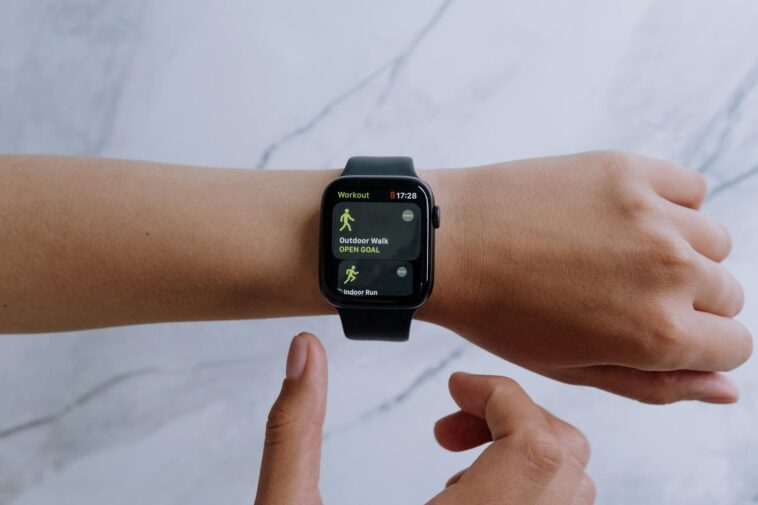
Okay, so I remember back in 2014, when smartwatches were mostly clunky, novelty gadgets. You know, Pebble, early Android Wear… they were cool in theory, but didn’t really *do* much. Then the Apple Watch dropped in 2015, and honestly? I thought it was just an expensive notification machine. But boy, was I wrong. Over the last decade, the Apple Watch defined modern health tech in a way no other device even came close to. It wasn’t just about counting steps anymore. Suddenly, we had medical-grade sensors strapped to our wrists, pushing health data into our faces, making us actually *think* about our well-being. And that, my friends, changed everything.
📋 In This Article
- Beyond Steps: Heart Rate Tracking Became a Daily Habit
- ECG on Your Wrist? Yeah, That Was a Big Deal.
- Blood Oxygen and Temperature: More Than Just ‘Nice to Haves’
- Crash Detection and Fall Detection: When Tech Becomes a Lifeline
- Making Fitness Actually Fun and Accessible
- The Apple Watch Ultra: Pushing the Boundaries for the Hardcore
- ⭐ Pro Tips
- ❓ FAQ
Beyond Steps: Heart Rate Tracking Became a Daily Habit
Before the Apple Watch, if you wanted to track your heart rate, you strapped on a chest strap or hit a treadmill with a built-in sensor. It was a workout thing, not an ‘all day, every day’ thing. Apple flipped that script. From the very first model, continuous heart rate monitoring became standard. Suddenly, you could see your resting heart rate, track your zones during a run, and get alerts for unusually high or low rates. My dad actually found out he had an irregular rhythm thanks to his Series 4 back in 2019, which led to a doctor’s visit. That’s real impact, not just a marketing slogan. It made heart health something accessible and understandable for millions.
Irregular Rhythm Notifications: A Silent Guardian
This feature, introduced with watchOS 5, has been a lifesaver for so many. It doesn’t diagnose AFib, but it flags potential issues, telling you to check with a doctor. It’s subtle, running in the background, and gives you actionable data. For someone who might not feel symptoms, it’s pretty incredible. The current Apple Watch Series 9 and Ultra 2 still offer this, constantly monitoring your heart for anomalies.
Resting Heart Rate: A Simple Health Indicator
Your resting heart rate is a solid indicator of overall cardiovascular fitness and general health. The Apple Watch makes it super easy to track this trend over time. I check mine every morning. If it’s elevated for a few days, I know I’m probably stressed, not sleeping well, or maybe even getting sick. It’s a quick, non-invasive check-in that a lot of us wouldn’t bother with otherwise.
ECG on Your Wrist? Yeah, That Was a Big Deal.
When Apple announced the ECG app on the Series 4 in 2018, people lost their minds. And for good reason! This wasn’t just a heart rate sensor; it was an actual electrocardiogram, cleared by the FDA, letting you take a single-lead ECG right from your wrist in 30 seconds. That’s technology previously reserved for doctor’s offices, now available to the masses for $399 (the Series 9 price). It wasn’t perfect, but it gave users a tool to detect signs of Atrial Fibrillation (AFib), a serious heart condition. Samsung followed with its Galaxy Watch, but Apple was first to truly mainstream it, making it feel less like medical equipment and more like a personal health assistant.
Understanding Your ECG Results
The app doesn’t just give you squiggly lines; it provides clear classifications: Sinus Rhythm, Atrial Fibrillation, or Inconclusive. It’s designed to be easy to understand, even for non-medical folks. And you can export a PDF of your readings to share directly with your doctor. That’s where the real power lies – getting useful data into the hands of professionals.
FDA Clearance: The Trust Factor
This wasn’t some wild west tech. Apple went through rigorous FDA clearance (and similar approvals globally) for features like the ECG and irregular rhythm notifications. That regulatory stamp of approval built immense trust, telling people, ‘Hey, this isn’t just a gimmick, it’s actually been vetted.’ That trust was crucial in getting people to rely on a wearable for serious health insights.
Blood Oxygen and Temperature: More Than Just ‘Nice to Haves’
The health features kept rolling in. Blood oxygen monitoring, introduced with the Series 6 in 2020, felt particularly relevant during the pandemic, giving people a way to check a key respiratory metric at home. And then, with the Series 8 in 2022, came temperature sensing. Now, this isn’t a clinical thermometer, but it’s fantastic for women’s health, offering retrospective ovulation estimates and better period predictions. It shows Apple’s commitment to making the watch a comprehensive health tool, not just a fitness tracker. Other brands have these now too, but Apple consistently pushed the envelope for mainstream adoption.
Blood Oxygen: A Window into Respiratory Health
While not for medical diagnosis, tracking your blood oxygen saturation (SpO2) can provide insights into your overall respiratory and circulatory health. Seeing consistent dips or lower-than-normal readings might prompt you to pay attention or consult a doctor. It’s especially useful for people at higher altitudes or those monitoring certain conditions.
Temperature Sensing for Cycle Tracking
This is a big one for half the population. The Apple Watch Series 8 and newer models use two temperature sensors to track subtle changes in body temperature overnight. This data, combined with cycle tracking, can provide retrospective ovulation estimates, helping with family planning or just understanding your body better. It’s a privacy-focused approach to a sensitive topic.
Crash Detection and Fall Detection: When Tech Becomes a Lifeline
It’s not all about long-term health metrics. Sometimes, you need immediate help. Fall Detection, first on the Series 4, was a quiet but incredibly important addition. If you take a hard fall and don’t respond, the watch automatically calls emergency services. I’ve heard so many stories of older relatives being saved by this feature. Then, Crash Detection arrived with the Series 8 and Ultra in 2022. Using advanced sensors, it can detect a severe car crash and again, automatically alert emergency services and your contacts. This isn’t just health tech; it’s safety tech, woven seamlessly into a daily wearable. It’s a truly profound use of technology.
Fall Detection: Peace of Mind for Loved Ones
For anyone with elderly parents or relatives living alone, Fall Detection is a massive relief. Knowing that if they take a tumble and can’t get up, their watch will get them help, is invaluable. It’s one of those features you hope you never need, but are incredibly grateful for if you do. It works surprisingly well, too, differentiating between a stumble and a real fall.
Crash Detection: An Extra Layer of Road Safety
Using a high g-force accelerometer and a gyroscope, the Apple Watch can sense severe impact, sudden changes in speed, and even cabin pressure changes. If it detects a crash and you don’t respond within 10 seconds, it alerts emergency services with your location. It’s a silent guardian for commuters and road trippers, adding a critical safety net that many modern cars don’t even offer as standard.
Making Fitness Actually Fun and Accessible
Beyond the medical stuff, the Apple Watch fundamentally changed how many of us approach fitness. Those Activity Rings? Brilliant. Closing your Move, Exercise, and Stand rings became a daily mini-game. It’s simple, visual, and genuinely motivating. I’ve had friends who were totally sedentary start exercising just to ‘close their rings.’ And the integration with Apple Fitness+ (still going strong in 2026, by the way, for $9.99/month or $79.99/year in Apple One bundles) made guided workouts seamless. You see your metrics right on your TV or iPad while you’re working out. It created a holistic fitness ecosystem that’s hard to beat, making activity tracking less of a chore and more of an achievable goal.
Activity Rings: The Daily Motivation Engine
The genius of the Activity Rings lies in their simplicity and visual feedback. Red for calories burned, green for exercise minutes, blue for standing hours. Everyone gets it. It’s not about being a marathon runner; it’s about consistent movement. That subtle nudge to ‘stand up!’ every hour? Super effective for desk jockeys like me. It promotes healthy habits without being preachy.
Apple Fitness+: Seamless Integration
This isn’t just another workout app; it’s built for the Apple Watch. Your real-time heart rate, calories, and rings progress show up on screen during workouts, making it incredibly engaging. It’s like having a personal trainer who can see your stats. For $9.99/month, it’s a steal compared to gym memberships, and the variety of workouts is huge, from HIIT to yoga to strength training.
The Apple Watch Ultra: Pushing the Boundaries for the Hardcore
While the standard Apple Watch Series 9 (starting at $399) covers most people, the Apple Watch Ultra 2 (from $799) is where Apple really went after the serious adventurers and athletes. That beefier titanium case, the larger brighter screen, the Action Button, and especially the dual-frequency GPS? That’s not just a ‘nicer’ watch; it’s a completely different beast. It solidified Apple’s position not just in casual health tracking, but in serious outdoor and extreme sports monitoring. Competitors like Garmin have always owned this space, but the Ultra series finally gave Apple a true contender, bringing its health tech prowess to a rugged, long-lasting package that can take a beating.
The Action Button: Customization for Your Adventures
That orange Action Button on the Ultra 2 is a dream for active users. You can program it to instantly start a workout, mark a Compass Waypoint, begin a dive, or even turn on the flashlight. No more fumbling through menus with wet hands or gloves. It’s a small detail that makes a huge difference for usability in demanding situations, really streamlining your workflow.
Precision GPS and Longer Battery Life
The Ultra 2’s dual-frequency GPS (L1 and L5) is incredibly accurate, which is crucial for hikers, runners, and cyclists who need precise distance and route tracking. And the battery life? Up to 36 hours on a single charge, or 72 hours in low power mode. That’s a massive leap from the standard Series 9’s 18 hours, making it viable for multi-day treks without a charger. It’s a real tool for serious outdoor enthusiasts.
⭐ Pro Tips
- Don’t just track your rings; actually compete with friends! The sharing feature on the Activity app is a huge motivator. I’ve burned extra calories just to beat my brother’s score.
- If you’re considering an upgrade from an older model (like a Series 5 or older), check your carrier for trade-in deals. You might get $100-$200 off a new Series 9, making that $399 price tag feel way better.
- Enable the ‘Handwashing Detection’ feature. It’s a small thing, but it uses the motion sensors and microphone to remind you to wash for 20 seconds. Super useful during cold and flu season.
- Customize your watch faces with health complications. I always have my heart rate, activity rings, and blood oxygen visible. It keeps those key metrics top of mind without opening apps.
- For better sleep tracking accuracy, wear your watch snugly but not uncomfortably tight. Too loose, and the sensors struggle. Too tight, and it’s annoying to sleep with. Find that sweet spot.
Frequently Asked Questions
Is the Apple Watch actually good for tracking my sleep?
Yes, it’s pretty decent! It tracks sleep stages (REM, Core, Deep), duration, and heart rate during sleep. It’s not medical-grade, but it gives good insights into your sleep patterns, especially when combined with temperature sensing on newer models.
How much does a new Apple Watch cost in 2026?
The current Apple Watch Series 9 starts at $399 USD for the GPS model, and the Apple Watch Ultra 2 starts at $799 USD. Cellular models add about $100-$120 to the base price, plus a monthly carrier fee.
Is the Apple Watch worth it if I already have a Fitbit or Garmin?
Honestly, yes, especially if you’re in the Apple ecosystem. The seamless integration, the medical-grade features like ECG, and the sheer breadth of apps make it more than just a fitness tracker. It’s a comprehensive health companion.
What’s the best Apple Watch alternative for Android users?
For Android users, the Samsung Galaxy Watch 6 (or whatever the latest is in 2026, maybe the 7) is your best bet. It offers similar health features like ECG and body composition analysis, and integrates well with Samsung phones.
How long does Apple Watch battery usually last?
A standard Apple Watch Series 9 typically lasts about 18 hours of mixed use, or up to 36 hours in Low Power Mode. The Apple Watch Ultra 2 boasts significantly longer battery life, up to 36 hours normally, or 72 hours in Low Power Mode.
Final Thoughts
Look, I’m not saying the Apple Watch is a magic cure-all or a replacement for your doctor. Absolutely not. But what it *did* do, what it *continues* to do, is redefine what we expect from personal health tech. It took complex medical monitoring and made it approachable, actionable, and frankly, cool. From heart health to fall detection, fitness tracking to cycle insights, the Apple Watch genuinely made millions of us more aware of our bodies and more proactive about our health. If you’ve been on the fence, or if you’re using an older model, seriously consider upgrading to a Series 9 or Ultra 2. The health features alone are worth the price of admission. Your future self might just thank you.




GIPHY App Key not set. Please check settings