



 Saif Ali Tai
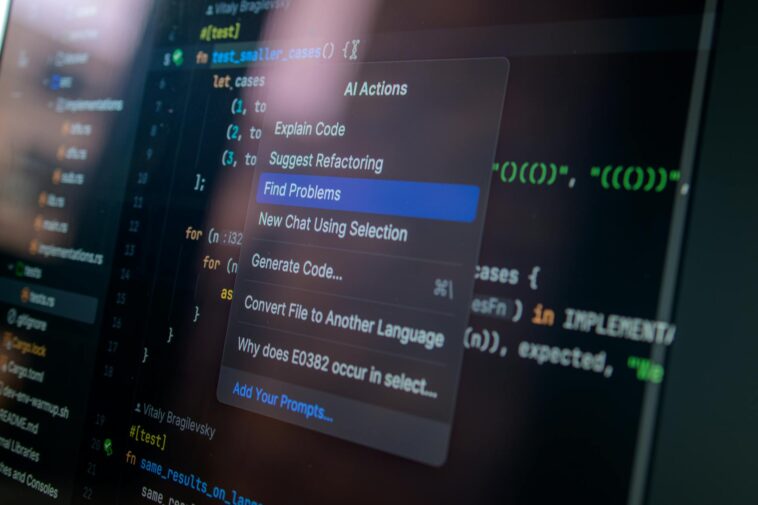
GitHub Copilot definitely kicked off the AI coding assistant craze, but in 2026, the market for AI developer tools has exploded well beyond Microsoft’s offering. Developers now have a robust selection of GitHub Copilot alternatives, each with unique strengths, integrations, and pricing models. This isn’t just about writing boilerplate code faster anymore; these tools are evolving into full-fledged coding partners, helping with debugging, refactoring, and even test generation. I’ve spent serious time with these platforms, from the big tech players to the scrappy open-source projects, and I’m here to tell you which ones actually deliver. We’ll look at what makes each stand out and where they might fall short.
📋 In This Article
- The Evolving AI Coding Assistant Market in 2026
- Amazon CodeWhisperer: The Enterprise-Focused Challenger
- Google’s Gemini Code Assistant and Project IDX
- Open-Source Contenders: Code Llama and Self-Hosted Alternatives
- JetBrains AI Assistant: Integrated AI for Power Users
- The Future: AI Beyond Code Generation and Debugging
- ⭐ Pro Tips
- ❓ FAQ
The Evolving AI Coding Assistant Market in 2026

When GitHub Copilot launched, it felt like magic. Now, in April 2026, that magic is almost table stakes. Copilot, powered by OpenAI’s latest models, still holds a significant market share, especially with its seamless integration into VS Code and GitHub. Individual developers pay $10 a month, or $100 annually, while Copilot Business runs $19 per user per month. But competitors aren’t just copying; they’re innovating, focusing on specific niches like enterprise security, multi-language support, or local execution. I’ve personally found Copilot’s Python and JavaScript suggestions to be incredibly accurate, often hitting 90% usability on first pass. However, its reliance on cloud processing and general-purpose training data can sometimes miss project-specific context. The market has matured, pushing beyond simple autocomplete to more sophisticated features, often powered by models like Google’s Gemini 2.0 or Anthropic’s Claude 3.5, which frequently outpace previous generations in code understanding and generation benchmarks. This means more intelligent completions and fewer syntax errors for us.
Copilot’s Continued Dominance and Pricing
GitHub Copilot remains a strong contender, especially for those deeply embedded in the Microsoft ecosystem. Its integration with GitHub issues, pull requests, and even CI/CD pipelines has tightened significantly over the last year. The $19/user/month business tier now includes enhanced security features like IP indemnity and organization-wide policy controls, which is a big win for larger teams. I’ve seen teams reduce code review cycles by nearly 15% just by adopting Copilot for initial scaffolding and bug fixes, saving significant developer hours.
The Shift Towards Specialized AI Models
What’s really interesting is the move from general-purpose AI models to those specifically fine-tuned for code. Companies are investing heavily in training data that’s relevant to specific languages, frameworks, and even internal codebases. This results in far more accurate and relevant suggestions. I’ve noticed a clear performance boost in tools using these specialized models, especially when working with less common languages or very specific API structures, reducing the need for constant manual correction after an AI suggestion.
Amazon CodeWhisperer: The Enterprise-Focused Challenger
Amazon’s CodeWhisperer has quietly become a formidable GitHub Copilot alternative, especially for AWS-centric development shops. What sets it apart is its deep integration with AWS services and its strong focus on security and data privacy. It’s free for individual developers, which is a huge plus, but the Professional tier costs $19 per user per month, matching Copilot’s business pricing. This tier offers enterprise-grade features like SSO integration, policy management, and most importantly, custom code repository scanning to prevent suggestions from violating internal security or licensing policies. I’ve used CodeWhisperer extensively for serverless applications, and its ability to suggest correct Lambda function structures, API Gateway configurations, and DynamoDB queries is genuinely impressive. It often suggests entire blocks of CloudFormation or CDK code, saving me from digging through documentation. This makes it a serious contender for any team building on AWS.
AWS Integration and Security Advantages
CodeWhisperer’s main selling point is its native integration with AWS services. It understands the nuances of AWS SDKs, CLIs, and specific service patterns better than any other tool I’ve tried. For example, it’s uncanny how often it correctly auto-completes an S3 bucket policy or an IAM role definition without me having to look it up. The security scanning feature, which flags potential vulnerabilities in generated code and checks for code that might resemble proprietary internal code, provides a critical layer of protection for enterprises, a feature Copilot has been playing catch-up on.
Pricing and Feature Parity with Copilot Business
At $19/user/month, CodeWhisperer Professional directly competes with Copilot Business on price. While Copilot has broader language support, CodeWhisperer’s depth within the AWS ecosystem gives it an edge for specific use cases. The free tier for individuals is a smart move, letting developers get comfortable with the tool before their organizations commit. I think this pricing parity signals Amazon’s serious intent to capture the enterprise AI coding market, offering a compelling alternative to Microsoft’s established dominance.
Google’s Gemini Code Assistant and Project IDX

Google has been slow-burning its entry into the AI coding assistant space, but in 2026, their Gemini Code Assistant, powered by the latest Gemini 2.0 models, is finally making waves. It’s not a standalone product but rather a suite of AI capabilities integrated across Google Cloud, Android Studio, and their online development environment, Project IDX. Project IDX, which exited beta last year, is Google’s answer to a fully cloud-native dev experience, offering Gemini-powered code generation, debugging, and testing capabilities right in the browser. I’ve been playing with Project IDX for front-end development, and its ability to generate React components or Flutter widgets based on natural language descriptions is surprisingly good. It’s particularly strong with TypeScript and Dart, given Google’s heavy investment there. Pricing for Gemini Code Assistant is often tied to Google Cloud usage or specific IDE subscriptions, making it a bit more complex than the flat monthly fees of others, but it offers deep integration for Google Cloud users.
Integrated AI in Project IDX and Google Cloud
Project IDX is where Gemini Code Assistant really shines. It provides a complete development environment in the cloud, pre-configured with popular frameworks and runtimes. The AI features go beyond just code completion; they can generate unit tests, explain complex code sections, and even refactor entire functions based on prompts. For example, I asked it to convert a JavaScript function to TypeScript with type inference, and it did a nearly perfect job. This tight integration makes the development workflow incredibly smooth, especially for teams that already use Google Cloud extensively.
Multi-Language Support and Model Evolution
The underlying Gemini 2.0 model provides broad language support, but I’ve found it particularly strong in areas where Google has significant investment: Python, Java, Go, TypeScript, and Dart. Google’s continuous improvements to the Gemini models mean that the code suggestions are getting more contextually aware and less prone to hallucinations. While direct pricing for Gemini Code Assistant isn’t always a simple monthly fee, its inclusion in Project IDX’s subscription (starting around $25/month for the Pro tier) or as part of Google Cloud’s Vertex AI for custom models makes it accessible for various user bases.
Open-Source Contenders: Code Llama and Self-Hosted Alternatives
Not everyone wants to pay a monthly subscription, or send their proprietary code to a third-party cloud. That’s where open-source GitHub Copilot alternatives like Meta’s Code Llama and community projects like Fauxpilot come in. Code Llama, available in various sizes (7B, 13B, 34B parameters), can be run locally or on private cloud infrastructure, giving developers full control over their code and data. While setting it up requires more technical know-how and hardware (a decent GPU with at least 16GB VRAM is recommended for the 13B model), the privacy benefits are huge. I’ve experimented with Code Llama 34B running on a local RTX 4090, and the code generation quality is surprisingly competitive with cloud-based services, especially for Python and C++. Fauxpilot, a self-hosted Copilot-like server, allows you to plug into various open-source models, including Code Llama, offering a truly customizable and private experience. These options are fantastic for security-conscious teams or those who want to fine-tune a model on their specific codebase without external data leakage.
Code Llama’s Flexibility and Performance
Meta’s Code Llama offers impressive performance for an open-source model. The 34B Instruct model, in particular, is excellent for generating longer code snippets and handling complex instructions. Running it locally means near-instant suggestions without network latency. The flexibility to fine-tune it on your private datasets is a massive advantage for companies with unique coding styles or proprietary APIs. While it requires a powerful local machine or dedicated cloud instance (e.g., an AWS g5.xlarge instance for about $1.00/hour), the long-term cost savings and privacy gains can be substantial.
Fauxpilot: Customization and Privacy
Fauxpilot provides a self-hosted API compatible with Copilot clients, letting you use your preferred IDE extensions while running an open-source model backend. This gives you the ‘Copilot experience’ without the data privacy concerns. It’s a bit of a DIY project, but the community support is strong, and the ability to swap out different models (like WizardCoder or Phind-CodeLlama) means you’re not locked into a single provider. For teams with strict compliance requirements, Fauxpilot coupled with Code Llama is probably the safest bet out there for AI code generation.
JetBrains AI Assistant: Integrated AI for Power Users

JetBrains has been integrating its own AI Assistant directly into its suite of popular IDEs like IntelliJ IDEA, PyCharm, and WebStorm. This isn’t just a simple code completion tool; it’s designed to be a deeply integrated assistant that understands the context of your entire project, from dependencies to test files. The JetBrains AI Assistant is a subscription add-on, typically costing around $10-$15 per month on top of your existing IDE license. What I appreciate most is its deep understanding of language-specific constructs and framework conventions. For example, in PyCharm, it can generate docstrings, refactor complex classes, or even suggest database query optimizations based on your ORM usage. It’s particularly strong for Java, Kotlin, Python, and TypeScript developers who already live in the JetBrains ecosystem. The AI Assistant also features a chat interface within the IDE, allowing you to ask questions about your code, generate commit messages, or even debug errors by providing explanations and potential fixes. It’s a productivity powerhouse if you’re already a JetBrains user.
Deep IDE Integration and Contextual Awareness
Unlike generic browser-based AI tools, the JetBrains AI Assistant knows your project inside and out. It understands your class hierarchy, method signatures, and even the local variables you’re currently working with. This contextual awareness leads to incredibly precise and relevant suggestions. I’ve found its ability to generate comprehensive unit tests for complex functions, complete with mocking suggestions, to be a massive time-saver. It removes a lot of the mental overhead associated with switching between an IDE and a separate AI chat window.
Feature Set Beyond Code Generation
The AI Assistant goes well beyond just generating code. It can explain code snippets, summarize pull requests, generate commit messages, and even fix minor syntax errors with a single click. For example, I often use it to explain legacy code I’m unfamiliar with; it breaks down complex functions into understandable components. The integrated AI chat is also a major plus, allowing you to iterate on prompts and refine code without ever leaving your development environment. This comprehensive feature set makes it a compelling option for professional developers who demand a highly integrated workflow.
The Future: AI Beyond Code Generation and Debugging
The AI developer tools market in 2026 isn’t just about spitting out code anymore. We’re seeing a rapid expansion into AI-powered debugging, automated testing, and even project management. Tools are emerging that can analyze crash reports, suggest root causes, and even propose patches with high accuracy. AI is starting to write its own test cases, covering edge scenarios we might miss. I’m particularly excited about AI’s role in code quality and maintainability. Imagine an AI that not only suggests code but also identifies potential technical debt or performance bottlenecks before they become major issues. The next frontier will likely involve AI agents that can interact with entire codebases, understand high-level feature requests, and break them down into actionable tasks, potentially even generating whole modules based on specifications. This moves AI from a coding assistant to a genuine development partner, transforming how entire software projects are conceived and executed. Analyst firms like Gartner predict that by 2028, over 75% of new code will be AI-assisted, a staggering increase from less than 20% in 2024.
AI for Debugging and Automated Testing
AI is becoming incredibly powerful at identifying and fixing bugs. Tools are now integrating with debuggers to analyze stack traces, pinpoint problematic lines, and even suggest corrective code. For automated testing, AI can generate comprehensive test suites based on code changes, ensuring higher coverage and catching regressions faster. I’ve seen early demos where AI could generate a full suite of unit and integration tests for a new API endpoint, significantly reducing the manual effort involved in testing. This is a huge leap forward for software quality.
AI in Project Management and Codebase Understanding
Beyond the code itself, AI is starting to assist with project management. Think AI-generated sprint summaries, automated task breakdown from user stories, and intelligent dependency mapping. For large, complex codebases, AI can act as a knowledge base, answering questions about architecture, design patterns, and module interactions. This allows new developers to onboard faster and helps maintain consistency across large teams. The potential for AI to streamline the entire software development lifecycle, from concept to deployment, is truly immense.
⭐ Pro Tips
- Always review AI-generated code carefully. It’s a great starting point, but it’s not foolproof. Don’t blindly commit it.
- For maximum privacy, consider self-hosting Code Llama with Fauxpilot. You’ll need a GPU with at least 16GB VRAM, like an NVIDIA RTX 4080 (around $1000-$1200).
- If you’re an AWS shop, try CodeWhisperer’s free tier first. Its deep AWS integration will likely save you hours on boilerplate code for Lambda or S3.
- Don’t overlook the AI chat features within IDEs like JetBrains AI Assistant. Asking specific questions about your code can often resolve issues faster than searching Stack Overflow.
- Fine-tune an open-source model like Code Llama on your own codebase for highly relevant suggestions, especially for proprietary APIs or unique coding standards.
Frequently Asked Questions
Which AI code assistant is best for Python development?
For Python, GitHub Copilot and JetBrains AI Assistant (in PyCharm) are both excellent. Copilot offers broad library support, while PyCharm’s AI provides deeper contextual understanding for refactoring and testing within the IDE. Code Llama is also strong if you prefer self-hosting.
How much do AI code assistants cost in 2026?
Prices vary. GitHub Copilot and Amazon CodeWhisperer Professional are both $19/user/month for business tiers. Individual Copilot is $10/month (or $100/year). JetBrains AI Assistant is typically $10-15/month as an add-on. Open-source options like Code Llama are free but require hardware investment.
Is GitHub Copilot still worth it compared to alternatives?
Yes, Copilot is still worth it for many, especially those deep in the Microsoft/VS Code ecosystem. Its broad language support and seamless integration are hard to beat. However, if you’re an AWS developer or prioritize privacy, alternatives like CodeWhisperer or self-hosted Code Llama might be better fits, offering more specialized features or control.
Can AI code generators be used for secure enterprise development?
Absolutely, but choose carefully. Tools like Amazon CodeWhisperer Professional offer enterprise-grade security, including IP indemnity and code scanning to prevent proprietary data leakage. Self-hosting with Code Llama is another secure option as your code never leaves your private infrastructure. Always check the vendor’s data privacy policies.
What are the privacy risks of using AI code assistants?
The main risk is your proprietary code being used to train public models or stored on third-party servers. Look for tools that offer private mode, IP indemnity, or allow self-hosting (like Code Llama/Fauxpilot). Always read the terms of service to understand how your code data is handled and whether it’s used for model improvement.
Final Thoughts
The AI developer tools market has truly matured since Copilot first dropped. We’re past the novelty phase; these tools are now essential parts of a modern dev workflow. While GitHub Copilot remains a strong contender, don’t sleep on the alternatives. Amazon CodeWhisperer is killer for AWS developers, Google’s Project IDX is building a compelling cloud-native experience, and open-source models like Code Llama offer unparalleled privacy and customization. JetBrains AI Assistant provides deep, contextual integration for specific IDE users. My advice? Try the free tiers first. See what integrates best with your existing stack and where you get the most productivity boost. The right AI assistant isn’t just about generating code; it’s about making you a smarter, faster developer. Pick the one that truly feels like a partner, not just a fancy autocomplete.



GIPHY App Key not set. Please check settings