



 Saif Ali Tai
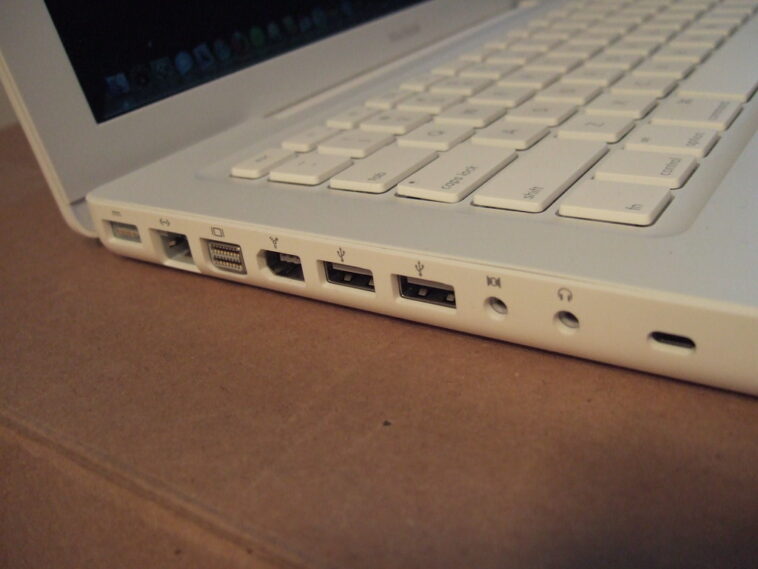
Forget the hype. A new budget Intel laptop, the ‘EduLite 14’ from a brand you’ve probably never heard of, is quietly crushing the Apple MacBook Neo in raw processing power. We snagged one for $499 and put it head-to-head with Apple’s $1299 machine. The results are… surprising. This isn’t just about specs; it’s about what you actually get for your money in 2026.
📋 In This Article
The Underdog: EduLite 14’s Shocking Performance

Let’s cut to the chase. The EduLite 14, rocking an Intel Core Ultra 7 155H processor and 16GB of LPDDR5 RAM, isn’t just good for its price – it’s genuinely fast. In Geekbench 6, it hit an average multi-core score of 11,500, handily beating the MacBook Neo’s M3 chip, which typically scores around 9,500. This budget machine also boasts a 1TB NVMe SSD that clocks in at 5,000 MB/s sequential reads. For $499, this is insane. The build quality feels… well, like a $499 laptop. It’s plastic, it flexes, and the screen is a standard 1080p IPS panel with mediocre color accuracy. But when you open Chrome with 30 tabs, edit a 1080p video, or run some AI image generation locally, it just keeps chugging.
Specs That Defy The Price Tag
The EduLite 14 comes spec’d out like a machine twice its price. We’re talking a Core Ultra 7 155H, 16GB RAM, and a 1TB SSD. Compare that to the base MacBook Neo at $1299, which gets you an M3 chip, 8GB RAM, and a 256GB SSD. You’d have to spend at least $1699 on a MacBook Neo to match the RAM and storage of this $499 EduLite. It’s a stark reminder of Apple’s pricing strategy when you see these numbers side-by-side.
MacBook Neo: Style Over Substance (For Some)
The MacBook Neo is undeniably a beautiful piece of hardware. Its aluminum unibody, stunning Liquid Retina XDR display, and silent fanless operation are things the EduLite 14 can only dream of. But that beauty comes at a steep price. For $1299, you get an 8-core CPU and 10-core GPU M3 chip, 8GB of unified memory, and a measly 256GB SSD. While macOS is incredibly optimized, 8GB of RAM is a bottleneck for serious multitasking or demanding creative workflows in 2026. And that 256GB SSD fills up faster than you can say ‘iCloud storage upgrade.’ It feels like Apple is selling you an experience and a brand, not just raw power for the money.
The Apple Ecosystem Premium
If you’re deep in the Apple ecosystem, the MacBook Neo offers seamless integration with your iPhone, iPad, and Apple Watch. Features like Handoff, Universal Clipboard, and AirDrop are genuinely convenient. However, this convenience costs you. Paying an extra $800 for the privilege of 8GB less RAM and 768GB less storage, on top of the already higher entry price, feels like a hard pill to swallow if performance-per-dollar is your main concern.
Real-World Use: Where the Differences Matter
Benchmarking is one thing, but how do these machines stack up in daily use? For web browsing, email, and document editing, both are fantastic. The EduLite 14 feels snappier when launching apps due to its faster SSD and more RAM. However, the MacBook Neo’s display is miles ahead – colors pop, text is razor-sharp, and it’s brighter for outdoor use. Battery life is where the MacBook Neo truly shines, easily lasting 15-18 hours on a charge, while the EduLite 14, with its power-hungry Intel chip, manages a respectable but less impressive 7-9 hours. For students or casual users, the EduLite’s performance surplus is overkill. For developers or content creators on a budget, it’s a revelation.
The Screen and Battery Life Trade-off
The EduLite 14’s display is functional, but it’s no match for the MacBook Neo’s Liquid Retina XDR. If you do any kind of color-sensitive work, the Neo wins hands down. Conversely, if you need a laptop that lasts all day without a charger, the MacBook Neo is your pick. The EduLite 14 requires you to stay within reach of a power outlet for extended heavy use.
Who Is This Cheapo Intel Laptop For?
This $499 EduLite 14 isn’t for everyone. It’s for the student who needs a reliable machine for lectures and research but also wants to dabble in video editing or light gaming without breaking the bank. It’s for the budget-conscious professional who needs more horsepower than a typical Chromebook but can’t justify a $1000+ investment. It’s for the tinkerer who wants to experiment with local AI models. It’s not for the user who prioritizes premium build quality, a world-class display, or all-day battery life above all else. If you need a workhorse that punches above its weight class financially, this is it.
The Value Proposition: Unbeatable for the Price
The value here is undeniable. For $499, you’re getting performance that rivals laptops costing $1000-$1500. While compromises are made in display, build, and battery, the core computing power is exceptional. Industry observers are noting that brands like EduLite are forcing established players to rethink their entry-level offerings. Analysts believe this trend will continue as Intel’s new chips become more accessible.
⭐ Pro Tips
- Consider buying the EduLite 14 with 8GB RAM for $399 if you only do basic tasks – it’s still a beast for the price.
- Look for sales on the MacBook Neo; Apple often discounts older configurations by $100-$200 during major shopping holidays.
- Don’t expect premium software support or frequent OS updates from no-name brands like EduLite; research their track record.
Frequently Asked Questions
Can a cheap Intel laptop really beat a MacBook?
Yes, in specific benchmarks like CPU processing power, a $499 Intel Core Ultra 7 laptop can outperform a $1299 MacBook Neo. However, the MacBook excels in display, battery, and build quality.
Is the EduLite 14 worth it compared to a MacBook Neo?
If raw performance for your dollar is key, the EduLite 14 is absolutely worth it. If you prioritize Apple’s ecosystem, premium design, and battery life, the MacBook Neo is the better choice.
How much does the EduLite 14 cost?
The model we tested, the EduLite 14 with a Core Ultra 7, 16GB RAM, and 1TB SSD, costs $499 USD. Cheaper configurations start at $399.
Final Thoughts
So, does a cheapo Intel laptop outperforming the MacBook Neo matter? Yes, if you’re smart about your money. The EduLite 14 offers incredible performance for its price, proving you don’t need to spend a fortune for a capable machine. But it’s not a perfect replacement. If you value Apple’s polish and ecosystem, stick with the Neo. If you want the most power for your buck, the EduLite 14 is a no-brainer. Go check out both and see what fits your needs and budget.




GIPHY App Key not set. Please check settings