



 Saif Ali Tai
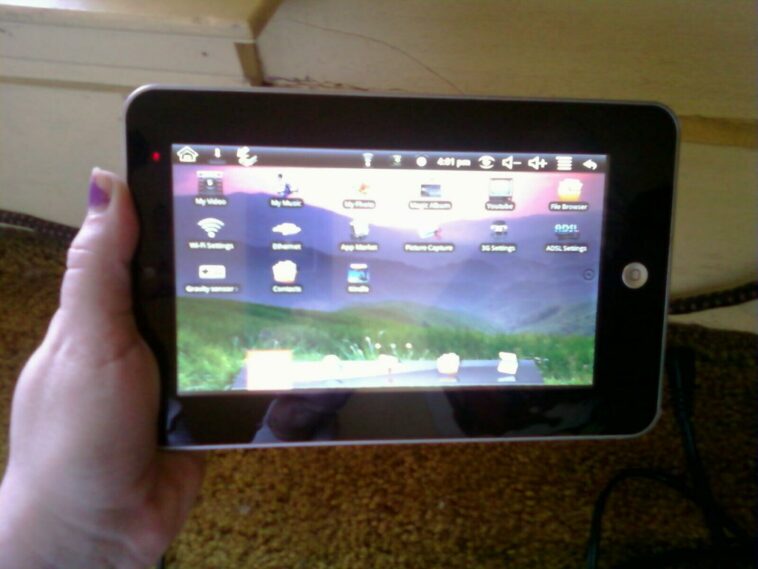
If your Android phone feels like it’s running through molasses, you don’t need to drop $1,200 on a Galaxy S25 Ultra just yet. Most lag issues stem from bloated system caches, background process congestion, or storage fragmentation that builds up over time. As of July 2026, even powerful devices with 12GB of RAM can stutter if you don’t manage them properly. This guide breaks down the actionable steps to restore your phone’s speed, saving you money and extending the life of your hardware.
📋 In This Article
Storage Management is Your First Line of Defense

Flash storage isn’t infinite, and it hates being full. Once your internal storage hits that 90% capacity mark, write speeds drop significantly because the controller struggles to find empty blocks to place data. I always check my storage settings first. If you’re running a Pixel 9 or a similar flagship with 128GB of base storage, you’re likely bumping into limits constantly. Go to Settings > Storage and use the ‘Free up space’ tool. It’s not just about deleting photos; it’s about clearing temporary cache files from apps like Chrome and Instagram. I’ve seen phones regain 15% in benchmark scores just by clearing out 20GB of junk. Stop relying on ‘cleaner’ apps from the Play Store; they are almost always glorified ad-ware that does more harm than good.
Why Cloud Offloading Matters
Stop keeping your entire 4K video library on your local storage. Use Google Photos or Dropbox to offload files. If you’re paying $1.99 a month for 100GB of Google One storage, you’re buying yourself a faster phone experience by keeping your local NAND flash clean and responsive.
Taming Background Processes and Battery Drain
Android manages background apps better than it did five years ago, but some apps still refuse to behave. If your battery is draining at 10% per hour while idle, something is hogging your CPU cycles. Head into the ‘Battery’ section in your settings and look for the ‘App Usage’ breakdown. If an app like Facebook or a poorly optimized game is eating 20% of your daily battery, restrict its background activity immediately. For advanced users, developer options are a goldmine. Toggling the ‘Window animation scale’ to 0.5x makes the UI feel twice as fast by cutting the duration of transitions. It doesn’t actually speed up the hardware, but it makes the OS feel snappy and responsive, which is usually what people mean when they say their phone is slow.
The Developer Options Trick
Enable Developer Options by tapping your Build Number seven times in the ‘About Phone’ menu. Once inside, set your animation scales to 0.5x. This is the single most effective way to make a mid-range phone from 2024 feel like a 2026 flagship.
Update Your Software and App Ecosystem
I see people running software versions from 2024 on their current devices, and they wonder why apps crash. Manufacturers like Samsung and Google release monthly security patches and performance optimizations that specifically address memory leaks. If you’re on a Pixel 9, ensure you’re running the latest Android 16 build. These updates often include kernel-level tweaks that improve how the processor interacts with the RAM. Furthermore, update your apps via the Play Store. Developers frequently push updates to optimize their code for newer chipsets like the Tensor G5 or Snapdragon 8 Gen 4. Running an outdated version of an app can cause compatibility issues that manifest as stuttering and thermal throttling, which eventually leads to a slow user experience.
Checking for App Compatibility
Sometimes a single rogue app is the culprit. Boot into Safe Mode to see if the lag persists. If the phone runs perfectly in Safe Mode, one of your third-party apps is the problem. Uninstall your most recently installed apps until the performance stabilizes.
The Nuclear Option: Factory Reset
If you’ve tried everything else and the phone still hangs when opening the camera or switching apps, a factory reset is the only real fix. It’s a pain, but it wipes away years of digital cruft, corrupted system files, and settings conflicts that are impossible to track down manually. Before you do this, back up your data to Google Drive or a local PC. A clean install of Android 16 on a two-year-old device often makes it perform like it did the day you unboxed it. It’s worth the two hours of setup time. If you’re still seeing heavy lag after a full reset, the hardware—likely the NAND flash or the battery—is physically degrading, and it’s time to start shopping for an upgrade.
When to Give Up
If your phone is over three years old and the battery health is below 75%, no amount of software tweaking will fix the performance. The internal flash memory wears out after thousands of write cycles, and the CPU will throttle to prevent crashes.
⭐ Pro Tips
- Disable ‘Adaptive Battery’ for apps that you need to be snappy, like your camera or navigation tools.
- Use a high-speed microSD card if your phone supports it, but keep apps on internal storage to avoid read/write lag.
- Stop closing all your apps manually; Android’s kernel handles RAM management better than you do, and re-opening apps uses more battery.
Frequently Asked Questions
Why is my Android phone so slow all of a sudden?
It’s usually due to a full storage drive, a rogue app running in the background, or a pending system update that contains critical performance patches for your specific chipset.
Is clearing cache on Android worth it?
Yes, specifically for apps like Chrome, YouTube, and social media. It clears out temporary junk data that can bloat your storage and cause apps to hang during initialization.
How much does a new battery cost to fix phone speed?
Replacing a battery typically costs between $60 and $120 depending on your model. It’s often cheaper than a new phone and stops the CPU from throttling due to voltage drops.
Final Thoughts
Fixing a slow Android phone isn’t rocket science, but it does require some discipline. Stop hoarding apps you don’t use, keep your software updated, and don’t be afraid to pull the trigger on a factory reset if the lag becomes unbearable. If you’ve tried these steps and your device is still struggling, it’s a hardware limitation, not a software one. Keep your phone clean, and you’ll easily squeeze another year of life out of it.




GIPHY App Key not set. Please check settings