



 Saif Ali Tai
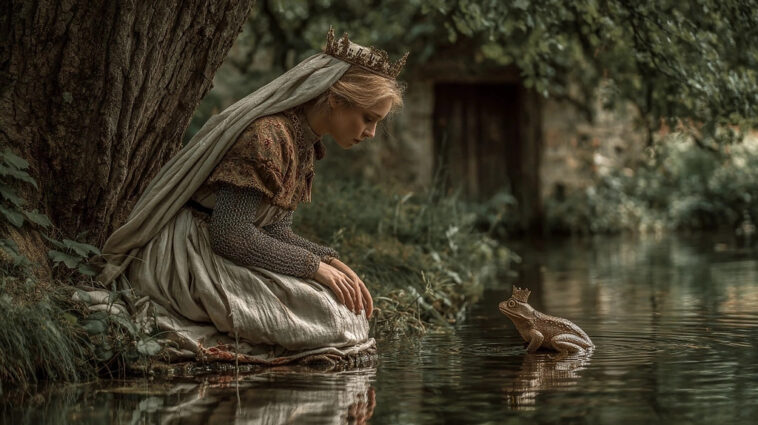
Learning how to use Midjourney remains the most effective way to produce high-fidelity AI art in 2026. Despite the rise of standalone apps like Flux or DALL-E 3, Midjourney’s v6.5 model still holds the crown for lighting accuracy and texture detail. You don’t need a degree in prompt engineering, but you do need to understand the Discord-based workflow. This guide cuts through the noise to show you exactly how to get professional-grade results without wasting your subscription hours on trial and error.
📋 In This Article
Getting Started: The Discord Barrier

Midjourney doesn’t live on a standard website. You have to use Discord. First, create a free account at Discord.com, then join the official Midjourney server. Once inside, head to any ‘newbies’ channel to start typing commands. The core command is /imagine, followed by your text prompt. If you’re used to the web-based interface of Claude 3.5 or ChatGPT, this feels clunky at first. However, the speed is unmatched. Midjourney processes requests in under 30 seconds on average, even during peak traffic. I recommend pinning the server to your sidebar so you don’t lose it. Don’t worry about the noise in the public channels; you can use the Midjourney Bot in direct messages once you’ve generated a few images in the public rooms.
The public channels move fast. You’ll see hundreds of images flying by every minute. To find your own work, click the ‘Inbox’ icon at the top right of Discord and select ‘Mentions.’ This filters out the chaos and shows you only the images the bot finished for you. It’s a simple trick, but it saves you from scrolling through thousands of messages trying to find your prompt.
Mastering the Prompting Syntax
Writing good prompts is less about flowery language and more about structure. Start with the subject, follow with the environment, and finish with lighting or camera specs. For example, ‘/imagine prompt: a vintage Leica camera on a mahogany desk, cinematic lighting, 8k resolution, shot on 35mm film’ gives much better results than ‘a picture of a camera.’ Midjourney v6.5 handles natural language better than previous versions, but adding specific parameters at the end—like –ar 16:9 for widescreen or –stylize 250 for artistic flair—drastically changes the output. I usually keep my –stylize value between 100 and 500. Anything higher makes the image look like a digital painting, which might not be what you want for photorealistic shots.
Using Parameters Effectively
Parameters are the key to unlocking consistent results. The –ar parameter controls aspect ratio, which is crucial if you’re making content for a 16:9 monitor or a 9:16 phone screen. Without it, you’re stuck with boring squares. Always add your aspect ratio at the very end of your prompt to avoid errors.
Understanding the Subscription Tiers
Midjourney isn’t free. As of June 2026, the entry-level ‘Basic Plan’ costs $10 per month and gives you roughly 3.3 hours of ‘Fast’ GPU time. That sounds like a lot, but if you’re iterating on a single image, you’ll burn through it in a week. The ‘Standard Plan’ at $30 per month is the sweet spot for most creators, offering 15 hours of Fast time and unlimited ‘Relax’ mode, which lets you generate images at a slightly slower pace without hitting your cap. If you plan on using this for professional work, the $60 ‘Pro’ plan is necessary to get ‘Stealth Mode,’ which hides your images from the public gallery. I’ve found the $30 plan is sufficient for 90% of hobbyists.
When to Use Relax Mode
Relax mode is a lifesaver. It queues your images behind the paying users, usually taking 1-2 minutes instead of 30 seconds. If you’re doing batch testing or just experimenting with lighting styles, always switch to Relax mode to preserve your Fast hours for when you really need them.
Post-Generation: Upscaling and Variations
Once your image generates, you get a grid of four. Below them, you’ll see buttons labeled U1-U4 and V1-V4. ‘U’ stands for upscale, which creates a high-resolution version of that specific image. ‘V’ stands for variation, which takes the composition and creates four new versions based on that look. I rarely use the standard upscale anymore. I prefer the ‘Upscale (Subtle)’ or ‘Upscale (Creative)’ options introduced in recent updates. They add actual detail rather than just blowing up the pixel count. If you don’t like any of the four, hit the blue circular arrow button to re-roll the entire prompt. It’s better to re-roll than to try and ‘fix’ a bad output with variations.
The Power of Variations
Variations are your best friend for fine-tuning. If you like the composition of your image but want to change the subject’s clothing or the background color, use the ‘Vary (Region)’ tool. It lets you select a specific part of the image to re-generate without changing the rest of the frame.
⭐ Pro Tips
- Use the –no parameter to exclude things you don’t want, like ‘–no text’ or ‘–no blurry’ to force cleaner output.
- Save $20 a year by choosing the annual billing option on the $30/month Standard Plan, bringing the cost to $24/month.
- Stop using overly long, descriptive paragraphs; Midjourney works best with concise, keyword-heavy prompts that focus on style and subject matter.
Frequently Asked Questions
How to use Midjourney for free in 2026?
Midjourney currently has no free trial. You must subscribe to at least the $10/month Basic Plan to generate images. Avoid websites claiming to offer free access; they are often scams or phishing links.
Is Midjourney better than DALL-E 3?
Yes, for artistic and photorealistic work, Midjourney is superior. DALL-E 3 is better at following complex instructions and placing text inside images, but it lacks the texture and lighting depth Midjourney provides.
How much does it cost to use Midjourney?
Plans start at $10/month for the Basic Plan, $30/month for the Standard Plan, and go up to $120/month for the Mega Plan, depending on your GPU time requirements and privacy needs.
Final Thoughts
Midjourney has a steeper learning curve than simple web-based AI tools, but the quality difference is undeniable. Once you master the /imagine command and learn to manage your GPU hours, it becomes an essential part of your creative toolkit. Start with the $10 plan, get comfortable with the parameters, and don’t be afraid to experiment. The best way to learn is to just start typing. Go to their site, sign up, and start creating today.




GIPHY App Key not set. Please check settings