



 Saif Ali Tai
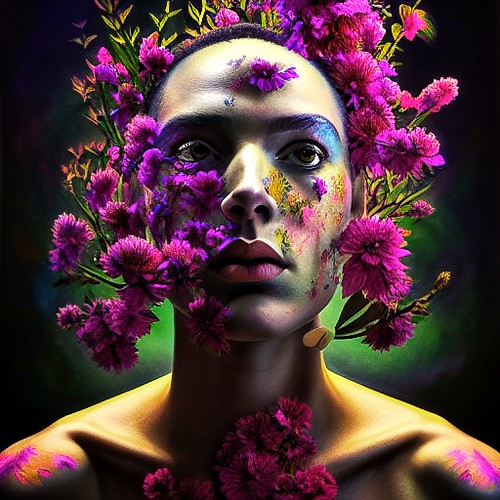
Generating stunning AI art is now accessible to everyone, thanks to tools like Stable Diffusion. This guide breaks down how to get started, even if you’ve never touched AI art before. Forget complicated setups; we’re talking about creating your first image within minutes. Stable Diffusion, an open-source model, democratizes AI image generation, offering incredible power without a hefty price tag.
📋 In This Article
What is Stable Diffusion and Why Should You Care?

Stable Diffusion is a text-to-image diffusion model released in 2022. Think of it like a super-smart artist that can paint anything you describe. You type a description (a ‘prompt’), and it generates an image. Unlike some proprietary models, Stable Diffusion is open-source, meaning developers can tinker with it, and users can run it locally if they have the hardware. This has led to a massive community building tools and interfaces around it. For creators, hobbyists, or even just the curious, it’s a powerful new way to visualize ideas.
The Power of Open Source
Being open-source is a huge deal. It means no single company controls its development. This fosters rapid innovation and allows for custom versions like SDXL 1.0, which offers significantly improved detail and coherence over earlier models. Plus, it means you’re not beholden to a company’s API limits or pricing changes. The community actively shares custom models and workflows, making it incredibly versatile.
Getting Started: Easy Ways to Run Stable Diffusion
The most beginner-friendly way to start is by using web-based interfaces. Services like DreamStudio (from Stability AI, the creators of Stable Diffusion) offer a straightforward experience. A basic subscription starts at around $10 for 100 credits, with each credit generating a few images. Another popular free option is Google Colab notebooks, which let you run versions of Stable Diffusion on Google’s servers. You’ll need a Google account, but it’s completely free to use for basic image generation.
DreamStudio vs. Google Colab
DreamStudio is paid but incredibly simple: sign up, type your prompt, and get images. It’s polished and requires zero technical setup. Google Colab is free but has a steeper learning curve. You’ll be running code in a notebook, which might seem intimidating, but many pre-made notebooks exist that simplify the process significantly. For absolute beginners, DreamStudio is probably the path of least resistance.
Crafting Your First Prompts: The Art of Description
The magic of Stable Diffusion lies in your prompts. Think of them as instructions for your AI artist. Start simple. ‘A cat wearing a hat’ is a basic prompt. To get better results, add details: ‘A photorealistic portrait of a fluffy ginger cat wearing a tiny blue top hat, sitting on a windowsill, soft natural light, bokeh background, 8k resolution.’ Include style (e.g., ‘oil painting,’ ‘cyberpunk,’ ‘watercolor’), medium, lighting, camera angles, and artists’ names (‘in the style of Van Gogh’). Experimentation is key!
Negative Prompts: What NOT to Include
Just as important as telling Stable Diffusion what you want is telling it what you *don’t* want. This is done with ‘negative prompts.’ If you’re getting blurry images, add ‘blurry, low quality, out of focus’ to your negative prompt. If you’re getting extra limbs, add ‘extra limbs, deformed, mutated.’ This helps refine the output significantly and is crucial for achieving clean results.
Advanced Techniques: Beyond Basic Prompts
Once you’re comfortable, you can explore more advanced features. Image-to-image generation lets you upload a base image and use a prompt to transform it. ControlNet offers incredible precision, allowing you to guide the AI using depth maps, poses, or edge detection. Fine-tuning models on your own data is also possible, though this requires significant technical skill and a powerful GPU (like an NVIDIA RTX 4090, which costs around $1,600). Many users also run Stable Diffusion locally using UIs like AUTOMATIC1111 or ComfyUI.
Local Installation: Power and Control
Running Stable Diffusion on your own PC gives you the most freedom and speed, provided you have a capable graphics card. An NVIDIA GPU with at least 8GB of VRAM is recommended for basic SDXL usage. Installation can be tricky, often involving Git and Python, but guides for popular UIs like AUTOMATIC1111 are plentiful on YouTube. It’s free to run once set up, bypassing any credit costs.
⭐ Pro Tips
- Use negative prompts like ‘ugly, deformed, extra limbs, blurry, low quality’ to clean up your generations.
- Start with free options like Google Colab or free trials on services like DreamStudio before committing to paid plans.
- Don’t expect perfect results immediately. AI art generation involves iteration and refining your prompts based on the output.
Frequently Asked Questions
How do I use Stable Diffusion for free?
You can use Stable Diffusion for free via Google Colab notebooks or by running it locally on your PC if you have a compatible NVIDIA GPU. Some services offer limited free credits.
Is Stable Diffusion better than Midjourney?
Stable Diffusion is more flexible and open-source, allowing for local installation and extensive customization. Midjourney is often praised for its aesthetic ‘out of the box’ but is a paid, closed service.
How much VRAM do I need for Stable Diffusion?
For basic Stable Diffusion XL (SDXL), 8GB of VRAM is recommended. For more complex tasks or faster generation, 12GB or more is ideal.
Final Thoughts
Stable Diffusion has truly opened the floodgates for AI art creation. Whether you’re using a simple web interface or diving into local installations, the barrier to entry is lower than ever. Start experimenting with prompts today – you might be surprised by what you can create. Don’t be afraid to get weird with your descriptions; that’s where the magic happens!



GIPHY App Key not set. Please check settings