



 Saif Ali Tai
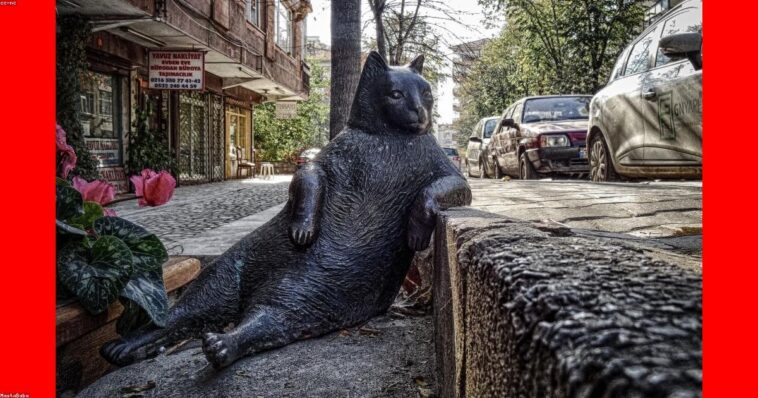
Midjourney remains the gold standard for high-fidelity AI art, and the 2026 v7 update has shifted the bar again. If you are still struggling with basic prompts, this Midjourney tutorial 2026 will get you up to speed. Midjourney now generates hyper-realistic textures and perfect text rendering that easily outclasses DALL-E 3. Whether you are a designer or just a hobbyist, understanding these new parameters is the difference between a mediocre blob and a gallery-worthy masterpiece. Let’s get your workflow dialed in.
📋 In This Article
Understanding the Midjourney 2026 Pricing and Tiers

Midjourney moved away from its Discord-only roots, and the pricing structure reflects that. The entry-level ‘Basic’ plan sits at $10 per month, giving you roughly 3.3 hours of fast GPU time. For power users, the $30 ‘Standard’ plan is the sweet spot because it offers unlimited ‘Relax’ mode generation. I personally use the $60 ‘Pro’ plan because the stealth mode is essential for client work. You are paying for Nvidia H100 compute power, which is why the results consistently look sharper than free alternatives like Stable Diffusion XL running on consumer hardware. Don’t waste money on the Basic plan if you plan to iterate; the ‘Relax’ mode on the Standard tier is worth the extra $20 alone for heavy usage.
Is the Pro plan worth the extra cash?
If you are a professional, yes. The $60 Pro plan includes 12 hours of Fast GPU time and complete privacy. For most casual users, the $30 Standard plan is the perfect balance. You get unlimited generations, provided you don’t mind waiting 30 seconds for the queue to clear during peak hours.
The New Prompting Syntax for v7
Prompting in 2026 is less about ‘magic keywords’ and more about structural hierarchy. Midjourney v7 responds better to natural language descriptions than the comma-separated lists of 2024. I start with the subject, then define the environment, and finally specify the lighting. For example, ‘–ar 16:9 –stylize 250’ is now standard syntax for cinematic shots. The –stylize parameter, ranging from 0 to 1000, is your best friend for controlling how much ‘creative freedom’ the model takes. I keep mine at 250 for most tasks. If you go higher, the image looks great but often loses the original intent of your prompt. Stick to descriptive sentences and use parameters only to force the technical output format.
Why –stylize 250 is the magic number
Setting –stylize to 250 keeps the AI from hallucinating too far from your prompt while still letting it use its aesthetic training. Anything above 750 often results in beautiful but irrelevant images that ignore your specific instructions.
Advanced Editing: Pan, Zoom, and Vary Region
The ‘Vary Region’ tool is the most significant update to the platform in the last two years. It allows you to select a specific part of an image and regenerate just that area. This saves you from having to hit ‘reroll’ 50 times to fix a wonky hand. I use the ‘Zoom Out’ feature constantly to reframe tight shots for desktop wallpapers. When you combine this with the new ‘Pan’ tool, you can literally expand a portrait into a full landscape scene without noticeable seams. It’s a massive time saver compared to manual Photoshop generative fill, which often struggles with lighting consistency across large canvas expansions.
Mastering the Vary Region tool
To get the best results, use the lasso tool to select the exact area you want to change. Keep your selection tight. If you select too much background, the AI will change the lighting, which ruins the continuity of the image.
Consistency and Character References
The –cref (Character Reference) parameter is what finally makes Midjourney viable for long-form projects like graphic novels or consistent brand assets. By uploading a URL of a base image and using –cref [URL], you can force the AI to maintain facial features across different scenes. It isn’t perfect, but it is 90% better than the ‘seed’ method we used in 2025. I recommend using a high-quality, front-facing portrait as your reference image. If you need consistent style, use –sref (Style Reference) with a URL to a folder of your own art. This allows you to apply a specific color palette and brush texture to every single generation automatically.
Combining –cref and –sref
You can use both at the same time. Use –cref to lock in the person’s face and –sref to lock in the artistic style. It is the closest we have to a ‘production-ready’ AI pipeline.
⭐ Pro Tips
- Always set your aspect ratio using –ar 16:9 or –ar 9:16 immediately to avoid cropping later.
- Use the $30 Standard plan; the unlimited ‘Relax’ mode saves you hundreds of dollars in ‘Fast’ hour overages.
- Stop using ‘4k, 8k, hyper-realistic’ in prompts; Midjourney v7 ignores these, and they just clutter your input.
Frequently Asked Questions
How do I use Midjourney in 2026?
You can now use Midjourney via their dedicated web portal at midjourney.com or through their Discord bot. Sign up for a subscription tier, then type your prompt in the chat box or web interface.
Is Midjourney better than DALL-E 3?
Yes, for artistic quality and texture, Midjourney wins. DALL-E 3 follows complex instructions better, but Midjourney’s output is consistently more professional and visually striking for creative work.
How much does Midjourney cost per month?
Pricing starts at $10 for the Basic plan, $30 for Standard, and $60 for Pro. Most power users should opt for the $30 plan for the unlimited generations.
Final Thoughts
Midjourney in 2026 is a powerhouse that demands a bit of learning, but the payoff is massive. If you want professional-grade assets without hiring a digital artist, this is the tool to use. Start by experimenting with the –cref and –sref parameters today. Once you stop relying on generic keywords and start controlling your lighting and composition, you will see why it is still the industry leader. Sign up for the standard tier and start creating.




GIPHY App Key not set. Please check settings