



 Saif Ali Tai
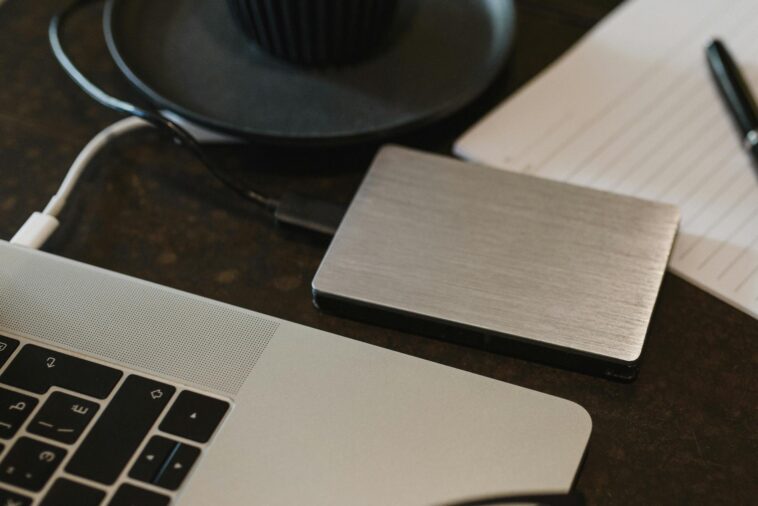
Okay, real talk: I’ve had a hard drive die on me. Not once, but twice. The first time was a cheap external backup drive that just… gave up. Poof, gone were years of photos and project files. The second time, I was lucky; I had a proper backup system. That’s why I’m so passionate about finding the absolute best external hard drive 2026 for backup. Because you know what? Data loss sucks. Big time. In 2026, with 8K video becoming standard and AI-generated art taking up terabytes, our storage needs are insane. You need something reliable, fast enough, and not going to break the bank. I’ve been through dozens of these things, from budget spinners to bleeding-edge NVMe enclosures, and I’m here to tell you what’s actually worth your money.
📋 In This Article
- Local vs. Cloud in 2026: Why You Still Need a Physical Drive
- HDD vs. SSD: The 2026 Backup Battle
- My Top HDD Picks for Backup in 2026 (Big Capacity, Low Cost)
- My Top SSD Picks for Backup in 2026 (Speed & Portability)
- What to Really Look For (Beyond Just Capacity, Trust Me)
- Backup Strategies I Actually Use (So Your Data Stays Safe)
- ⭐ Pro Tips
- ❓ FAQ
Local vs. Cloud in 2026: Why You Still Need a Physical Drive
Look, everyone’s pushing cloud storage these days, right? Google Drive, OneDrive, Dropbox, Backblaze… they’re all fantastic for off-site backup and syncing. I use them myself! But here’s the thing: for a *full system backup* or for archiving massive media libraries, nothing beats a local external drive. Period. Trying to restore 10TB from the cloud? You’re looking at days, maybe weeks, depending on your internet speed. And the recurring costs? They add up fast, especially for truly huge capacities. I mean, Backblaze Personal is awesome at $99/year for unlimited, but if you’re talking about a business or multiple machines, it gets complicated. A good external drive is a one-time purchase that gives you instant access and peace of mind.
The Cloud Isn’t Always Your Friend (Privacy & Cost)
Privacy is a huge deal for me, and honestly, for most people I talk to. Storing all your sensitive documents and family photos on someone else’s server always comes with a tiny bit of unease. Plus, those monthly cloud subscriptions really start to bite into your budget when you cross a few terabytes. A 10TB cloud plan can easily run you $10-20 a month, which is $120-240 a year. You could buy a seriously beefy external drive for that kind of money in just a year or two, and then you own it. It’s yours, no recurring fees.
Local Backup: Speed and Control You Can’t Beat
Imagine your main drive dies. You need to get back up and running yesterday. Copying a few terabytes from a local USB 3.2 Gen 2 drive can take a few hours. Doing that from the cloud? You’re basically at the mercy of your ISP and the cloud provider’s servers. And what if your internet goes down? Or if there’s a regional outage? With a local drive, you’re in control. You plug it in, you restore. Simple. That speed difference alone makes a local backup indispensable for critical data.
HDD vs. SSD: The 2026 Backup Battle
Okay, so we’re talking external drives. The big debate for backup, even in April 2026, still boils down to Hard Disk Drives (HDDs) versus Solid State Drives (SSDs). For your main system drive, SSDs are a no-brainer. But for *backup*, it’s not quite as clear-cut. HDDs still dominate on price-per-terabyte, especially at higher capacities. SSDs are blazing fast and super durable because they have no moving parts, which is great for portability. But that speed often isn’t strictly necessary for a drive that just sits on your desk, getting a full backup once a week. You’re paying a premium for performance you might not always utilize for pure archival.
When HDDs Still Make Sense (Spoiler: Capacity & Price)
If you’re backing up truly massive amounts of data – think 10TB, 18TB, or even 28TB – HDDs are still the undisputed champions. You can grab an 18TB desktop HDD like the Seagate Expansion for around $280-300 these days. Try to find an 18TB external SSD for anything less than a grand… you won’t. For archival, large media libraries, or just an entire system image, the cost savings with HDDs are undeniable. They’re slower, sure, but for something you mostly plug in, let it do its thing, and then unplug, that’s not a deal-breaker.
SSDs for Speed Demons and Portability Junkies
Now, if you need speed for frequent partial backups, or if you’re a photographer constantly moving large RAW files around, an external SSD is where it’s at. They’re tiny, light, and can hit speeds of 1000-2000 MB/s over USB 3.2 Gen 2×2. That’s crazy fast. For backing up your laptop on the go, or shuttling project files between editing stations, an SSD like the Samsung T9 is brilliant. They’re also way more resistant to drops and bumps, which is a huge plus if you’re throwing it in a backpack.
My Top HDD Picks for Backup in 2026 (Big Capacity, Low Cost)
Alright, let’s get into the specific drives I actually recommend. For sheer capacity and value, you’re still looking at HDDs. These aren’t the drives you’ll be editing 8K video directly off of, but they’re perfect for set-it-and-forget-it backups. I’m focusing on desktop drives here because they tend to be more reliable and offer higher capacities than their portable counterparts. Plus, for backup, they usually just sit there anyway. Don’t cheap out on these, because data recovery is a nightmare and costs way more than a good drive.
Best Value: Seagate Expansion Desktop 18TB
For most people needing serious space, the Seagate Expansion Desktop 18TB is my go-to recommendation. It’s a no-frills workhorse. You can usually find it for around $280-300 USD. It’s not flashy, it’s not super fast (expect around 150-200 MB/s over USB 3.0), but it’s reliable and gets the job done. I’ve got a couple of these myself, just humming away on my desk, doing their scheduled backups. For the price per terabyte, you just can’t beat it right now.
Most Reliable (and Redundant): Western Digital My Book Duo 28TB
If you’re really paranoid about data loss (and you should be!), consider a RAID 1 enclosure. The Western Digital My Book Duo 28TB (which actually contains two 14TB drives) is excellent. Set it to RAID 1 (mirroring), and if one drive fails, your data is still safe on the other. It’s pricier, around $750-800, but you’re getting built-in redundancy and peace of mind. Plus, it supports USB 3.2 Gen 1, so it’s reasonably quick for a dual-drive setup. This is what I recommend for small businesses or serious enthusiasts.
My Top SSD Picks for Backup in 2026 (Speed & Portability)
Now for the speed demons. If you’re constantly moving files, doing incremental backups, or just want something tiny and robust, external SSDs are incredible. They’ve come down in price significantly over the last couple of years, making them a much more viable option for backup, especially in the 2TB-4TB range. Don’t expect the same price-per-TB as HDDs, but the performance and durability often make up for it. These are what I grab when I’m heading to a client site or just need a super-fast scratch disk.
For Speed & Portability: Samsung T9 4TB
The Samsung T9 4TB is an absolute beast. It uses USB 3.2 Gen 2×2, hitting speeds up to 2,000 MB/s. That’s insane for an external drive. I’ve used the T7 Shield for years, and the T9 is just a step up. It’s tiny, fits in your pocket, and is relatively rugged. It’s currently going for about $380-400 for the 4TB model. Yeah, it’s not cheap, but if you need to back up a huge video project quickly or you’re a photographer on location, this thing is a lifesaver. Plus, it comes with good encryption options.
Rugged & Ready: SanDisk Extreme Pro Portable SSD V2 2TB
If you’re rough on your gear, the SanDisk Extreme Pro Portable SSD V2 2TB is a fantastic choice. It’s got IP55 water and dust resistance, and it’s built like a tank. It also uses USB 3.2 Gen 2×2 for those sweet 2,000 MB/s speeds. It’s a bit thicker than the T9, but that extra bulk is for protection. For about $220-250, you get a genuinely tough drive that can handle a lot. I’d recommend this for anyone who travels a lot or works in dusty environments and needs their backups to survive anything.
What to Really Look For (Beyond Just Capacity, Trust Me)
Okay, so capacity is king, I get it. But there’s more to picking the best external hard drive 2026 for backup than just how many terabytes it holds. You need to think about the interface, the enclosure’s build quality, and even the included software. Some drives come with genuinely useful backup utilities, others are just bloatware. And seriously, don’t overlook the warranty. A longer warranty usually means the manufacturer stands behind their product. I always check for at least a 3-year warranty on any drive I buy.
USB-C, Thunderbolt 4, or Old School USB-A?
In 2026, most new laptops and desktops come with USB-C ports. Ideally, you want a drive that uses USB 3.2 Gen 2 (10Gbps) or Gen 2×2 (20Gbps) via USB-C. Thunderbolt 4 (40Gbps) is even faster, but you’ll pay a premium for those drives and need a compatible port. Avoid drives that are only USB 2.0 or even older USB 3.0 (5Gbps) if you can, especially for SSDs, as they’ll bottleneck your speeds significantly. Make sure the cables are good quality too; cheap cables can cause connection issues.
Software Bundles: Gimmick or Gold?
Some drives come with backup software. Western Digital’s SmartWare or Seagate’s Toolkit can be pretty decent for basic, scheduled backups. They’re often simple to set up, which is great for beginners. However, I usually prefer third-party solutions like Macrium Reflect (for Windows) or Carbon Copy Cloner (for Mac) because they offer more granular control and robust features. So, don’t let bundled software be your main deciding factor, but if it’s good, it’s a nice bonus.
Backup Strategies I Actually Use (So Your Data Stays Safe)
Having the best external hard drive 2026 for backup is only half the battle. You need a solid strategy, otherwise, that shiny new drive is just an expensive paperweight. I’ve seen too many people buy a drive, plug it in once, and then forget about it. That’s not a backup; that’s just moving data. A real backup means multiple copies, in multiple locations, updated regularly. Trust me, spending an hour setting this up now will save you countless hours (and tears) down the line.
The 3-2-1 Rule: Still King in 2026
This rule is timeless: 3 copies of your data, on 2 different types of media, with 1 copy off-site. So, your original data (1), a copy on your external HDD (2), and a copy on cloud storage (3). That’s your 3-2-1. This protects you from drive failure, theft, and even natural disasters. It might seem like overkill, but when your house burns down or your laptop gets stolen, you’ll be thanking your past self for that off-site cloud backup.
Automate It, Seriously.
The biggest mistake people make is relying on manual backups. You’ll forget, you’ll get busy, and then boom – you’re weeks behind. Use your operating system’s built-in tools (Windows Backup and Restore, macOS Time Machine) or third-party software to schedule automatic backups. Set it to run daily or weekly, depending on how often your data changes. All you have to do is plug in your external drive, and the software does the rest. It’s literally a set-it-and-forget-it solution.
⭐ Pro Tips
- Shuck a cheaper external HDD (like a WD Elements) for a higher quality internal drive; you can save $30-50 compared to buying the internal drive directly.
- Always buy two backup drives if you can afford it. Keep one at home and one at a friend’s house or work for an instant off-site solution.
- For critical files, encrypt your external drive. BitLocker on Windows or FileVault on Mac are built-in and work great.
- Label your backup drives clearly with dates and contents. Seriously, you’ll thank me when you’re looking for that ‘old projects’ drive from 2023.
- Run SMART diagnostics on your HDDs every 6-12 months. Tools like CrystalDiskInfo (Windows) can warn you of impending failure before it’s too late.
Frequently Asked Questions
Are external SSDs good for long-term backup in 2026?
Yes, external SSDs are generally excellent for long-term backup. They have no moving parts, making them more durable than HDDs, and their data retention is very good. Just make sure to power them on occasionally (once a year) to refresh the charge in the NAND cells.
How much does a good external hard drive for backup cost in 2026?
A good external HDD for backup will cost you anywhere from $150 for an 8TB model up to $300 for an 18TB drive. External SSDs are pricier, with a 4TB model like the Samsung T9 typically retailing for around $380-400 USD.
Is cloud backup actually worth it if I have an external drive?
Absolutely, yes. Cloud backup provides an essential off-site copy of your data, protecting you from fire, theft, or other physical disasters that could destroy your local external drive. It’s a crucial part of the 3-2-1 backup rule.
What’s a good alternative to a traditional external hard drive for backup?
For large, long-term archival, a Network Attached Storage (NAS) device is a fantastic alternative. It’s essentially a mini-server with multiple drives, accessible over your network. Brands like Synology and QNAP offer great options, but they’re more complex and expensive.
How often should I back up my computer to an external drive?
You should back up your computer as often as you’re comfortable losing data. For most people, a daily automated backup is ideal. If your data doesn’t change much, a weekly backup might suffice. Critical work files should be backed up continuously or hourly.
Final Thoughts
So, there you have it. My current thoughts on the best external hard drive 2026 for backup. Whether you go for the massive capacity of an HDD like the Seagate Expansion 18TB or the blazing speed of a Samsung T9 SSD, the most important thing is that you *have* a backup. Don’t wait until disaster strikes to realize your data is irreplaceable. Pick a drive, set up a schedule, and stick to it. Your future self will seriously thank you for not losing those memories or that crucial project. Just get it done, okay? Your digital life depends on it.




GIPHY App Key not set. Please check settings