



 Saif Ali Tai
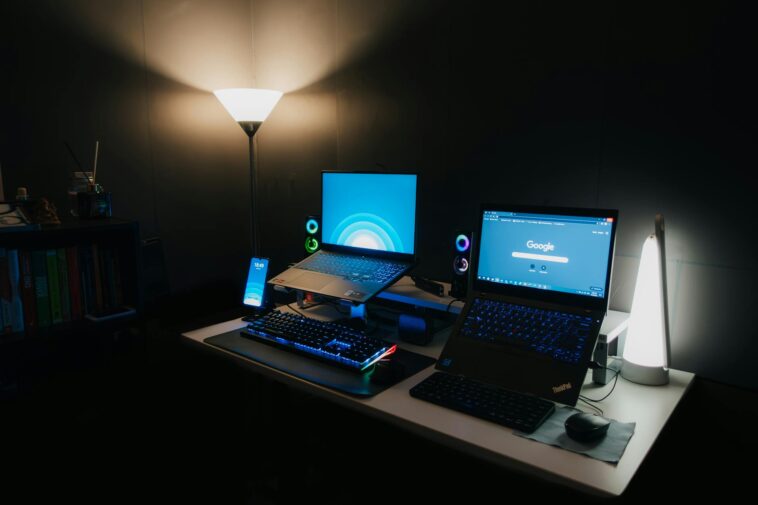
Okay, real talk for a second. Finding the best gaming laptop under 1000 dollars in 2026 isn’t exactly a walk in the park. I mean, I’ve been doing this for years, building my own rigs, testing every new GPU and CPU that drops, and the budget laptop space always feels like a minefield. You know what I mean? You see those shiny ads, and then the reality hits. But here’s the thing: things have actually gotten pretty decent, even at this price point. We’re not talking about playing every AAA title at max settings, 4K, 120fps – let’s be realistic. What we *are* talking about is getting some seriously playable framerates in most modern games, without having to sell a kidney. It’s all about managing expectations and knowing exactly where to spend your cash. Trust me, I’ve spent way too many hours sifting through benchmarks and user reviews so you don’t have to.
📋 In This Article
- What You’re REALLY Getting for Under a Grand in 2026
- The Contenders: My Top Picks for Budget Battlestations
- Specs That Matter (And Those That Don’t So Much) for Budget Gaming
- Real-World Performance: What Can You Actually Play?
- The Compromises You’ll Definitely Make (And Learn to Live With)
- Is It *Really* Worth It to Go Sub-$1000 for Gaming in 2026?
- ⭐ Pro Tips
- ❓ FAQ
What You’re REALLY Getting for Under a Grand in 2026
Look, it’s 2026. The tech has moved on, and so have the prices, mostly. But the budget segment is still fiercely competitive. For under $1000, you’re not going to snag an RTX 5070 or an Intel Core Ultra 9, let’s just get that out of the way. What you *can* expect, however, is a solid mid-range CPU — think an AMD Ryzen 8600H or an Intel Core Ultra 5 285H — paired with an entry-level discrete GPU. I’m talking NVIDIA’s RTX 5050 or maybe even an AMD Radeon RX 8600M. These aren’t slouches, folks. They’re built on newer architectures, so they’re more efficient and often punch above their weight compared to older generations. You’ll generally get 16GB of DDR5 RAM, which is crucial, and a 512GB NVMe SSD. That’s a decent starting point for most games, though you’ll fill that drive up fast. The biggest compromises are almost always the screen and the build quality. Don’t expect a premium metal chassis or a QHD display at this price.
What’s Changed Since 2024/2025?
Okay, so a couple of years ago, getting an RTX 4050 for under $1000 was a stretch, and often meant sacrificing a lot elsewhere. Now, with the RTX 50-series out, the RTX 5050 has trickled down, becoming the new entry point. And honestly, it’s a solid upgrade. Plus, AMD’s mobile CPUs, like the Ryzen 8000 series, are just fantastic for gaming and productivity, often giving Intel a real run for its money in this budget tier. We’re also seeing 16GB DDR5 RAM become pretty standard, which is a huge win for modern games.
Where Do Corners Get Cut?
This is where they save money, plain and simple. Expect screens to be 1080p, usually 120Hz or 144Hz, but with pretty mediocre color accuracy and brightness. Don’t plan on doing any serious photo editing on these. The build will be mostly plastic, probably a bit chunky, and the keyboard might feel a little mushy. Battery life? Ha! You’ll be lucky to get more than 3-4 hours of light use, and gaming will drain it in an hour. But hey, something’s gotta give, right?
The Contenders: My Top Picks for Budget Battlestations
Alright, let’s cut to the chase. Based on what I’ve seen hitting the market this year, there are a couple of models that really stand out if you’re trying to keep it under that $1000 ceiling. Remember, prices fluctuate, especially with sales, so keep an eye out. But these are the ones I’d personally recommend checking out first. I’m talking about machines that offer the best balance of performance for the dollar, without making *too* many sacrifices that’ll drive you crazy. You’re not buying a Ferrari, but you’re definitely not getting a clunker either. These are the workhorses that’ll get you into the game without breaking the bank. It’s all about finding that sweet spot, and these two — or their direct successors, as models get refreshed every year — usually hit it.
The Undisputed Value King: Lenovo LOQ 15 (Ryzen 8600H, RTX 5050)
Honestly, Lenovo’s LOQ line has been crushing it lately, and the 2026 model is no different. For around $899, you can snag one with an AMD Ryzen 8600H, an NVIDIA RTX 5050 (with a decent TGP, usually around 75-85W), 16GB of DDR5 RAM, and a 512GB NVMe SSD. The screen is a 1080p 144Hz panel, and while it’s not the brightest, it’s perfectly fine for gaming. It’s got a surprisingly good keyboard for the price and decent cooling. This is my go-to recommendation for pure bang-for-your-buck gaming.
The Slightly More Refined Option: HP Victus 16 (Core Ultra 5 285H, RTX 5050)
If you want something that looks a little less ‘gamer-y’ and perhaps a slightly better screen, the HP Victus 16 is usually a strong contender, often hovering around $950-999. It usually packs an Intel Core Ultra 5 285H and the same RTX 5050. HP often throws in a slightly better 1080p 144Hz display that might have better color coverage or brightness than the LOQ, which is a nice touch. The build quality feels a touch more premium too, though it’s still plastic. It’s a great all-rounder if you need to use it for school or work too.
Specs That Matter (And Those That Don’t So Much) for Budget Gaming
Alright, let’s talk numbers. When you’re staring at spec sheets, it’s easy to get overwhelmed, especially when every manufacturer is screaming about their latest, greatest thing. But for a sub-$1000 gaming laptop, not all specs are created equal. Some are absolutely critical to hitting those playable framerates, while others are nice-to-haves that you probably can’t afford anyway. I’ve seen too many people fixate on the CPU model number when the GPU is actually the bottleneck for most games. Or they worry about 8GB versus 16GB of RAM when the real issue is a slow hard drive. Here’s what you should actually be prioritizing when you’re on a tight budget, because every dollar counts, and you want to make sure you’re spending it on the right stuff.
GPU is Still King (Even Entry-Level Ones)
Seriously, the graphics card is the heart of your gaming experience. For 2026, an NVIDIA RTX 5050 or AMD RX 8600M is what you’re aiming for. Don’t settle for anything less if you want to play modern AAA titles at 1080p medium settings. An RTX 5050 will get you 60+ FPS in games like ‘Helldivers 2’ or ‘Palworld’ at medium-to-high settings, which is totally respectable. Always check the TGP (Total Graphics Power) if you can find it; higher is better, even on the same GPU model.
RAM and Storage: The Bare Minimum is 16GB/512GB
You absolutely need 16GB of DDR5 RAM. Anything less, and you’ll be hitting performance walls in newer games, trust me. And don’t even think about a laptop with a spinning hard drive. A 512GB NVMe SSD is the minimum for your operating system and a few games. If you can find a 1TB model for close to the same price, grab it, because games are getting huge. You’ll thank me when you’re not constantly uninstalling and reinstalling games.
Real-World Performance: What Can You Actually Play?
Okay, so you’ve got your new sub-$1000 beast. What’s it actually good for? Because, you know, benchmarks are one thing, but sitting down and actually *playing* a game is another. I’ve put these kinds of machines through their paces with a variety of titles, from the latest graphically intensive blockbusters to the esports staples that demand high frame rates. And I’m happy to report, the news is mostly good! You won’t be maxing out ‘Grand Theft Auto VI’ when it drops later this year, but you’ll certainly be able to play it. It’s all about tweaking those settings, finding the sweet spot between visual fidelity and smooth gameplay. Let’s break down what you can expect, because nobody wants to drop a grand and then find out their favorite game runs like a slideshow. It’s a frustrating feeling, and I’ve been there.
Modern AAA Titles (Medium Settings, 1080p, 40-60 FPS)
With an RTX 5050, you’re looking at playing games like ‘Elden Ring: Shadow of the Erdtree’ (yes, it’s finally out!), ‘Cyberpunk 2077: Phantom Liberty’, or even ‘Star Wars Outlaws’ at 1080p on medium settings, usually hitting 40-60 FPS. You might need to turn down a few specific settings like ray tracing (which is still a performance killer) or shadow quality, but it’s totally playable and looks good enough on a 15-inch screen. DLSS (NVIDIA’s upscaling tech) is your best friend here, seriously.
Esports & Indie Gems (High Settings, 1080p, 100+ FPS)
This is where these laptops really shine. Games like ‘Valorant’, ‘CS2’, ‘Apex Legends’, ‘Fortnite’, or ‘Rocket League’ will run flawlessly at 1080p, high settings, easily pushing 100+ FPS. That 120Hz/144Hz screen actually gets put to good use here, giving you that competitive edge. And for indie titles like ‘Hades 2’, ‘Stardew Valley’, or ‘Dave the Diver’, you’ll be absolutely golden. They’ll run maxed out without breaking a sweat, looking gorgeous.
The Compromises You’ll Definitely Make (And Learn to Live With)
Okay, so we’ve talked about the good stuff. Now for the dose of reality. No laptop under a grand is perfect, and these budget gaming machines come with their fair share of compromises. It’s not about if you’ll make them, it’s about *which* ones you’re willing to accept. I’ve seen people get super hyped about a deal, only to return the laptop a week later because they couldn’t stand the fan noise or the terrible trackpad. So, let’s manage those expectations right now. Knowing these limitations upfront can save you a lot of buyer’s remorse. Because while these laptops are great for the price, they’re not magic, and they definitely cut corners to hit that aggressive price point. You gotta understand what you’re signing up for.
Screens Are Still… Screens
I mentioned it before, but it bears repeating: the screen will be one of the weakest links. Expect 1080p, 120Hz or 144Hz, but with limited brightness (often around 250-300 nits) and color gamut (usually 45% NTSC or 60-70% sRGB). It’s fine for gaming, but movies won’t pop, and doing creative work will be a headache. You’ll want to plug into an external monitor for anything serious. It’s just the reality of the budget market.
Battery Life? Forget About It.
Seriously, just assume you’ll be tethered to a wall outlet if you’re doing anything more intensive than browsing the web. Gaming will chew through the battery in about an hour, maybe an hour and a half if you’re lucky. Even for light tasks, you’re probably looking at 3-4 hours max. These are powerful components in a relatively small chassis, and battery capacity often takes a backseat to keep costs down. Don’t buy one of these expecting to game unplugged for long.
Is It *Really* Worth It to Go Sub-$1000 for Gaming in 2026?
After all that, you might be asking yourself if it’s even worth bothering with this price bracket. And my answer is a resounding, ‘Yes, for most people!’ Look, not everyone has $1,500 or $2,000 to drop on a gaming laptop. And honestly, for a lot of us, a sub-$1000 machine is perfectly adequate. It gets you in the door, lets you play the latest games at decent settings, and doesn’t completely obliterate your bank account. It’s about finding that balance. You’re not going to win any awards for having the most powerful rig, but you’ll be gaming, and that’s the point, isn’t it? It’s a fantastic entry point for new PC gamers, or for someone who needs a portable machine for school or work that can also handle some serious gaming on the side. Don’t let the purists tell you otherwise. Good enough *is* good enough.
When to Splurge (Or Build a Desktop)
If your budget can stretch to $1,200-$1,500, you’ll see a pretty significant jump in GPU power (think RTX 5060) and often better screens and build quality. That’s usually where the ‘sweet spot’ is for a more balanced experience. If portability isn’t a huge concern, honestly, building a desktop PC for $1000 will always give you way more power and upgradeability. But if you *need* a laptop, and you’re stuck at a grand, these are your best bet.
Who This Laptop Is For
These sub-$1000 machines are perfect for students, casual gamers, or anyone on a strict budget who still wants to play modern games. They’re also great as a secondary machine or for someone who primarily plays esports titles and needs high refresh rates. If you’re a hardcore enthusiast who demands maximum settings and ray tracing, you’ll need to save up more. But for everyone else, these are fantastic value propositions.
⭐ Pro Tips
- Always check the TGP (Total Graphics Power) for the GPU. A higher TGP (e.g., 85W vs 60W for an RTX 5050) means significantly better performance for the same chip.
- Wait for sales! Black Friday, Prime Day, or even random weekend sales at Best Buy or Amazon can knock $100-$200 off these models. Patience pays off.
- Upgrade the SSD later. If you get a 512GB model, a 1TB NVMe SSD can be had for around $60-$80 these days and is usually easy to install yourself.
- Don’t rely on the built-in speakers. Seriously, they’re almost always terrible. Grab a decent gaming headset (even a cheap $30 one) for a much better audio experience.
- A cooling pad is your friend. These thin chassis can get hot, especially during long gaming sessions. A simple cooling pad can drop temps by a few degrees and help prevent throttling.
Frequently Asked Questions
Can I play Cyberpunk 2077 on a $1000 gaming laptop in 2026?
Yes, absolutely! With an RTX 5050 and 16GB RAM, you can expect to play Cyberpunk 2077: Phantom Liberty at 1080p, medium settings, with DLSS enabled, hitting 40-60 FPS. It won’t be maxed out, but it’s very playable.
How much RAM do I need for a gaming laptop under $1000?
You need 16GB of DDR5 RAM. Seriously, don’t even consider 8GB. Modern games, and even Windows itself, will gobble up 8GB, leading to stuttering and poor performance. 16GB is the absolute minimum for a decent gaming experience.
Is a $1000 gaming laptop actually worth it?
Yes, I think it is. For many people, it offers a fantastic entry point into PC gaming without breaking the bank. You get solid 1080p performance in most modern titles, even if you have to tweak settings. It’s a great balance of cost and capability.
What’s a good alternative to a budget gaming laptop?
If you don’t need portability, building a desktop PC for $1000 will give you significantly more raw gaming power and easier upgradeability. Or, if you can stretch your budget to $1200-$1500, you’ll see a noticeable jump in laptop GPU performance and overall quality.
How long will a $1000 gaming laptop last me?
You can expect a $1000 gaming laptop to provide playable performance for 2-3 years in new AAA titles, and likely 4-5+ years for esports and older games. After that, you’ll need to drop settings considerably or look for an upgrade.
Final Thoughts
So, there you have it. The best gaming laptop under 1000 dollars in 2026 isn’t some mythical beast. It’s a real machine that makes compromises, yes, but still delivers a genuinely fun gaming experience. You’re not getting a top-tier rig, but you’re absolutely getting something capable of running the latest games at respectable settings. My pick is still the Lenovo LOQ 15 for its sheer value, but the HP Victus 16 is a close second if you want a slightly nicer screen or aesthetic. Just remember to manage your expectations on battery life and build quality, and you’ll be golden. Don’t let anyone tell you that you need to spend thousands to enjoy PC gaming. Go snag one of these, fire up your favorite game, and have a blast.



GIPHY App Key not set. Please check settings