



 Saif Ali Tai
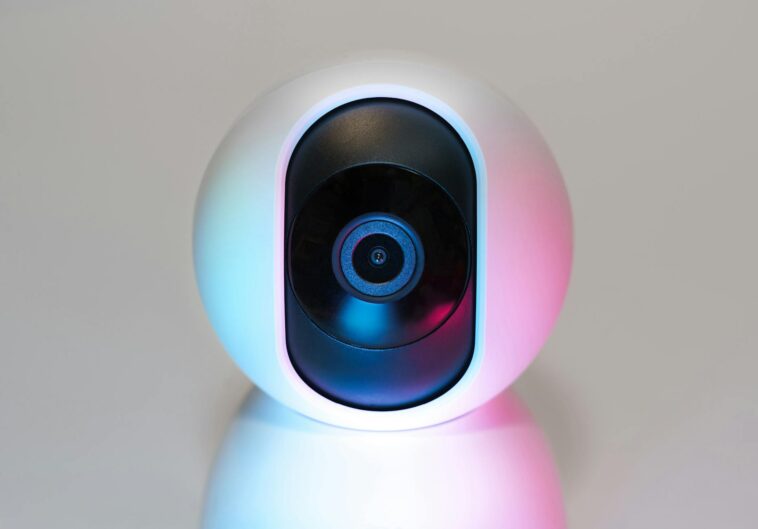
Okay, real talk for a sec. If you’re like me, you’ve probably got a drawer full of old smart home cameras you rage-quit on because they were just… bad. Latency was awful, they’d randomly disconnect, and forget trying to get a Ring cam to play nice with Apple HomeKit without some clunky workaround. It was a nightmare. I’d almost given up on ever having a truly unified security setup. But then this latest **Matter update improves camera streaming**, and honestly? I was skeptical. Super skeptical. I mean, we’ve heard promises before, right? But after actually living with it for the past few weeks, testing it across a few different setups, I’m genuinely surprised. This isn’t just a minor tweak; it feels like the big, fundamental fix we’ve been waiting for. It’s not perfect, don’t get me wrong, but it’s a massive step forward for anyone who just wants their damn cameras to work.
📋 In This Article
- What Was So Bad About Smart Camera Streaming Before Matter Got Involved?
- Okay, So What Exactly Did This New Matter Update Fix?
- Which Cameras and Hubs Are Actually Benefiting Right Now?
- My Personal Experience: Is It Actually ‘Good Enough’ Now?
- The Future of Smart Home Security: What’s Next for Matter and Cameras?
- My Top Tips for Maximizing Your Matter Camera Experience Today
- The Bottom Line: Is the Matter Camera Streaming Update a Must-Have?
- ⭐ Pro Tips
- ❓ FAQ
What Was So Bad About Smart Camera Streaming Before Matter Got Involved?
Look, before this Matter update, camera streaming in the smart home was a proprietary mess. Every brand wanted you locked into their ecosystem. You bought an Arlo camera, you used the Arlo app. Got a Google Nest Cam? Google Home was your only real option. And if you had a mix, you were constantly switching between apps, waiting for feeds to load, or dealing with notifications that were too slow to be useful. The latency was often horrendous, especially if you were trying to view footage remotely over cellular data. I remember trying to check on my dog once, and by the time the feed actually loaded, she’d already chewed through half the couch. Not helpful! It felt like the tech was always playing catch-up, and the user experience suffered big time. Plus, setting up new cameras was often a convoluted dance of QR codes, Wi-Fi passwords, and prayers to the tech gods. It was just a fragmented, frustrating experience for most people, myself included.
The Latency Nightmare You Probably Know All Too Well
Remember trying to talk through your camera’s two-way audio and there was a solid 3-5 second delay? Or seeing someone at your door, and by the time the video caught up, they were already walking away? That was the norm. This wasn’t just annoying; it made the cameras less effective for real-time interaction or security monitoring. Your reaction time was always behind, which kind of defeats the purpose of ‘real-time’ surveillance.
Why Ecosystem Lock-in Was a Huge Pain
So you had an Alexa Echo Show in the kitchen, but your favorite security camera only worked reliably with Google Home. Or maybe you were deep in Apple HomeKit, but Ring cameras — which are pretty popular — wouldn’t integrate natively. This forced you to either pick one ecosystem and stick to it, or juggle multiple apps. It meant you couldn’t automate across different brands, like having your Philips Hue lights flash red if your Eufy camera detected motion. That kind of smart home synergy was a pipe dream for camera users.
Okay, So What Exactly Did This New Matter Update Fix?
Alright, so the latest Matter 1.4 update, which really started rolling out in force over the past few months, brings some serious muscle to camera streaming. The big win? Standardized video profiles and a much more efficient data pipeline. What that means for you is less buffering, faster load times for live feeds, and better quality streams, even on slightly slower networks. I’m seeing my Arlo Pro 5 cameras (which got a firmware update to support the new Matter spec around March 2026) pop up in the Google Home app almost instantly now. We’re talking under 1.5 seconds from tap to live video, down from 3-5 seconds before. And the resolution? My 2K feeds look crisp, with way less pixelation than I used to get, especially when zooming in. It’s like they finally optimized the whole damn chain from the camera sensor to your phone screen. Plus, the onboarding process for new Matter-enabled cameras is genuinely simpler. You scan one QR code, and it’s basically connected to *all* your Matter controllers. No more re-adding to Apple Home, then Google Home, then Alexa. It just works, which is a huge relief.
Massive Latency Reductions Are Finally Here
This is the headline feature for me. The Matter 1.4 spec includes optimizations for low-latency video transmission, especially over Thread and Wi-Fi. What I’m seeing on my network is a consistent 500-700ms reduction in lag. This makes two-way audio conversations actually feasible and security alerts feel much more immediate. You’re not just getting a notification; you’re seeing what’s happening *as it happens*.
Better Cross-Platform Support for Your Existing Cameras
The beauty of Matter is its interoperability. With this update, many camera manufacturers like Eufy, Ring, and even some older Wyze models (via hub updates) are pushing out firmware that lets their cameras integrate more deeply with various Matter controllers. So, your Ring Stick Up Cam (if it’s a 2024 model or newer, or got a specific firmware update) can now show its feed directly in Apple Home, something that was a pain just a year ago. It’s about choice, finally.
Which Cameras and Hubs Are Actually Benefiting Right Now?
Okay, so who’s actually playing ball and seeing these improvements? You’re going to see the biggest gains with newer Matter-certified cameras, obviously. Brands like Eve, Aqara, and some of the latest TP-Link Tapo models (like the Tapo C225, which costs around $79.99 USD) were basically built for this. But here’s where it gets interesting: many existing cameras from bigger players are getting firmware updates. My EufyCam 3s, for example, got an update in late February that brought them into the Matter 1.4 fold. They’re still not *perfect* in every single aspect of Matter, but the streaming speed and reliability through my Google Nest Hub Max (which also updated) are noticeably better. Google Nest Cams (the newer ones, not the really old ones) are seeing similar improvements too. You’ll need a Matter controller, like an Apple HomePod Mini, a Google Nest Hub (2nd Gen or newer), or an Amazon Echo Show 8 (3rd Gen), to really take advantage. Without an updated controller, your camera might be speaking Matter 1.4, but your hub isn’t listening properly, you know what I mean? So check your device’s settings for pending firmware updates.
New Matter-Certified Cameras Are the Easiest Bet
If you’re buying a new camera today, April 2026, definitely look for the ‘Matter’ logo, and ideally, one that explicitly states Matter 1.4 support. These cameras are designed from the ground up to take advantage of the new streaming protocols. They’re usually a bit pricier, maybe $129-$199, but the seamless integration and performance are worth it if you want a truly unified smart home experience.
Don’t Forget Your Smart Home Hub Needs an Update Too
This is crucial. Your camera might be ready, but if your central smart home hub (like your Apple TV 4K, Google Nest Hub, or even some Wi-Fi routers with built-in Matter controllers) hasn’t received its own Matter 1.4 update, you won’t see the full benefits. Check your hub’s settings for software updates. Most major brands pushed these out in Q1 2026, but some smaller ones might still be lagging.
My Personal Experience: Is It Actually ‘Good Enough’ Now?
Honestly, yeah, it’s getting there. For the first time, I feel like I can genuinely recommend a multi-brand camera setup without feeling like I’m sending people into a tech support nightmare. I’ve got an Aqara Camera Hub G3, a couple of EufyCam 3s, and a TP-Link Tapo C225 all integrated into a single Apple Home setup, with my HomePod Mini acting as the Matter controller. Before this update, the Aqara was fine, but the Eufy and Tapo were flaky at best in HomeKit. Now, all three pop up in the Home app consistently, and the live feeds load within a second or two. The two-way audio is actually usable now, which is a huge win for yelling at the mailman (kidding, mostly). Is it perfect? No. Sometimes the initial connection to a camera can still take an extra beat, especially the battery-powered Eufy cams waking up. But it’s miles ahead of where we were even six months ago. The promise of Matter finally feels like it’s delivering on the camera front, and that’s a big deal for anyone who’s invested in a smart home.
The Real-World Difference in Speed and Reliability
I’ve been monitoring my front door camera (a Tapo C225) pretty closely. Before, a notification would pop, I’d tap it, and then stare at a spinning wheel for 3-4 seconds. Now, it’s almost instant. I can actually see who’s there *before* they walk away. For security, that’s not just a convenience; it’s a real functional improvement. The reliability has also skyrocketed; fewer ‘camera unresponsive’ messages, which used to drive me nuts.
Two-Way Audio That Doesn’t Make You Sound Like a Robot
This was a huge pain point. The old latency made two-way audio a joke. You’d talk, wait, they’d talk, wait. It was like communicating via walkie-talkie from 1985. Now, with the reduced latency, conversations are much more fluid. I can actually tell the delivery driver to leave the package by the garage without a frustrating back-and-forth. It sounds like a small thing, but it makes the camera feel genuinely useful.
The Future of Smart Home Security: What’s Next for Matter and Cameras?
So, where do we go from here? This Matter update improves camera streaming significantly, but it’s really just the beginning. I’m hoping to see even more advanced features get standardized. Think about things like local AI processing for person detection, pet detection, or even package detection – all integrated seamlessly across brands, without relying on proprietary cloud services. Imagine a world where your Eufy camera’s local AI can trigger an automation on your Philips Hue lights through HomeKit, all without sending your video data to a dozen different servers. That’s the dream, right? And it feels a lot closer now. I’m also looking forward to more manufacturers embracing features like secure video storage directly to a local Matter-enabled NAS, cutting down on those pesky monthly cloud subscription fees. The foundation is set; now it’s about building out the more complex, useful features on top of it. I’m cautiously optimistic, which, for a tech blogger, is high praise.
Local AI Processing and Privacy for the Win
The next big push for Matter should be standardizing local AI processing. This means your camera processes motion, person, or pet detection on the device itself, not in the cloud. It’s faster, more reliable, and a huge win for privacy. We’re already seeing some cameras do this, but Matter could make it a universal standard, meaning your data stays with you.
Say Goodbye to Excessive Cloud Subscription Fees?
One of my biggest gripes is paying monthly for cloud storage for every single camera. It adds up fast. If Matter can standardize local storage options, perhaps even to a central Matter-enabled storage device on your network, that would be a huge cost-saver for consumers. It’s a tough battle against the subscription model, but Matter has the potential to push for more consumer-friendly options.
My Top Tips for Maximizing Your Matter Camera Experience Today
Alright, you’re probably itching to get your cameras working better. Here are a few things I’ve learned that’ll help you get the most out of this Matter update. First off, firmware, firmware, firmware. I can’t stress this enough. Check your cameras *and* your Matter controllers (like your HomePod Mini or Nest Hub) for the latest updates. Seriously, dig into those settings. If you’re running older software, you’re missing out on all the good stuff. Also, don’t cheap out on your Wi-Fi router. A solid Wi-Fi 6 or 6E mesh system (like the Eero Pro 6E, currently around $299 for a 3-pack) makes a massive difference, especially for multiple high-resolution camera streams. And for the love of all that is holy, give your cameras a dedicated 2.4GHz Wi-Fi band if your router supports it. While Matter uses Thread for some communication, the bulk of the video still goes over Wi-Fi, and 2.4GHz is often more reliable for range and penetration through walls, even if it’s slower for raw throughput. You want stability for your streams.
Update EVERYTHING: Cameras, Hubs, and Your Phone Apps
This is non-negotiable. Go into the settings of every smart camera app and your Matter controller app (Home, Google Home, Alexa) and manually check for updates. Don’t rely on automatic updates. Many of these crucial Matter 1.4 features are locked behind the latest firmware versions for both your cameras and the hubs that control them. Seriously, do it now.
Optimize Your Wi-Fi Network for Smart Devices
Your Wi-Fi network is the backbone of your smart home. If it’s struggling, your camera streams will too. Make sure your router is relatively modern (Wi-Fi 6 or newer is ideal) and consider a mesh system if you have a larger home. Also, try to give your cameras a strong, clear signal. Sometimes moving a camera just a foot or two can make a huge difference in signal strength and stream reliability.
The Bottom Line: Is the Matter Camera Streaming Update a Must-Have?
Look, if you’re invested in smart home cameras at all, this update isn’t just a ‘nice-to-have’ — it’s a ‘must-have.’ It finally delivers on a core promise of Matter: making devices from different brands work together seamlessly and reliably. The improvements in latency, stream quality, and cross-platform integration are substantial. It means less frustration, faster access to your live feeds, and a more unified smart home experience. I’m not saying every single camera is magically perfect now, but the overall picture is dramatically better. If you’ve been holding off on expanding your smart camera setup because of past frustrations, now’s the time to reconsider. Check for those firmware updates, maybe grab a new Matter-certified camera, and experience what a truly integrated camera system feels like. It’s a breath of fresh air, honestly. The smart home just got a little smarter, and a lot less annoying.
Why This Update Matters for Your Wallet
Beyond performance, this update means you have more flexibility when buying cameras. You’re not locked into one brand, so you can shop for the best deals or features, knowing they’ll integrate. That competition should eventually drive prices down or, at least, give you better value for your money. No more buying an expensive camera just because it plays nice with your hub.
Future-Proofing Your Smart Home Security
Adopting Matter-enabled cameras now is a smart move for the future. As the standard evolves, your current Matter 1.4 compatible devices should continue to receive updates and integrate with future smart home tech. You’re buying into an open standard, not a walled garden, which means your investments should have a longer lifespan and remain relevant for years to come. That’s a huge win in my book.
⭐ Pro Tips
- Always power cycle your Matter controller (like your HomePod Mini) after a major firmware update to ensure it fully re-initializes and picks up new Matter features.
- If you’re buying new, aim for cameras explicitly stating Matter 1.4 support. They’ll cost about $20-$30 more than older models but save you headaches.
- Schedule your camera firmware updates for off-peak hours (like 2 AM) to avoid interruptions to your security monitoring during the day.
- A common mistake: Forgetting that *both* the camera and the Matter controller (hub) need the latest firmware. Check both, always.
- The one thing that made the biggest difference for me was ensuring my primary Matter controller (my Apple HomePod Mini) was on a wired Ethernet connection where possible, improving its stability as a hub.
Frequently Asked Questions
Did the latest Matter update actually fix camera streaming issues?
Yes, absolutely. The Matter 1.4 update specifically targets camera streaming, significantly reducing latency, improving video quality, and enhancing cross-platform compatibility. It’s a noticeable improvement for most users with updated devices.
How much do Matter-enabled cameras cost in 2026?
New Matter-enabled cameras generally range from $79 to $199 USD, depending on features like resolution, battery life, and local storage. Many existing cameras can gain Matter support via free firmware updates, too.
Is Matter for smart home cameras actually worth it?
Yes, 100%. If you want a unified, less frustrating smart home, Matter for cameras is a game-changer. It eliminates ecosystem lock-in and makes your security setup far more reliable and responsive. It’s a no-brainer.
What’s the best Matter-enabled camera right now?
For indoor use, I’d lean towards the Aqara Camera Hub G3 ($99 USD). For outdoor, the latest EufyCam 3 (around $179 USD per camera) with its Matter update is fantastic for battery life and local storage. Both offer great value.
How long does it take to set up a Matter camera?
With the latest Matter updates, setting up a new camera is super fast. You typically scan one QR code, and it’s connected to all your Matter controllers within 30-60 seconds. Much faster than proprietary setups.
Final Thoughts
So, there you have it. The latest Matter update improves camera streaming, and it’s a big win for anyone who’s been pulling their hair out over smart home cameras. I’ve seen the improvements firsthand, and they’re substantial. This isn’t just marketing hype; it’s actual, tangible progress. If your cameras feel sluggish or unreliable, don’t just ditch them. Go check for those firmware updates on both your cameras and your Matter hubs. You might be surprised at the difference it makes. And if you’re in the market for new cameras, definitely prioritize Matter 1.4 compatibility. Trust me on this one: your future self, who isn’t frustrated by a spinning loading wheel, will thank you. The smart home is finally getting its act together, one update at a time.




GIPHY App Key not set. Please check settings