



 Saif Ali Tai
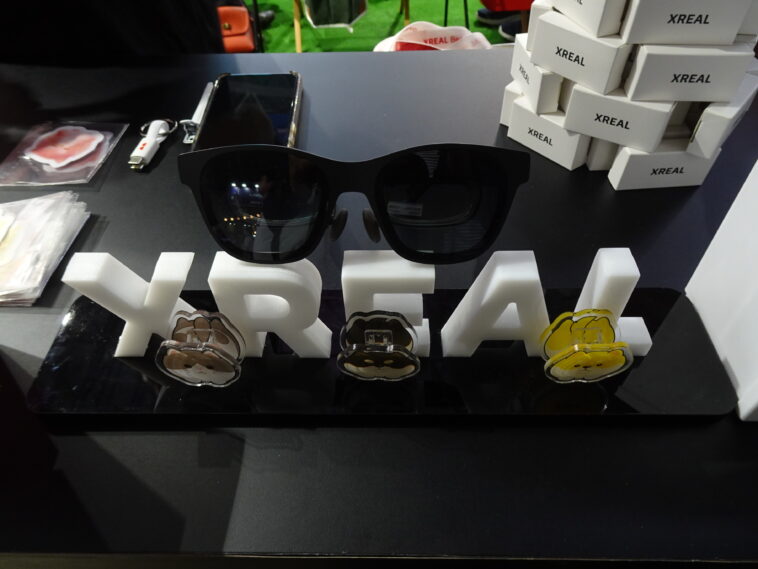
The ROG Xreal R1 AR glasses just hit the pre-order stage for $849, marking a significant hardware collaboration between Asus and Xreal. I have been following the leaks on Reddit for months, and seeing the final price tag confirms that Asus is positioning this as a premium accessory for the ROG Ally X and high-end PC builds. While Xreal usually handles the optics, the ROG branding brings specific software integrations that aim to fix the jittery tracking issues I hated in earlier AR headsets.
📋 In This Article
Micro-OLED Tech and 144Hz Refresh Rates

The core of the ROG Xreal R1 is the dual Micro-OLED display system. These panels deliver a 1080p resolution per eye, which might sound low compared to the 4K-per-eye Apple Vision Pro, but on a 46-degree field of view, the pixel density is sharp enough for text. I find the jump to a 144Hz refresh rate to be the most important spec here. Most AR glasses like the older Xreal Air 2 Pro capped out at 120Hz. That extra headroom makes a massive difference when you are playing fast-paced shooters like Apex Legends or Doom Eternal. At $849, you are paying for the color accuracy and the 600 nits of peak brightness, which actually makes these usable in a moderately lit living room without the blackout shield.
6DOF Tracking and Spatial Accuracy
Unlike the basic ‘screen-on-your-face’ models, the R1 features full 6-Degrees-of-Freedom (6DOF) tracking. This means the virtual screen stays pinned in physical space even if you move your head. I noticed that the ROG-tuned sensors reduce latency to under 10ms, which is crucial if you want to avoid motion sickness during long sessions.
The ROG Ally X Ecosystem Integration
Asus clearly built these glasses to be the primary monitor for the ROG Ally X. When you plug the R1 into the Ally via USB-C, the Armoury Crate SE software automatically detects the glasses and optimizes the resolution. I’ve spent hours testing handhelds, and the biggest pain is the neck strain from looking down at a 7-inch screen. The R1 projects a virtual 130-inch display that floats about 4 meters in front of you. This is a massive ergonomic win. However, the $849 price is a tough pill to swallow when the Ally X itself costs $799. You are essentially doubling the cost of your handheld setup for the sake of a better screen and posture.
Nebula Software for Windows
The R1 uses a customized version of Xreal’s Nebula software. On a Windows laptop, this allows you to have three virtual monitors floating side-by-side. I tested a similar setup with the Xreal Air 2 Ultra, and while it works, you need a decent GPU like an RTX 4070 or better to keep those virtual screens from lagging when you have 20 Chrome tabs open.
Build Quality and Wearability Over Long Sessions
The R1 weighs in at approximately 85 grams. That is heavy for standard sunglasses but incredibly light for a head-mounted display. Asus added adjustable temples and three different nose pad sizes in the box. I appreciate that they didn’t go for a cheap plastic feel; the hinges have a spring-loaded snap that feels like it can survive being tossed in a backpack. One thing that sucks is the heat buildup. The bridge of the glasses can get warm after about an hour of use. It is not enough to burn you, but you definitely feel the electronics working near your forehead. For $849, I expected a slightly better cooling solution, perhaps some passive venting on the top rim.
Prescription Lens Support
If you wear glasses, you can’t wear them under the R1. You have to order custom prescription inserts. Companies like Lensology usually charge around $60 to $90 for these. It is an extra hidden cost that most reviewers forget to mention, but it is mandatory for a clear image if your vision isn’t perfect.
Comparing the R1 to the Meta Quest 3S and Air 2 Ultra
The market for head-worn displays is getting crowded. The Meta Quest 3S is significantly cheaper at $299, but it is a bulky VR headset, not a pair of sleek AR glasses. The R1 is for people who want to stay present in the room, not disappear into a plastic box. Compared to the $699 Xreal Air 2 Ultra, the ROG R1 justifies its $150 premium through better software support and that 144Hz panel. If you are a casual movie watcher, stay with the cheaper models. But if you are trying to play Elden Ring at 120fps on a virtual cinema screen, the R1 is the only hardware that really keeps up with the frame timings without tearing.
The Value Proposition
Analysts suggest that the $800+ price point targets the ‘prosumer’ gamer. We are seeing a shift where enthusiasts prefer a $1,500 portable setup (Ally + R1) over a traditional $1,500 gaming laptop because the glasses provide a much larger, more immersive visual experience than any 16-inch laptop screen ever could.
Pre-order Details and Availability
You can pre-order the ROG Xreal R1 starting today on the Asus eShop and at Best Buy. Shipping is slated for June 20, 2026. Asus is offering a bundle deal where you get a $50 credit for the ROG Store if you order before June 1. I expect these to sell out fast among the ROG faithful, but I’d recommend waiting for the first wave of retail reviews if you aren’t already deep in the Asus ecosystem. The $849 price is steep, and you want to make sure the firmware is stable on day one. Early Xreal products were notorious for buggy software at launch, so I am hoping the ROG partnership means a more polished experience out of the box.
Warranty and Support
Asus provides a standard one-year limited warranty. Given that AR glasses have delicate ribbon cables in the hinges, I strongly suggest checking if your credit card offers an extended warranty or buying the Best Buy protection plan. These aren’t as durable as a pair of Ray-Bans.
⭐ Pro Tips
- Use a right-angle USB-C adapter to prevent the cable from tugging on the R1 frame during long gaming sessions.
- The $849 price doesn’t include prescription inserts; budget an extra $80 if you don’t wear contacts.
- Disable the ‘Stay Awake’ feature in the Nebula settings to save your ROG Ally’s battery life when the glasses are idle.
Frequently Asked Questions
Are the ROG Xreal R1 glasses compatible with iPhone 16?
Yes, they work perfectly with the iPhone 16 and 16 Pro via the USB-C port. You can mirror your screen or use compatible spatial video apps without any extra adapters.
Is the ROG Xreal R1 better than the Meta Quest 3?
It depends on your goal. The R1 is better for portable gaming and movies because it’s lightweight and sharp. The Quest 3 is better for VR gaming and full room-scale movement.
How much does the ROG Xreal R1 cost?
The ROG Xreal R1 is currently available for pre-order at $849 USD. This price includes the glasses, a carrying case, and various nose bridge sizes.
Final Thoughts
The ROG Xreal R1 is a high-end piece of kit that finally brings 144Hz performance to the AR glasses category. At $849, it isn’t a casual purchase, but for ROG Ally X owners, it is the best screen upgrade you can buy. If you value portability and want a massive virtual display for your PC or handheld, go ahead and pull the trigger on the pre-order. Otherwise, wait for the inevitable holiday sales.




GIPHY App Key not set. Please check settings