



 stepphase
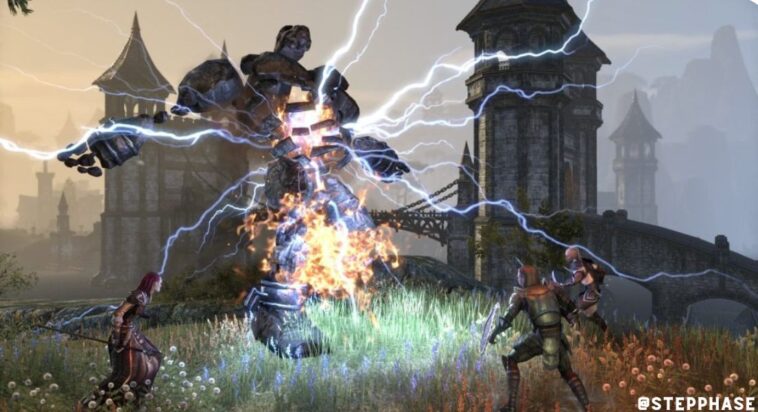
If you’ve been wanting to play The Elder Scrolls Online but don’t have the storage space or hardware to run it locally, there’s good news. ESO is back on Xbox Cloud Gaming (part of Xbox Game Pass Ultimate), which means you can play it on your phone, tablet, low-end laptop, or even a smart TV without downloading the game’s massive install files.
For a game that typically requires 85+ GB of storage space and a decent gaming PC or console, being able to stream it from the cloud is a pretty big deal. Let’s talk about how it works, what the experience is like, and whether cloud gaming is actually good enough for an MMO.
What Is Xbox Cloud Gaming?
Quick overview for anyone unfamiliar: Xbox Cloud Gaming is Microsoft’s game streaming service included with Xbox Game Pass Ultimate ($16.99/month or Rs 499/month in India). Instead of running games on your own hardware, the game runs on Microsoft’s servers and streams the video to your device. You send inputs (button presses, controller movements) to the server, and the game responds.
Think of it like Netflix, but for games. You need a good internet connection (at least 10 Mbps, preferably 20+), but you don’t need powerful hardware. A basic phone or laptop is enough.
Why ESO Leaving and Returning to Cloud Gaming Matters
ESO was previously available on Cloud Gaming but was removed for a period, which frustrated players who relied on cloud streaming to play. The removal wasn’t due to any technical issue – it was related to licensing and Game Pass catalog changes. MMOs have complicated licensing agreements because they often have their own subscription models on top of Game Pass.
Its return means players who previously lost access can pick up where they left off. Your characters, progress, and inventory are all saved server-side (it’s an MMO, after all), so nothing was lost during the absence. You just log back in and continue your adventure in Tamriel.
This is also good news for potential new players. The biggest barrier to trying an MMO is usually the installation process – downloading 85 GB takes hours on many connections, and some people simply don’t have the storage space. Cloud gaming removes both barriers entirely. You can be playing ESO within minutes of deciding to try it.
How Well Does ESO Play via Cloud?
Let’s be real about cloud gaming performance. In a fast-paced competitive shooter, even small latency makes the experience worse. But ESO is an MMO, and most of its gameplay is more forgiving of slight input delay. Questing, exploring, crafting, and even dungeon runs work perfectly fine via cloud streaming.
PvP in Cyrodiil (ESO’s large-scale PvP zone) is where you’ll notice the latency most. Large battles with dozens of players already stressed local hardware, so adding cloud streaming latency on top makes the experience choppier. If hardcore PvP is your main interest, you’ll want to play on local hardware.
For everything else – and that’s the vast majority of ESO’s content – cloud gaming works well. The game streams at up to 1080p 60fps on most devices, which looks solid on a phone or tablet screen. On a large monitor, you might notice compression artifacts, but it’s more than playable.
Controller support is native (the cloud version runs the Xbox version of the game), so if you have a Bluetooth controller paired to your phone or tablet, the experience is seamless. Touch controls are available but not recommended for an MMO with this many abilities and hotkeys.
What You Get with Game Pass Ultimate
ESO via Game Pass includes the base game and the Morrowind chapter. That’s already hundreds of hours of content. Additional chapters and DLC need to be purchased separately, though they occasionally go on sale. If you’re not sure whether ESO is for you, the base game included with Game Pass is more than enough to decide.
ESO Plus (the game’s optional subscription at Rs 1,049/month) gives you access to all DLC except the latest chapter, plus a craft bag (essential quality-of-life feature for managing crafting materials), bonus XP, and 1,650 Crowns monthly for the in-game store. You don’t need ESO Plus to enjoy the game, but longtime players consider the craft bag alone worth the subscription.
Best Devices for Playing ESO on Cloud
Phone (Android/iOS): Surprisingly good experience. A phone with a 6+ inch screen and a Bluetooth controller makes ESO very playable for questing and solo content. Not ideal for reading small text in menus, but the core gameplay translates well.
Tablet (iPad/Android tablet): The best portable experience. A 10-11 inch screen gives you enough real estate to see the UI clearly, and paired with a controller, it feels almost like playing on a console.
Laptop/PC via browser: Go to xbox.com/play in Microsoft Edge or Chrome, sign in, and start playing. No download, no installation. Great for low-end laptops or Chromebooks that couldn’t run the game locally.
Smart TV (Samsung Gaming Hub): Some Samsung TVs from 2022 onward have Xbox Cloud Gaming built into the TV’s interface. Connect a controller to the TV via Bluetooth and play directly – no console or PC needed at all.
Tips for the Best Cloud Gaming Experience
Use a wired ethernet connection if possible. Wi-Fi works, but a wired connection eliminates Wi-Fi-related latency spikes. If you must use Wi-Fi, use 5GHz instead of 2.4GHz and stay close to the router.
Close other apps and background downloads. Cloud gaming is sensitive to bandwidth fluctuations. A Windows update downloading in the background or a family member streaming 4K Netflix can cause noticeable quality drops.
Lower your display settings in-game if you notice lag. The game streams from Microsoft’s servers, but certain settings can still affect how the server renders frames. Reducing shadow quality and draw distance can help on particularly busy servers.
Frequently Asked Questions
Do I need to own ESO separately to play it on Cloud Gaming?
No. ESO is included with Xbox Game Pass Ultimate, which includes Cloud Gaming access. You don’t need to buy the game separately. Just open the Xbox app or go to xbox.com/play, search for “Elder Scrolls Online,” and start playing. You will need an active Game Pass Ultimate subscription.
Can I play with friends who are on PC or console?
The cloud version of ESO runs the Xbox version, so you can play with friends on Xbox consoles and other cloud gaming players. Cross-play with PC (Steam/Bethesda Launcher) is not available – ESO’s PC and console servers are separate. You’ll be on the Xbox/Cloud servers.
Will my progress transfer if I later buy the game locally?
Yes, as long as you’re on the same platform. If you start playing on Cloud Gaming (Xbox version) and later buy ESO on Xbox, your progress carries over completely. If you switch to the PC version, you’d need to start fresh since ESO doesn’t offer cross-platform character transfer between PC and Xbox servers.
How much data does cloud gaming use?
Xbox Cloud Gaming uses approximately 6-10 GB per hour depending on resolution and quality settings. A typical gaming session of 2-3 hours would use 15-30 GB of data. This is fine on most home broadband connections but could eat through mobile data plans quickly. Playing over mobile data is possible but not recommended for extended sessions unless you have an unlimited plan.




GIPHY App Key not set. Please check settings